Customer Ratings & Reviews
- Model:
- B11B224201
- SKU:
- 9330069
Rating by feature
- Value
Rating 4.3 out of 5 stars
- Quality
Rating 4.8 out of 5 stars
- Ease of Use
Rating 4.3 out of 5 stars
Customers are saying
Customers appreciate the Perfection V850 Pro Photo Scanner for its excellent scan quality and ease of use. Many find the scanner fabulous and simple to operate. However, some customers have noted a steep learning curve associated with the included software, such as Silverfast SE Plus.
This summary was generated by AI based on customer reviews.
- Pros mentioned:Scan qualityCons mentioned:Software
Review of Epson V850
||Posted . Owned for 3 weeks when reviewed.This reviewer received promo considerations or sweepstakes entry for writing a review.The scanner works very well. I am pleased with the results. I am a long-time Epson scanner user. I decided to retire my V700 which is in very good condition to upgrade to newer technology. The reason for the low review is the Epson Scan software. They decided to remove the Office Mode option which is needed to easily scan 8.5" x 11" pages. This option has been available in Epson Scan software for many years. I spent much time with Epson tech support to learn how to perform a scan of 8.5 x 11 inch pages using the V850 interface. They told me to purchase a third-party software scanning software. An additional step is required in Epson Scan Professional Mode. First the document must be previewed, then the page size set to 8.5 x 11. This must be done for each page. I purchased Silverfast 9.0 to perform the scans at 8.5 x 11. As a result, I do not recommend this scanner as an upgrade since the interface is not sufficient. Excellent scanner with a useless interface.
No, I would not recommend this to a friendBrand response from Epson
Posted .Hi VGAtoHDMI, thank you for your feedback on the Epson V850. We'll forward this information to the relevant departments to help improve the quality and performance of our future products. Your Perfection scanner also includes a 1-year Limited Warranty, plus free lifetime tech support. If you need further assistance, our Advanced Support Team can be reached directly at 1-800-241-5794; Hours: Monday - Friday, 7 am - 4 pm (PT). Once again, thank you. Sincerely, Bobby - The Epson Team.

- Cons mentioned:Software
Works Great
||Posted . Owned for 6 months when reviewed.This reviewer received promo considerations or sweepstakes entry for writing a review.I had fun using the scanner. I recently scanned all of my mothers pics she had saved and distributed to all of my siblings. The only issue I had was with the software. I wanted to make all the scans JPG but it would at times change it to TIF so I had to keep an eye on it.
I would recommend this to a friend - Pros mentioned:Scan qualityCons mentioned:Software
excellent scanner - steep learning curve
||Posted .This reviewer received promo considerations or sweepstakes entry for writing a review.Quality of scanner is excellent. Software including silverfast SE plus has steep learning curve to maximize workflow
I would recommend this to a friend - Cons mentioned:Software
Review of V850 purchased at Best Buy recently
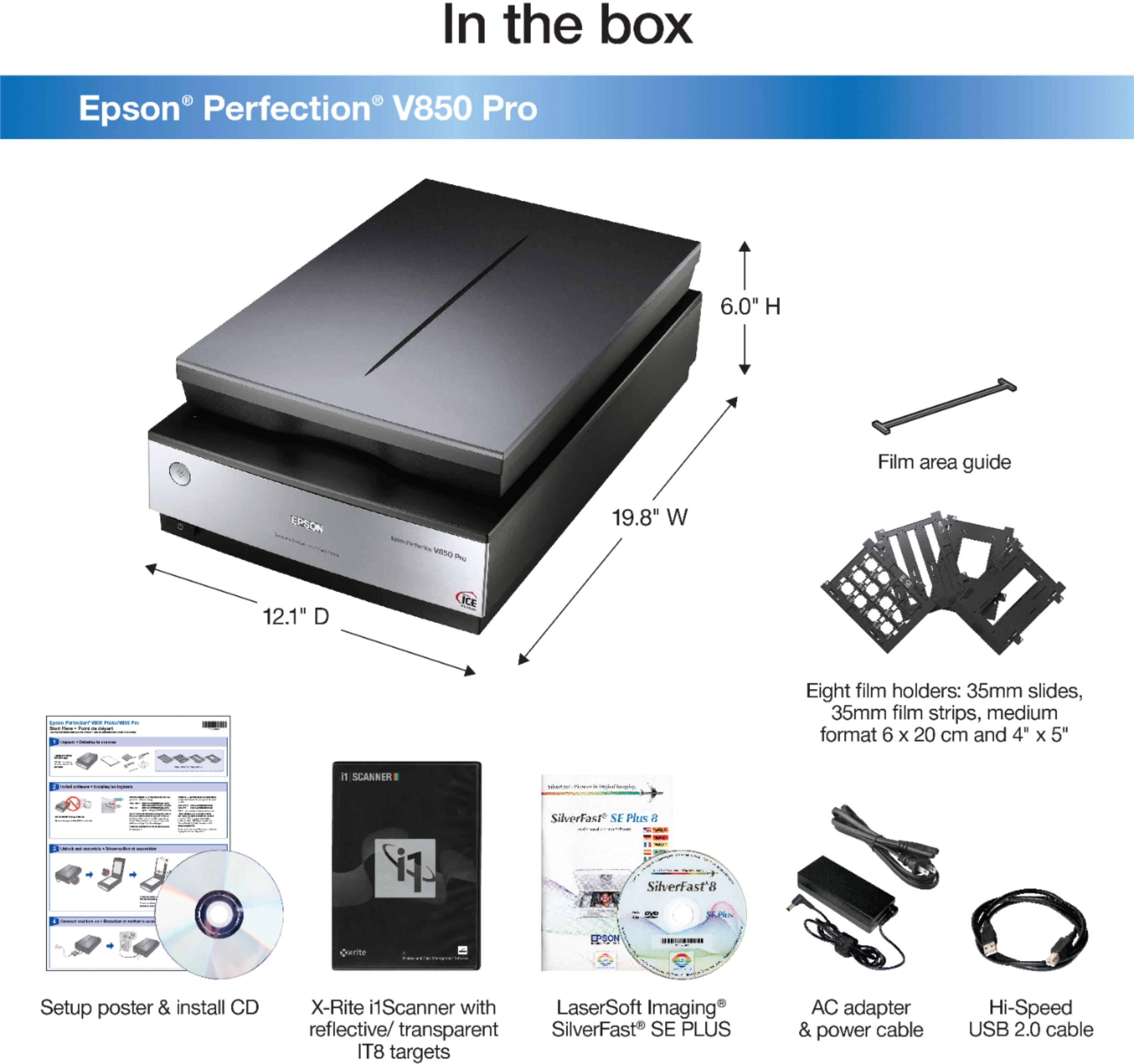
||Posted . Owned for 1 month when reviewed.This reviewer received promo considerations or sweepstakes entry for writing a review.The IT person who set it up for me said it was new but an older version of the V850. The Silverfast 8 that came with it was already outdated and wasn’t compatible. He went in and updated to the software Silverfast 9 but I had to pay extra. Now it is supposed to work. He said it should be a good scanner.
I would recommend this to a friend