Customer Ratings & Reviews
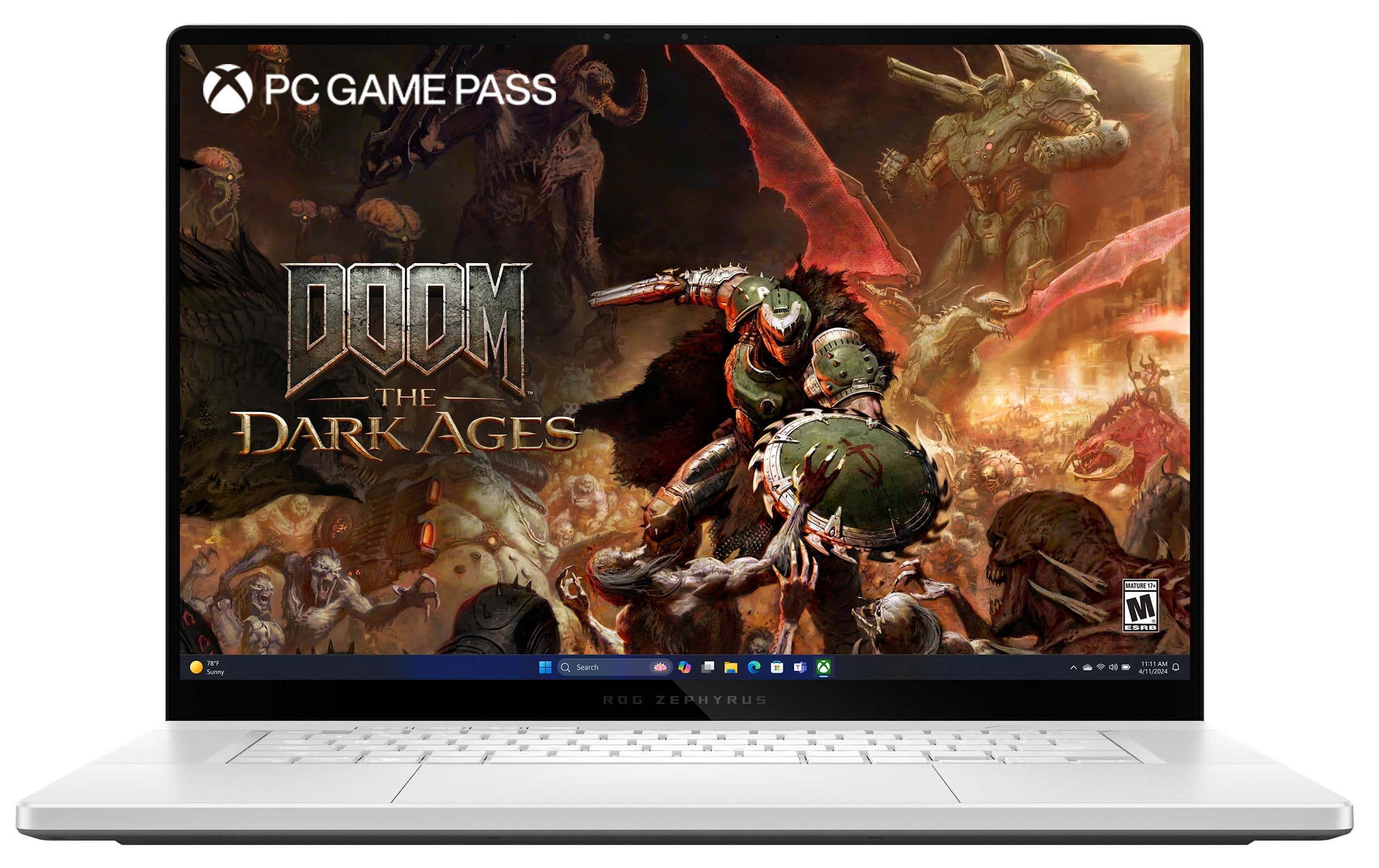


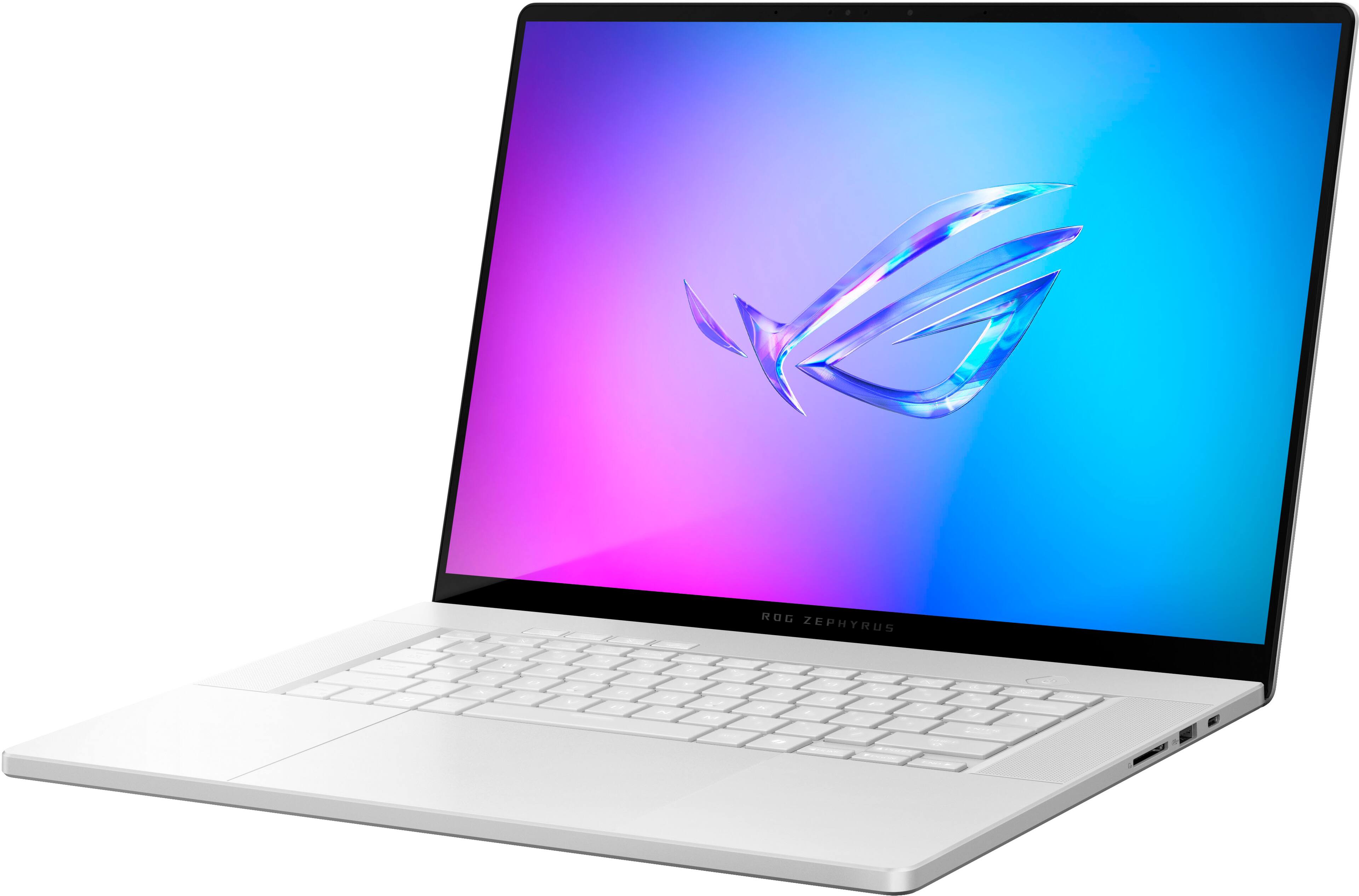
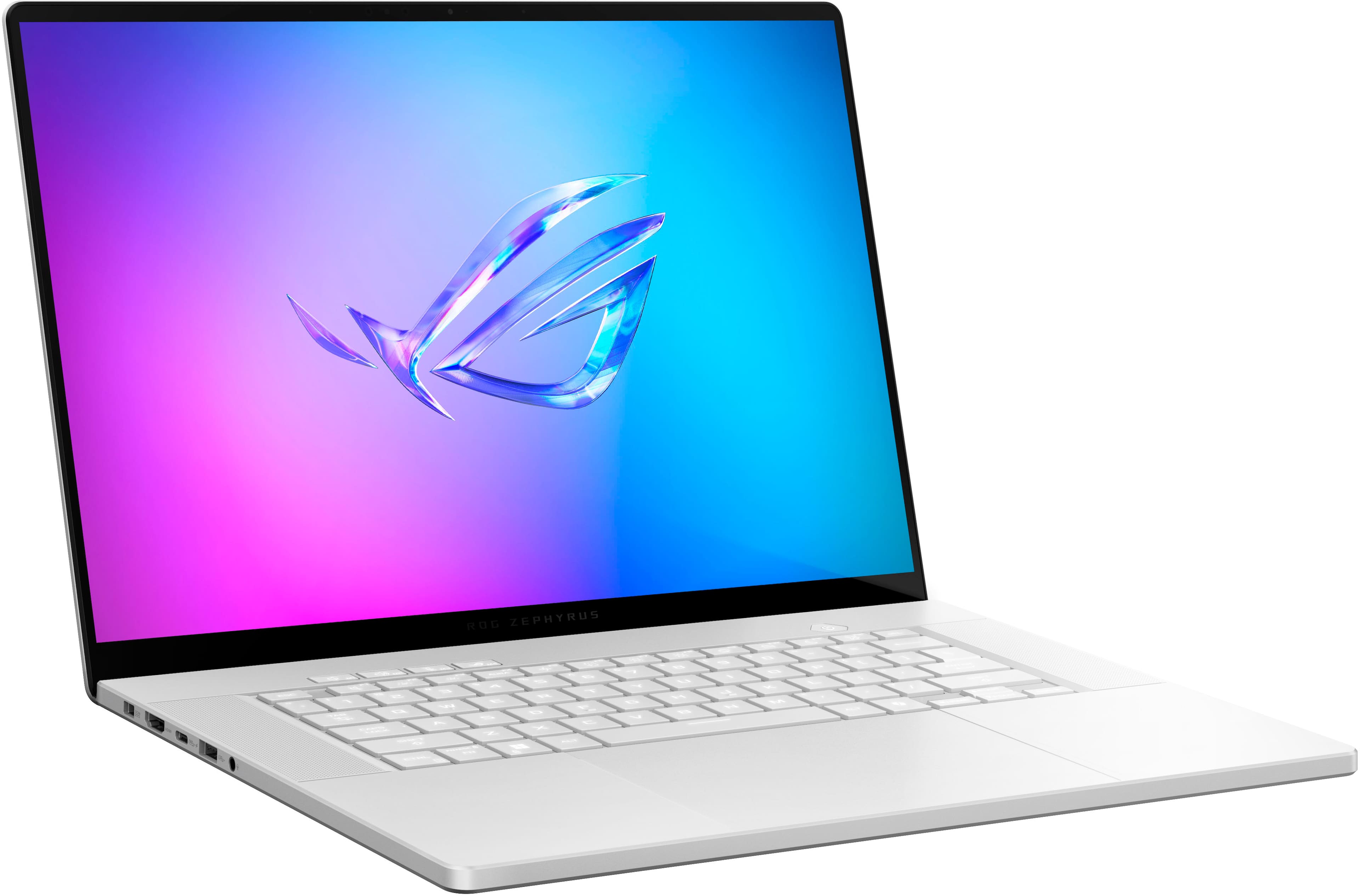
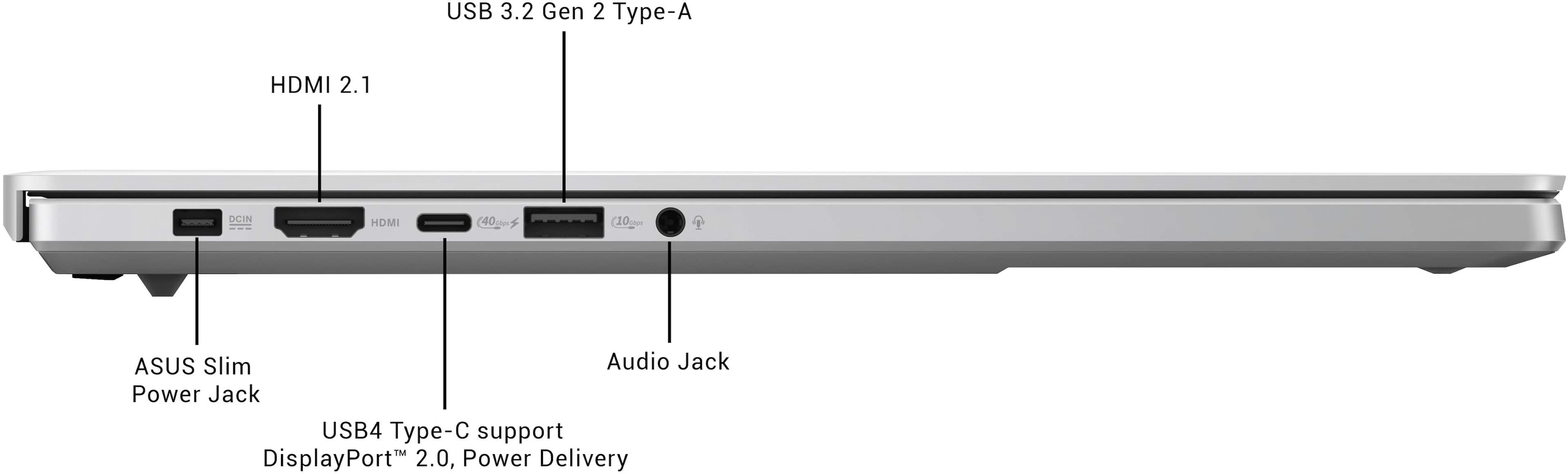











- Model:
- GA605WI-G16.R94070
- SKU:
- 6583376
Rating by feature
- Battery Life
Rating 4.3 out of 5 stars
- Speed
Rating 4.8 out of 5 stars
- Display
Rating 4.9 out of 5 stars
Customers are saying
Customers frequently mention the exceptional performance, stunning OLED display, and long battery life of the ROG Zephyrus G16. They appreciate the powerful AMD Ryzen AI 9 HX processor, NVIDIA RTX 4070 graphics, and 32GB of memory, which enable smooth and efficient multitasking and gaming. While some users have concerns about overheating, many find that the cooling system is adequate with proper adjustments.
This summary was generated by AI based on customer reviews.
- Pros mentioned:Battery life, Overall performance, Portability
The Best ROG Laptop Yet
||Posted . Owned for 1 week when reviewed.This reviewer received promo considerations or sweepstakes entry for writing a review.The 2024 Zephyrus G16 sets a new standard for gaming laptops, coming remarkably close to perfection. For a 16-inch device, it’s impressively thin and light, making it as portable as it is powerful. The OLED display is a visual masterpiece—vivid, bright, and perfect for gaming or content creation. The keyboard offers a satisfying typing experience, while the oversized touchpad rivals the usability and precision of premium productivity laptops. This is essentially a gaming laptop with MacBook-level refinement, and it shows in every aspect. The silver finish adds a premium touch, and the overall build quality is among the best I’ve ever encountered. Performance is stellar, effortlessly handling games at native or QHD resolution. Even more impressive is the battery life—thanks to the AMD Ryzen AI HX processor, battery performance has been optimized to the point where you can expect near MacBook-like longevity. This is a game-changer for Windows laptops and finally makes the Zephyrus G16 a viable option for all-day use beyond gaming. If you’re considering a gaming laptop that balances power, portability, and premium design, I highly recommend checking out the Zephyrus G16 in-store. It’s an absolute standout in its class.
I would recommend this to a friend - Pros mentioned:Portability, Screen quality
Great Once You Remove Bloatware
||Posted . Owned for 2 weeks when reviewed.This reviewer received promo considerations or sweepstakes entry for writing a review.Prefacing this review with the fact that I came from an Alienware x14 R2 laptop: PROS... This device blows me away. I absolutely love the vividness of the screen, the size, and how sleek it is. It's so thin that it fits every bag I own without issue. Stays cool under pressure and I've see 0 performance issues. The keyboard is comfortable and super quiet. The trackpad is huge with all glass. No haptic motor, unfortunately, but it's one of the best click mechanisms I've felt. Doesn't rattle around like the cheap ones on most gaming laptops. Ports are excellent, I'm so happy they placed at least 1 USBC on either side. Speakers are INCREDIBLE. It rivals the laptop king -- Macbook Pro so color me impressed. Now for the CONs... Asus Armory Crate and all the bloatware that comes with it is awful. It looks like a 16 year old designed it. Very tacky, "gamer" menus that make digging for settings a chore. I replaced this with G-helper and it's been a night / day difference. The folks over at ASUS need to learn from that developer. There's also weird software like an ASUS AI bot... deleted immediately. The screen refresh rate options are bad. It only supports 60 or 240hz. There's no dynamic refresh rate, 120hz, or 90hz options. I can't tell the difference above 120hz so it feels like I'm wastefully burning battery on a screen stuck at 240hz. The BIOS is sparse. I wish I could do more from it (like force-adjust the refresh rate above). The keyboard backlight, while full color, seems cheap. It has very few options with only 3 brightness settings and when it turns on it's not a gradual shift...it just flashes on or off. This seems like a weird nitpick, but I like to have my keyboard light shut off after 15 seconds of non-use so when they flash on or off with every mouse shake, it looks janky. Copilot Key. This isn't ASUS's fault but the fact that I can't remap this to anything I want is a disservice to the consumer. It'd be nice if Armory Crate or G-helper had an option to do so. Power cable is proprietary and if you want one at your desk and one in your bag for travel, be prepared to spend lots of money. The good news is my 100w Anker USBC charger works fine as long as I'm not gaming. You'll have to turn the nagging "wattage too low!" Asus Helper off, but at least the laptop has power delivery! Even with these cons I'd still give the laptop 5 stars. It's been wonderful.
I would recommend this to a friend - Pros mentioned:Battery life, Portability, Screen quality
BEST 16" windows laptop that's NOT a Macbook.
||Posted . Owned for 1 month when reviewed.This reviewer received promo considerations or sweepstakes entry for writing a review.I got this during the open box sale back in Jan (got mine for $1600 exellcent condition open box). Unit was flawless and warranty started in Dec '25. I have a older gaming rig with ryzen CPU and amd 5700XT card that's struggling at 1440p gaming (espeically with modern games). I bought this as both a portable unit (I work from home so this doubles up in my home office) and to replace my primary rig in future. In short, this is the ONLY windows laptop that comes close to a Macbook (which sucks for gaming). The build quality, audio speakers, keyboard and the bright OLED display are as close to a Mac u can get out of a windows laptop. Everything is premium on this. I opted for the amd cpu with 32GB ram and rtx 4070 and 1440p gaming is a breeze. I literally spend 200 hours on Elden Ring (with HDR mode) and game looked fantastic. I beat the whole game on this laptop and it was a joy. No crashes, native res, all high settings and no lag whatsoever. Another excellent feature is the fact u can utlize the AMD gfx for gaming on battery (low settings but battery lasts for hours). I have some long international flights coming up this summer and I'll be bringing this laptop with me on the plane. The speakers (and Dolby settings) are the best I've heard on a laptop. Lastly, the OLED screen is fantastic. This is my 1st laptop with a OLED screen and I'll never go back to a non OLED laptop. Everything just pops on this laptop. Watch out for the open box sale and you'll save over $500 vs retail.
I would recommend this to a friend - Pros mentioned:Screen quality
If you need a great leptop, this is it, with Amd
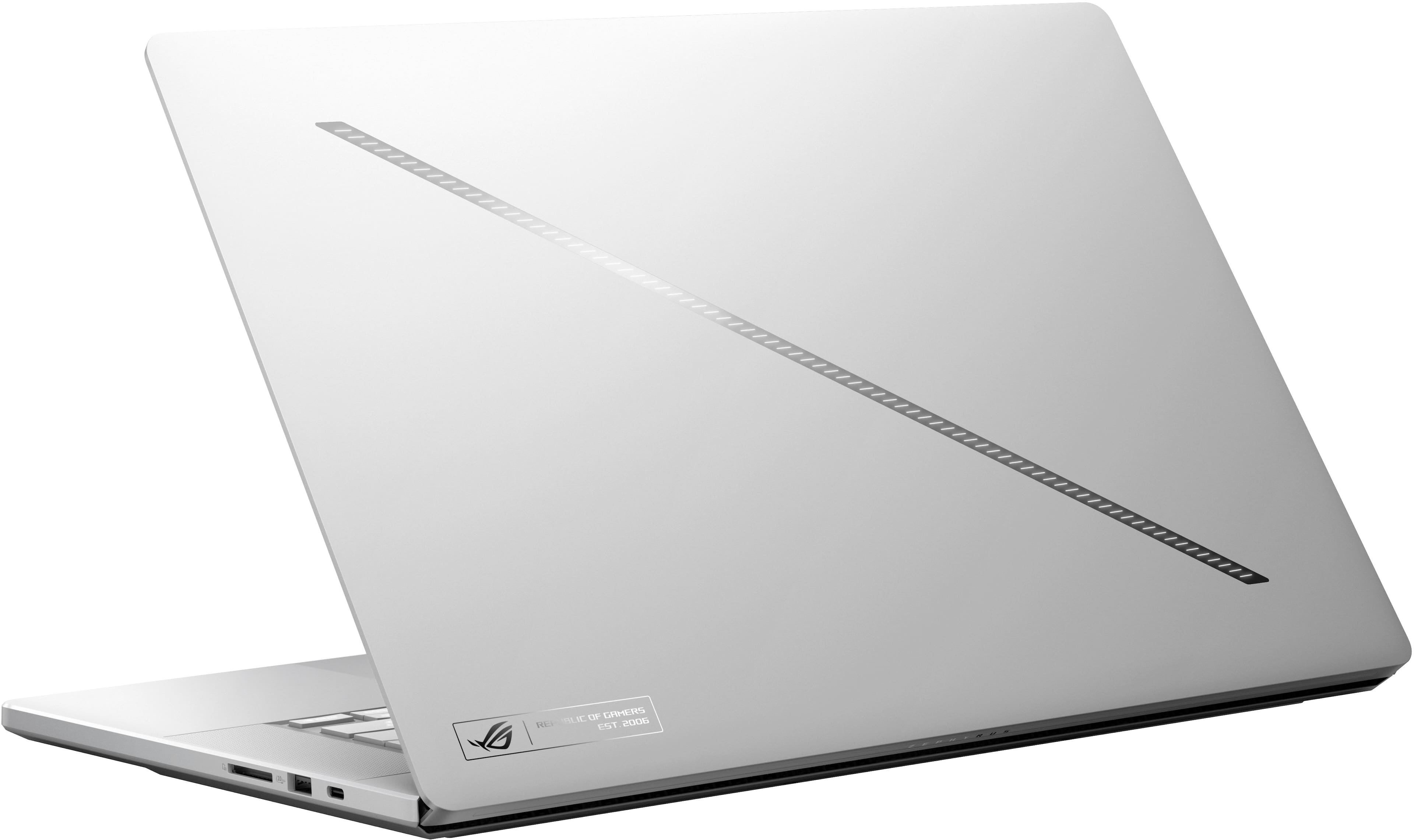
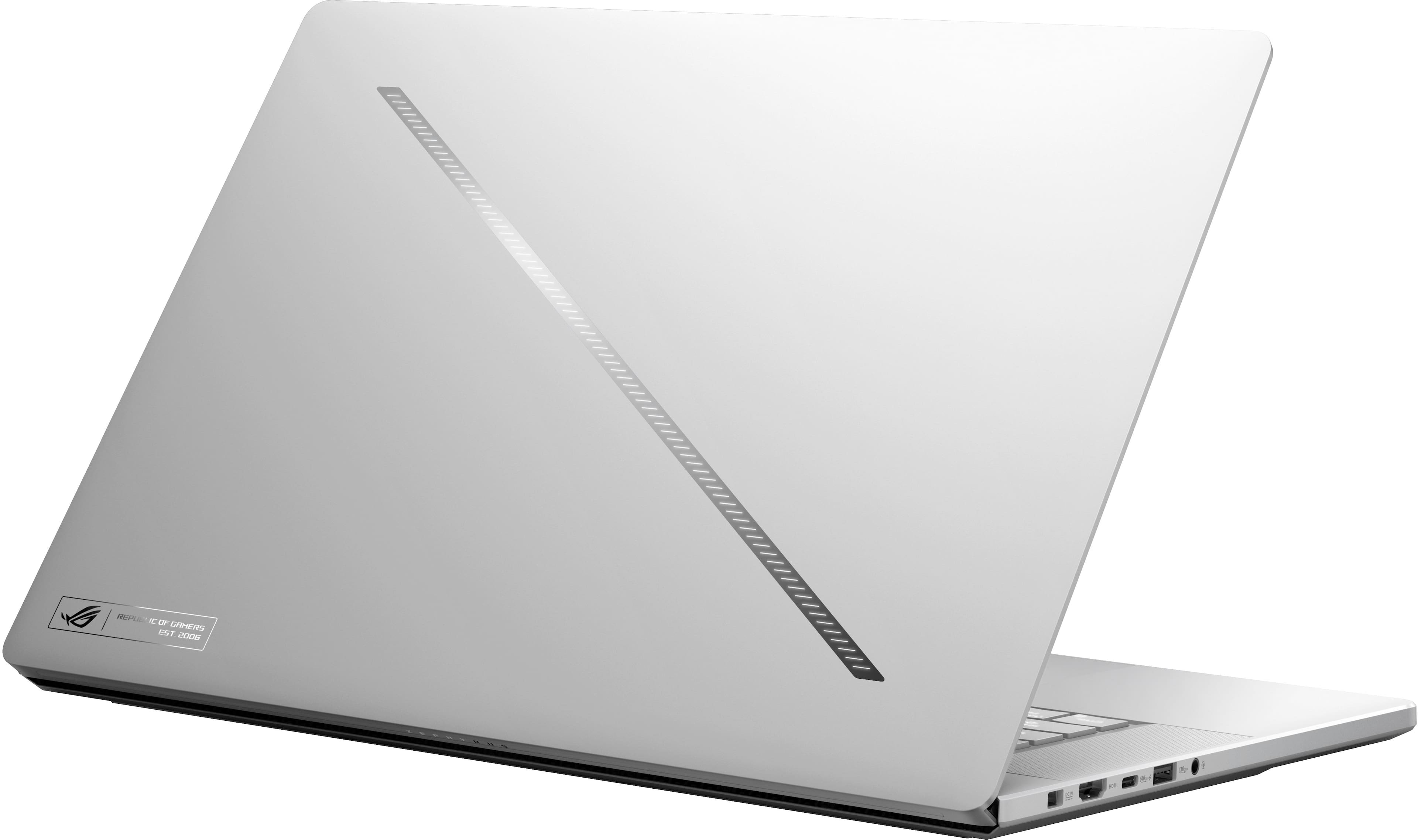
||Posted . Owned for 1 week when reviewed.This reviewer received promo considerations or sweepstakes entry for writing a review.I have owned many leptops, and personally prefer Windows over Apple, last leptops I still own came from Samsung, they are beautiful optically, and with great specs if you pick top options, but with higher cost compare to other. Asus cought my eye because it's a gorgeous machine with good cpu and gpu options, good tracpad and fairly light for a such a powerful machine, I just bought new LG gram which is incredibly lightweight and thin, but just kept freezing on AI and Davinci resolve, even though has a dedicated 3050 gpu, so ended up returning it, and when i did a research on different set ups of g16, amd is just so much more powerful on lower power and runs cooler than Intel, I pulled a triger, I wished Amd came with 4090 option due to the vapor chamber, but 4070 I figured was plenty good enough. One common complain on these was a fan noise, that was fixed with bios update, and amd runs cooler so it's super quiet from my experience having this leptop over a week, all i can say it is fast, screen is beautiful, best speakers in windows letop you can find, and runs all my gear with breeze, it is worth every penny, white/silver color is also beautiful with the led strip on the cover, best leptop i ever owned. PS download GHelper that controls the leptops system to even further enhance your experience.
I would recommend this to a friend - Pros mentioned:Overall performance, Screen quality
⭐️⭐️⭐️⭐️⭐️ Absolute Beast of a Gaming Laptop – Blo
||Posted .This reviewer received promo considerations or sweepstakes entry for writing a review.I recently picked up the ASUS ROG Zephyrus G16 OLED (2024) from Best Buy, and I have to say… this laptop is next-level. From unboxing to daily use, everything about it screams premium performance. The 16” OLED QHD 240Hz display is absolutely stunning—colors are rich, blacks are deep, and the refresh rate makes every game feel buttery smooth. The AMD Ryzen AI 9 HX processor and 32GB of RAM handle everything I throw at it without breaking a sweat, from AAA gaming titles to heavy multitasking. And let’s talk about the NVIDIA RTX 4070—flawless ray tracing and frame rates that make PC gaming feel like a dream. Storage is more than generous with a 2TB SSD, and I’ve noticed zero lag when loading games or editing video content. Plus, the design is sleek, modern, and surprisingly light for a gaming laptop. The Platinum White finish stands out in the best way—clean, stylish, and unique. Also, big shoutout to Best Buy for fast shipping and excellent packaging. Everything arrived in perfect condition. If you’re looking for a future-proof, Copilot+ AI-powered laptop that’s built to dominate gaming and productivity alike, this is the one. Totally worth the investment. Highly recommend!
I would recommend this to a friend - Pros mentioned:Processor speed, Screen quality
Worth it
||Posted . Owned for 3 weeks when reviewed.This reviewer received promo considerations or sweepstakes entry for writing a review.One of the nicest screens I've seen on a laptop. Lightweight and not super flashy, easy to bring to school and work. Great balance for me. It can get hot when playing high end graphics heavy games but that is kind of the price to pay when you have a thin metal chassis. Overall enjoyable to use and aesthetic without being too much if you need it for a professional setting. CPU is more than powerful enough for most tasks.
I would recommend this to a friend - Pros mentioned:Overall performance, Processor speed, Screen quality
Best Laptop Ever
||Posted . Owned for 2 weeks when reviewed.This reviewer received promo considerations or sweepstakes entry for writing a review.Such an amazing laptop. So powerful for gaming and the oled screen looks amazing for gaming and both productivity
I would recommend this to a friend Best Purchase for transitioning
||Posted . Owned for 1 week when reviewed.This reviewer received promo considerations or sweepstakes entry for writing a review.As a previous owner of a Macbook Pro M1, this laptop makes switching no problems at at all. The performance this laptop offers is immense even when running on battery alone. The Oled screen makes enjoying watching videos amazing with accurate black and vibrant colors, with barely any glare from light showing. When it comes to gaming the colors look amazing and the 4070 gpu performs well. Fan noise on this laptop can get bit loud but only when pushing heavy immense software, when on battery or plug in it is silent. The weight of the laptop weighs less than macbook pro making it easier to carry around to college including with the battery brick. Even the laptop is under heavy load, keyboard remains cold to the touch only above the keyboard it builds up heat but there is no need to touch there. Speakers is another amazing part of this laptop. This G16 comes with front facing speakers that contain good amount of bass for songs and can get decently loud that rivals the macbook pro, making watching shows pleasing. Trackpad is large and glossy which makes transitioning easy and it is satisfying to use. Of course battery life is not as long compared to macbook but for a windows laptop is last pretty long throughout normal application usage with battery safety on. Only issue that can be for others users is that the ram is soldered making it hard to choose between this model or another with less ram with price difference. I can assure you if you run a lot of applications at once and gaming, this laptop runs perfectly smooth I have no regrets. Another thing is the second slot for storage is limited to PCIe Gen 4x2 speed if you plan adding more storage. If you are a macbook user thinking about transitioning to windows laptop, this one is perfect. Pros - Oled 240Hz Screen - 32Gb Ram - 4070 GPU - Satisfying keyboard - Great quality speakers Cons - Soldered Ram - Second ssd slot limited speed
I would recommend this to a friend- Pros mentioned:Overall performance, Processor speed
Best laptop
||Posted . Owned for 2 weeks when reviewed.This reviewer received promo considerations or sweepstakes entry for writing a review.This is the most powerful laptop I’ve ever used and it’s made me super productive. I love Copilot with AI and everything that comes with this laptop. The AMD ryzen CPU is amazing.
I would recommend this to a friend - Pros mentioned:Overall performance
The Ultimate Beast: Unstoppable Power
||Posted . Owned for 3 months when reviewed.This reviewer received promo considerations or sweepstakes entry for writing a review.Fast, lightweight, and powerful—perfect for work and entertainment
I would recommend this to a friend - Pros mentioned:Overall performance
Spectacular
||Posted . Owned for 3 months when reviewed.This reviewer received promo considerations or sweepstakes entry for writing a review.I mainly bought it thinking about gaming, and after months of playing and learning some other skills I would say this laptop it’s great, I was concern about temperature when playing extended hours but it still have a good performance after all even if you do it with optimum conditions or video quality, It’s also a good choice for editing videos or creating content though. So yeah for me it’s definitely a fully stars product.
I would recommend this to a friend - Pros mentioned:Overall performance
A great laptop to have!
||Posted . Owned for 5 months when reviewed.This reviewer received promo considerations or sweepstakes entry for writing a review.An excellent laptop, I have been using it for about 5 months now and it's just a powerhouse. At first, I struggled a little with some software hiccups, but it smoothed out. The audio card that's preinstalled in the laptop is bad, and not even worth having. You just need to replace the audio card and you're set to go.
I would recommend this to a friend - Pros mentioned:Overall performance, Processor speed, Screen qualityCons mentioned:Wifi

Ryzen 9 Performance with a beautiful OLED display
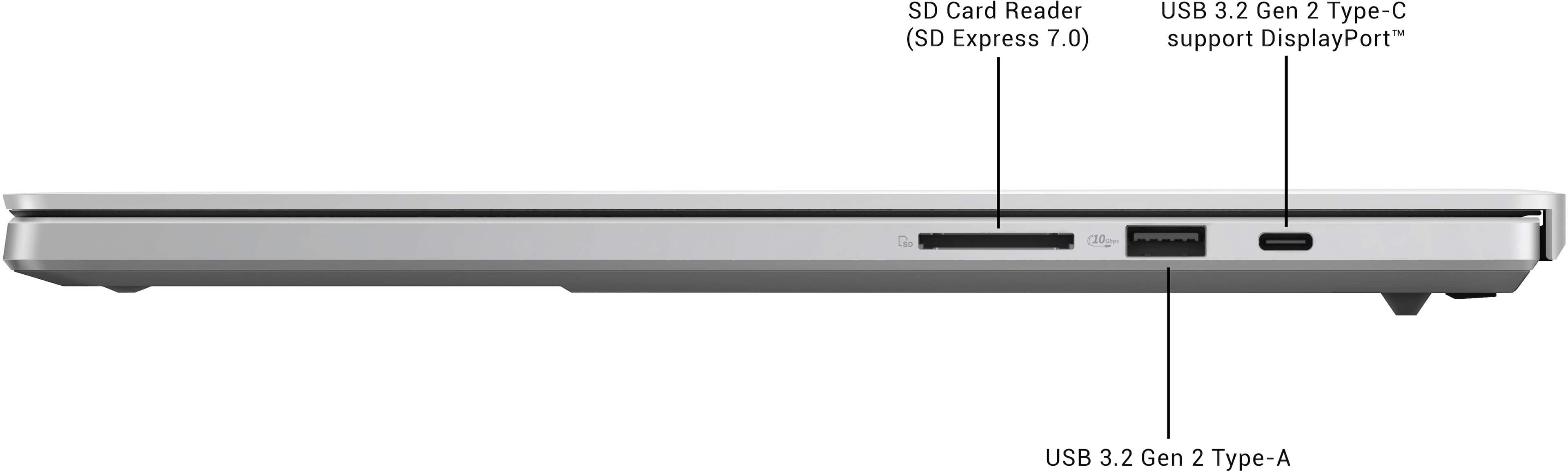
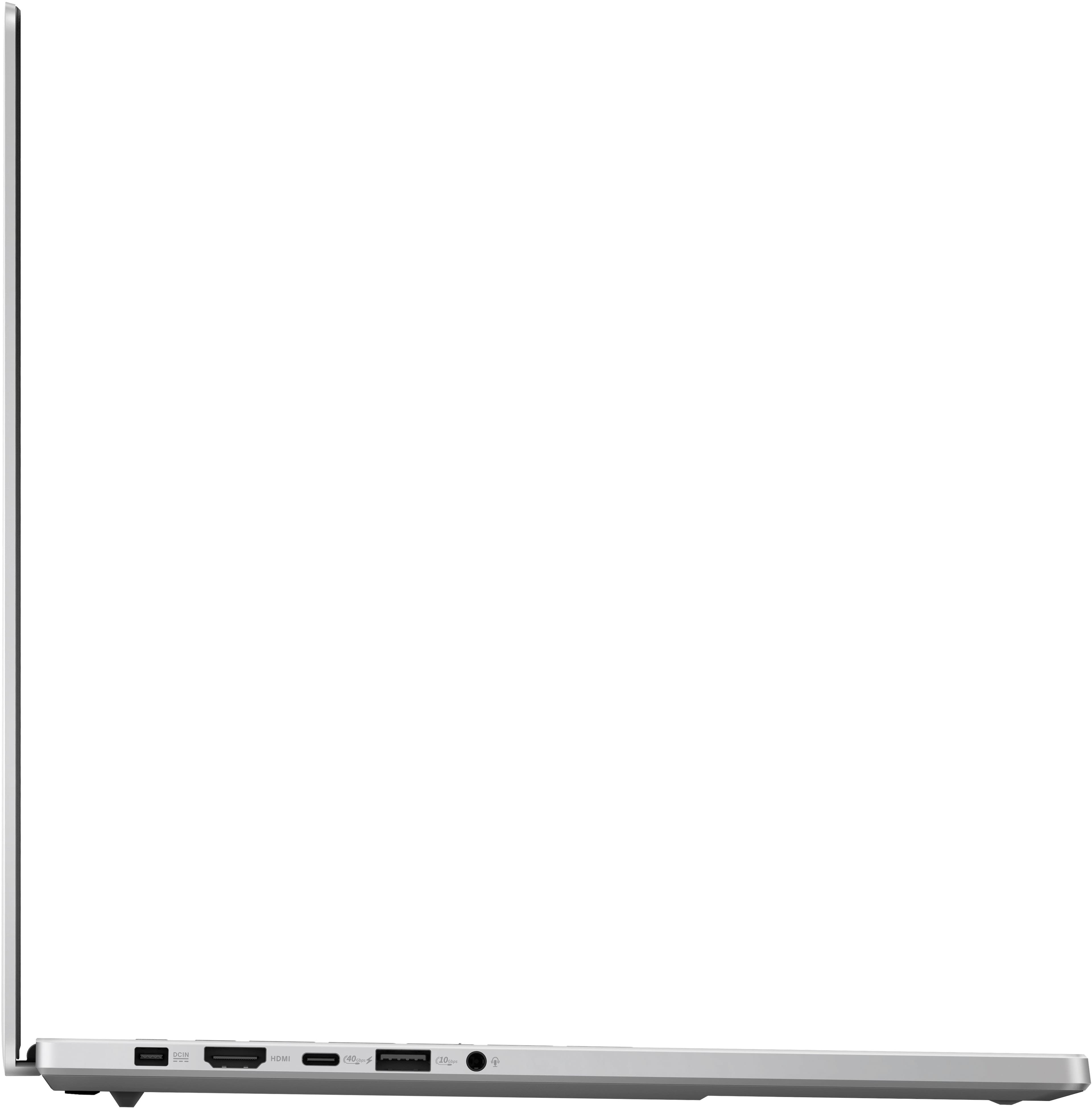
|Posted .This reviewer received promo considerations or sweepstakes entry for writing a review.KEY SPECS AMD Ryzen AI 9 HX 370 CPU (12C / 24T) 32GB 7500Mhz DDR5 RAM 2TB NVMe SSD NVidia RTX 4070 GPU with 8GB RAM AMD Radeon 890M with 16 CU’s OLED 2560 x 1600 Panel with HDR and 100% Color Reproduction NVidia G-Sync and Dolby Vision Compatible PORTS 1x SD Card Reader 2 x USB3.2 Gen 2 Type A 1 x USB3.2 Gen 2 Type C with DP 1.4 and Power Delivery (NVidia GPU) Full-Size HDMI 2.1 Port 1 x USB4 USB-C with DP 1.4 and Power Delivery (AMD Radeon Graphics) 3.5mm Headphone / Mic Port INTRODUCTION Occasionally, a manufacturer will release a product in the same lineage as its ancestors but is so different that it can be considered revolutionary. The new ROG Zephyrus falls into this category. I have a ROG Zephyrus from only a couple of years ago and this ROG feels nothing like its predecessor. It is truly a new and revolutionary design. If you couldn’t see the logo or branding, you would never know the 2 were siblings. DISPLAY The G16 sports Asus’ new Nebula display. Quite simply, it is stunning. It has a native resolution of 2560 x 1600 and supports 100% of the DCI color spectrum. Something that is extremely important for content creators and photographers. The Nebula display is rated for 500 nits in HDR and supports Dolby Vision. It is Pantone certified and add to that amazing accuracy a 240Hz refresh rate and a .2ms response time and you have a display that looks and performs AMAZING regardless of your task. GAMING PERFORMANCE I’ve played several games on the G16 as of late. My two favorites for some time now are Call of Duty MW 3 and Forza Horizon 5. For those who have not experienced the ray-tracing goodness of the new Nvidia 4000’s cards, you really need to. Combine ray-tracing with this new OLED display and visuals are stunning. Especially, when you enable the Auto HDR feature. The oversaturated world and graphics just pop! My second go-to game is often MW3. Regardless of what people think of the game, it offers a good opportunity to test a panel’s ability to reproduce details in the darkest of scenes. Being an OLED, the G16 had zero issues. That is one of the best parts of an OLED display. They offer perfect black levels. Levels unparalleled by any other display technology. Having the power of a 4070 to play on changed the game for me. Even after playing the full campaign less than a year ago, the visual enhancements offered by the 4070 made the game feel new. The OLED panel produced shadow details I’ve never experienced before and with ray tracing combined with the performance of the 4070 produced details and intricacies I’ve never experienced before in the game. It made MW3 far more enjoyable. But how much power is really on tap for gamers? I used a USB-C to DP adapter to make sure I was getting accurate readings. There are 2 USB-C ports on the G16. One is linked to the 890M integrated graphics and the other directly to the RTX 4070 discreet GPU. I ran each test using my new LG Ultra Gear 49” 120Hz OLED gaming monitor. These are the results I obtained using both the integrated and discreet graphics using both FSR for AMD and DLSS for NVidia: Graphics Results AMD @ 2560 x 1600 AMD 4k 4070 @ 2560 x 1600 4070 @ 4k Forza 60 60 95 92 COD 48 17 108 59 F1 2023 58* 112* *F1 2023 was not tested at 4k as neither graphics chip could render playable speeds at 4k. Even at 2560 x 1600 I had to turn off all ray-tracing effects and lower the preset to High in order to make F1 playable on the RTX 4070. I was surprised at how well the integrated graphics performed. Forza was smooth despite locked at 60Hz and MW3 would have been passible should I have lowered resolution to 1920 x 1080. Forza numbers were obtained using the Ultra preset for both graphics’ chips. MW3 numbers were obtained using Max settings for the RTX 4070, but only balanced for the integrated 890M, as the extra graphical details paid a heavy price in the game. I have zero complaints about either graphics processor. Even the 890M plays well and is a decent option to the much more power-hungry 4070. The first laptop I’ve used that you can enjoy a game with integrated graphics instead of it ruining the entire experience. CPU The new Ryzen 9 is built on AMD’s new Zen 5 architecture. It is a low-power high performing processor containing what “the other” brand would call 4P cores and 8E cores. Just how well does the new 4nm Zen 5 hold up against the competition? For testing, I turned to Handbrake (my go-to for testing CPU’s). I took a 30 minute video recorded in 1080p and compressed it to 480p/30 using Handbrake’s HQ480p setting. Encoding times utilizing only the CPU for x.264 are: Zephyrus G16: 5:10 @ 174fps average Desktop i5-13400: 6:38 @ 141fps average ROG Zephyrus i7-14700KF: 3:32 @ 255fps average The little low-power AMD keeps pace and even pulls ahead of comparable desktop competitors. While I knew it would be no match for the woefully more powerful i7 in my desktop Zephyrus, it is an impressive feat for such a low power chip. Especially one that was able to maintain 100% CPU utilization throughout the test without thermal throttling. It did spike to 98C during testing but was able to maintain no more than 97C after. COOLING After reviewing several gaming laptops over the years, the one thing that winds up either killing the mood or shutting down the gaming experience all together is heat / noise. There are a lot of heat producing components shoved into a tiny space. I swear I’ve heard F-15's spinning up for takeoff that are quieter than gaming laptops. Often so loud, even noise cancelling headphones can’t keep out the whine. The new G16 is one of the quietest gaming laptops I’ve used to date. Yes, it still has fans (3 of them), but Asus has switched to liquid metal for heat transfer and has built the chassis into the cooling system. Yes, the G16’s CNC machined aluminum construction becomes part of the cooling solution. This is especially noticeable after a good, long gaming session taxing the RTX 4070. Those fps benchmarks from above? That 4070 was working VERY hard during all of my COD gaming at 4k. I went to pick up the laptop and almost dropped it. I was not expecting it to be that hot. The whole body was hot. That’s a unique solution to help thermals. I’m sure if I put the G16 on a good laptop cooler with fans blowing against the aluminum underside would help with thermals even more. Either way, the computer never lost its cool or thermal throttled during testing, but it was close, REAL CLOSE (some testing saw thermals hit 97C on the GPU). AUDIO Normally, I wouldn’t comment on audio in a laptop. They all stink. However, this is the best sounding laptop I’ve used to date. Markedly better than any other laptop from any other vendor I’ve tried. Audio reproduction is impressive for such a small package. Not only is there a sense of some bass (Asus claims a frequency response to 100Hz) the inclusion of Dolby Atmos tech gives a convincing, semi-realistic sense of surround sound. NEGATIVES Asus claims it doesn’t exist, but there is panel wobble. I don’t think it’s as bad as others around the interwebs have made it out to be. There is some wobble, but I haven’t found distracting, at least not yet. That may change. The MediaTek Wi-Fi chip. I’m not sure why Asus would choose to partner with MediaTek. This new Wi-Fi 7 chip is supposed to be great, but it isn’t. I’ve experienced spotty connections and even the chip reporting drivers not being installed after having been working perfectly for 3 hours. For this being a Wi-Fi 7 chip, I haven’t noticed any improvements in speed or performance, even using it in an MLO configuration, that I get from a Wi-Fi 6 chipset from MediaTek’s primary competitor. If there is one thing that makes this laptop feel cheap or half-baked, it’s the Wi-Fi card. Upgradability. I’m going to say that 2024 may very well mark the year of the end of upgradeable laptops. This G16 is one of the first. The only upgradeable parts are the SSD and Wi-Fi card (thankfully). The writing is on the wall. Shortly, users will no longer be able to swap or increase RAM. So much for saving a few bucks and upgrading RAM later at a far cheaper price than you can usually buy it for from the manufacturer. It’s going to be an all or nothing game. FINAL THOUGHT I’ve heaped tons of praise on Asus’ new shining star. It is well deserved. This is a revolutionary change for Asus, and they should be commended for their efforts. It’s got computing power to spare, excellent graphics power, long battery life, and runs much quieter than any other gaming laptop I’ve used to date. EVERYTHING (except the Wi-Fi) feels premium. From its all-aluminum construction, to its stunningly beautiful display, to its tasteful lighting. This is a great piece of gear and if you need a gaming laptop or the power of a gaming laptop, without the size and weight penalties you would normally get with a machine like this, The Asus ROG Zephyrus G16 should be on your very short list of options. HIGHLY RECOMMENDED
I would recommend this to a friend - Pros mentioned:Screen quality
Asus Rog zephyrus Laptop review
||Posted . Owned for 1 month when reviewed.This reviewer received promo considerations or sweepstakes entry for writing a review.Love the quality for the price of it. This laptop has a beautiful screen, with a powerful graphics card. This laptop is also sleek and slim and doesn't even feel like it would have a rtx 4070 in the laptop. This laptop is buttery smooth and use this laptop everywhere. Overall, this is one of the best laptops for it's price.
I would recommend this to a friend - Pros mentioned:Portability
Great laptop for gaming on the go !
||Posted . Owned for 1 week when reviewed.This reviewer received promo considerations or sweepstakes entry for writing a review.Great laptop for gaming on the go , very slim , very portable, dosent get hot like the intel version . The 32gb ram helps a lot out with the pc. Overall i highly recommend getting one , just be prepared to install the latest drivers /bios update .
I would recommend this to a friend - Pros mentioned:Battery life, Overall performance, Processor speedCons mentioned:Heat
Best all around X86 laptop
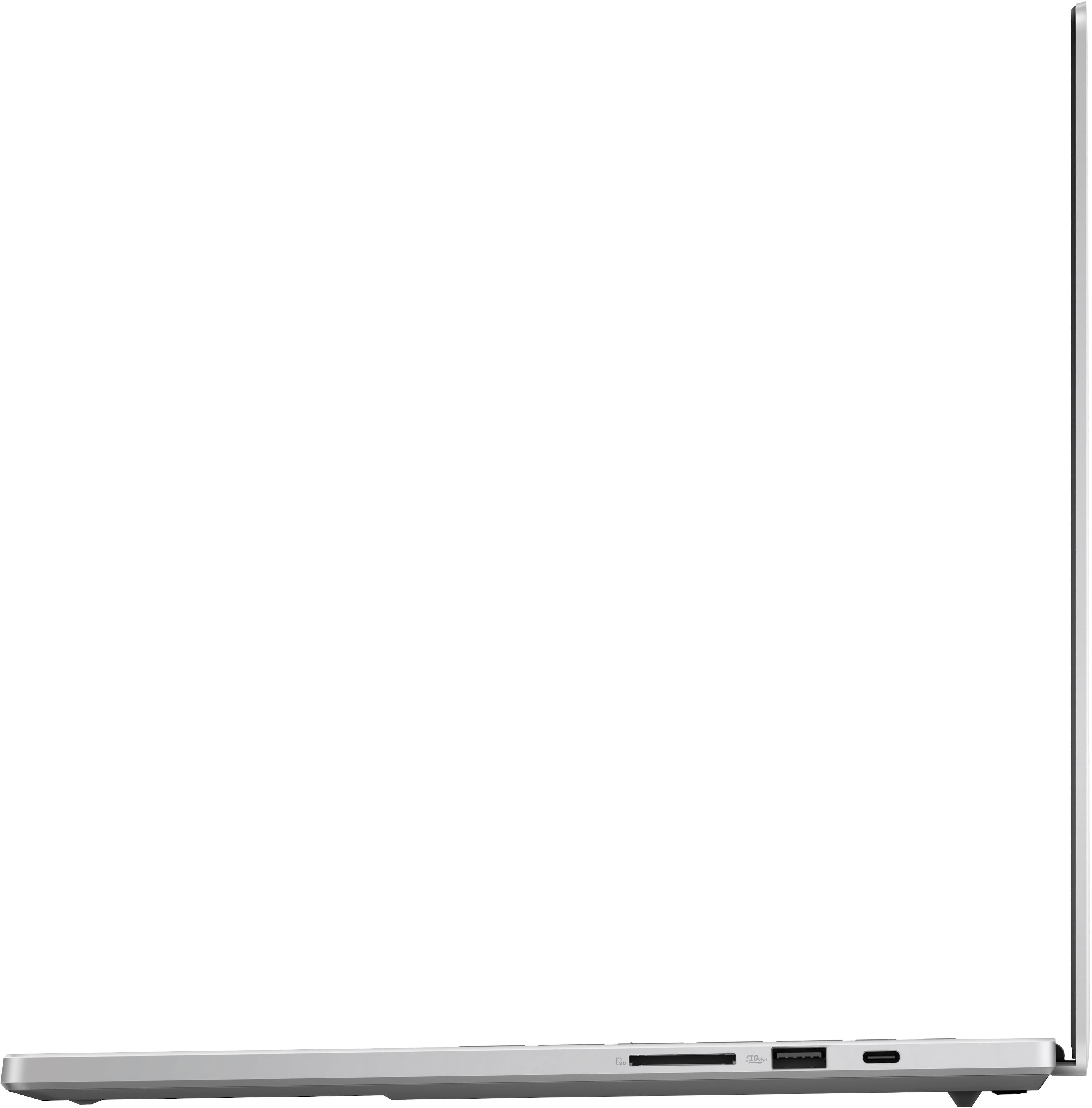
|Posted .This reviewer received promo considerations or sweepstakes entry for writing a review.The Asus G16 does what very few laptops have ever come close to doing and that is being something that everyone from a normal user to an enthusiast to a professional can use daily without looking like an enthusiast or a professional. Enthusiast: • Performance: The G16 is excellent when it comes to raw power needed to run games or coding or using intensive programs. The new AMD CPU is leaps and bounds above anything else in the x86 market in terms of power and power efficiency. There was nothing that I threw at this laptop that it could not manage (exporting video projects/ 30 tabs in browser/using DJ software). I was able to play all games without any hiccups and since it’s running everything natively, I did not need to worry about programs not working. The 32 GB of DDR5 memory is perfect for most people today for the most extreme task and makes the G16 future proof, my configuration had 2 TB storage which is more than enough for my needs. Asus did a great job with the cooling, the thermals were great and the laptop wasn’t hot to the touch nor did I hear the fans kick on at all (unless doing extensive task). Now once I picked the laptop up and put it next to my ear I could hear the fans were going but there was barley any noise at all. I think the biggest performance upgrade comes to the APU, I was able to play most games above 30 FPS without any issue (getting 47 FPS while playing Like a Dragon: Ishin while running on battery). • Looks: The G16 has a premium look so you can take it anywhere and at the same time you can add some flare for the gamers out there. The RGB keyboard is great for those that prefer it and the light strip in the back not only lights up in different patterns but can be adjusted to match your unique style. Professional: • Battery life: The G16 has excellent battery life, I was getting 10% battery lose an hour while watching videos at 60% brightness. This helped me get 9 hours and 20 mins of battery use which is excellent, most battery test are done with brightness at 20% to get 12 to 15 hours of use. Now I did turn the brightness down to see if there was any changes but sadly I got less of a run time of 9 hours and 15 mins. There is a software bug that Asus needs to address with an update and once that’s done I’m sure the G16 will easily be able to get over 14 hours of battery life if not more. The G16 preforms very well on battery, I noticed anywhere from 8-13% performance loss on batter as opposed to plugged in depending on the task/program. • Connectivity: The G16 has all the ports you will need so there is no need to carry a dongle. There is USB A/C/ USB 4/ HDMI 2.1/headphone jack/SD reader and a proprietary charging port which should be enough for 99.9% of people. Speaking of connectivity the Wi-Fi card is great, for context I have the G14 from 2 years ago and I had to change out the card for multiple reasons. The new Wi-Fi card works great, and it was always connect by the time laptop screen was opened. I have had no issues with dropped signal or not connecting and there is no slow down in the Wi-Fi speeds when connected to a Bluetooth devices as there was with previous MediaTek Wi-Fi card. I didn’t get a chance to use Wi-Fi 7 as my routers support Wi-Fi 6E, the speeds for Wi-Fi 6E were solid hovering around 800 down with my 1GB service. • Fit/Feel: The G16 feels premium in every way with its soft corners and magnetic closing lid. There are no sharp corners anywhere, you can’t even feel the speaker holes if you run your fingers across them. The Platinum white color does not have many fingerprints on it so you’re not having to clean it to get rid of smudges. While it is a 16-inch laptop it doesn’t feel like it, the weight distribution is perfect, so it feels more like the G14 that I have. Normal user: • Screen: For your everyday user one of the biggest things is the screen and the G16 has the best screen of any laptop on the market. It’s an OLED so you get stunning colors and the inkiest of blacks. The brightness of the screen is great as it can reach over 500 nits’ in HDR and over 400 for SDR. The screen also has an antiglare coating, so it reduces the reflections from surrounding lights. Not only is the screen stunning to look at its perfect for gaming with high refresh rate and low latency. The color accuracy is also perfect for editing photos and videos. • Sound: Another thing that most everyday users will love are the speakers, Asus has fitted the G16 with a total of six speakers which includes 2 dual woofers. The highs/mids and lows sound exceptional, I was not expecting such sound quality with the laptop being so thin. Asus also has Dolby Atmos support which just adds to the viewing experience and makes watching content a pleasure. Issues: • One of biggest issues with the G16 is the trackpad, don’t get me wrong it registers clicks perfectly fine and all the gestures work along with it being big enough and placed in a great location, my only issue is that it just doesn’t feel as good as a haptic trackpad. • The keyboard on my G14 had the best keys of any laptop out there, it had the perfect amount of bounce back when pressing the keys and the G16 has taken a step back from that. The keys have much less bounce back and that took some getting used to. • The waking from sleep still does not work correctly. At times the laptop will stay asleep for 5 hours and wake once I open the lid and at other times, I had to push the power button to wake it. • The laptop does get hot when charging near the screen area, so you’re not really feeling the temp while typing. • The mux switch changing from one GPU to another always causes a little bit of a screen flicker. Overall, the G16 is one of the best laptops in the market that blends power with style and is future proofed ready for AI capabilities (if/when they arrive). There are very few shortcomings and most of these will be fixed with software updates (as is my experience with my G14). I would recommend this to anyone in the market above any other laptop out there.
I would recommend this to a friend - Cons mentioned:Heat
100% satisfied
||Posted . Owned for 1 week when reviewed.This reviewer received promo considerations or sweepstakes entry for writing a review.this laptop is so cool and no problem with the frame rate. everything is smooth. its hot when playing but that’s normal for a gaming laptop.
I would recommend this to a friend - Pros mentioned:Overall performance, Screen qualityCons mentioned:Heat, Wifi
All Your Questions Answered (Hopefully)
|Posted .This reviewer received promo considerations or sweepstakes entry for writing a review.Lots of text, should answer most questions on product and next generation CPU/NPU. Shortened language to keep as short as possible. TLDR: 9.5/10 laptop with very little compromise. AMD RYZEN AI HX 370 CPU: - Hard to monitor exact temps, too new. Was getting less than 80C in all tasks including gaming. Usually less than 70C. Neat thing in Asus Armory where you can place Aura lighting on keyboard to Green/Yellow/Red depending on customized values of temps. Mine Green (less than 80C), Yellow (80 – 90C), Red (More 90C). Almost never saw red except for brief periods during loading. Never felt heat on trackpad or keyboard where hands sit. But top of laptop very hot as it vents through the back. - Performance is same plugged in vs battery. Beats Surface and M3 in single/multicore. However, loses to Intel 13900HX. But has significantly better battery life and retains performance when on battery over getting cut in half. I get about 2.5 hours max on my Acer Predator Helios 16 (13900HX, 32 GB DDR5 RAM, 4080). - 890M performance is better than Intel Iris Xe. Also, about 10% better than 880M based on other benchmarks I’ve looked at. - 50 TOP NPU: AI is still too early bird. Hard to test potential. Built in features outside of Co-Pilot is mostly gimmicky. Will have to see how this develops over time. As good potential in increasing power/performance in future. But not there yet. Not a reason to buy currently, should focus more on performance/efficiency. - CONCLUSION: Not the full win I wanted. As battery life not as good as competition. But performance on/off battery is great. A significant step in the right direction. As if this is the worst it is (as it is brand new, not fully released yet, and new architecture) firmware should improve in time. However, you never buy something with promises of what it will be only what it currently is. Cinebench R23 (Single/Multi) AMD AI 370: - Balanced Power: 1,901 / 17,964 (balanced in windows power + Armoury Crate Windows) - Balanced Battery: 1,911 / 19,397 (Balanced + Silent) - Performance Power: 1,949 / 21,532 (Best Performance + Turbo) - Performance Battery: 2,002 / 21,016 (Best Performance + Performance – Turbo N/A) - MacBook Plugged/Battery: 1,881 / 9,223 Acer Helios Predator: - Balanced Powered: 1,999 / 24,892 - Balanced Battery: 1,743 / 9,623 - Turbo Powered: 1,918 / 29,929 - Turbo Battery: 1,646 / 10,219 Cinebench 2024: - Surface 7 Snapdragon X Elite: - Balanced Powered: 102 / 845 - Balanced Battery: 104 / 755 - Max Performance Powered: 123 / 915 - Max Performance Battery: 122 / 926 4070 MOBILE GPU: - Mentioned Acer Predator Helios 16 (I9-13900HX, 4080, 32 GB RAM, 2023) because it is a normal size gaming laptop in similar price range that I own. 4080 at 2.5K is much better netting around 20 – 70 frames more with average of 37, which is significant. So, if looking for best gaming machine, should not go with a thin and light like this. As this doesn’t come with a 4080 option. However, from a holistic perspective this will beat most gaming laptops. - Nice thing about 4070, more frames per watt meaning better battery life, and less power usage when plugged in. - Disgusted with Nvidia as 8GB VRAM is not enough. Minimum should be 12 GB. Run into issues often with modern games at 2560x1600 (2.5K) (resolution of the display) leading to lower settings when shouldn’t with a premium GPU. Recommend dropping resolution to 1920x1200 in game settings as better for VRAM, lower temps, and about 10 – 30 frames more with almost no impact to visual fidelity (on a screen of this size). Also, that resolution is sweet spot for 4070. 2.5K is asking a bit much. - Ultra Settings at 2560x1600 resolution average is around 60 fps. Ideally, want to use High, 60 – 120 fps (average 80 fps). In Triple A games mostly 50 – 60 fps. Where with multiplayer usually getting 100 or more. My opinion 60 should be minimum for good time, ideally 80 – 100 fps or more. As nice buffer making it feel smoother with frame rate fluctuations. As OLED screen has such low latency you feel when you dip below 50 fps compared to other screens. - Max watts I saw was 112. Without boost 4070 is 105 watts so seems fully powered. - To note.10 – 20 FPS increase when I was plugged into an external monitor vs built in display. As getting 10 – 20 more watts to the GPU allowing for more fps. This wasn’t always the case, mostly with very demanding games such as Triple A Single Player Titles. - Average temps during gaming were 75 – 87 C. Recommend cooling pad as vents in bottom helps noticeably. But that was without and just tilting it allowing good natural airflow. When using cooling pad average 70 - 75 C and was getting more watts which sometimes translated to increased fps. BUILD QUALITY: - Stellar. 0.59” aluminum chassis has no flex, very smooth, looks/feels incredible. One of the best, if not the best built laptop I’ve tried. No screen wobble with typing. Only weighs 4.08 lbs. Is well balanced. Incredible at this size and power. Excellent cooling despite being so thin. Satisfying click when closing lid. Lip to open lid with single finger. Torx screws to open. RAM soldered. Additional full size M.2 SSD slot for a total of 2. SCREEN: - 2.5K (2560x1600, WQXGA), 16:10 Aspect Ratio, DCI-P3 100%, Pantone Validated, Supports Dolby Vision HDR. 500 – 600 nits brightness. Gets my mouth salivating just thinking about it. - Color accuracy, punch, blacks, whites, everything is excellent across the board here. Second best display in my house. Losing to Apple iPad Pro M4. - Dolby Vision works. All media, especially, well shot media looks incredible and a delightful treat. Especially, with the lights off. No black crushing. - Max brightness is great. Lower than 50% brightness you get flickering. But not above that. 16-inch screen feels just right. - Gaming is incredible. 0.2 millisecond response time. I didn’t know how much better gaming on an OLED was, but the difference compared to even top of the line IPS is staggering - Screen goes to about 140 degrees full tilt. Hinge stays in place where you put it. - Does not have variable refresh rate (outside of G-Sync). Only 60 or 240 in windows setting. But Gsync works by giving 960 frames to panel so brightness is consistent with lower frames. Super smooth and buttery. Love Gsync. BATTERY LIFE: - Disappointed, perhaps my expectations were too high. I wanted a thin-light gaming laptop that lasted all day. However, with normal use (YouTube videos, web surfing, writing documents, emails, etc.) I got about 4 – 5.5 hours. That was with low power mode, no dedicated GPU, 60 GHz, Bluetooth off, no fans, 30% screen brightness (but caused flickering making me wonder if higher brightness would be better to prevent flickering which may use less power). - Recharge time is quick with included charger, 90% in 1 hour. Full charge in 1.5 hours. Can use USB-C charger on both USB-C’s. However, get warning not providing full power. - I like the proprietary charger. Reversible. Plugs in nicely. Small and compact. Charging brick is small. 200 Watts. - Hoping to see improvement as time goes on. As so new. Snapdragon and M3 destroy this with no regard to settings getting 8 – 12 hours. - Lost 6% in 24 hours on standby (closing lid and leaving unplugged). I lose like 1 – 2% with M3/Snapdragon. TRACK PAD: - Huge. Made of glass. Very responsive, accurate, feels great, smooth, nice to use. However, with it being so big when gaming/typing I hit it a lot which can cause my cursor and screen to go crazy. Can turn off touchpad with shortcut keyboard key for gaming. Turning down sensitivity helped resolve cursor jumping. - Click force varies dramatically on position. No matter what moderate to severe. Slightly disappointed here. - Would’ve been perfect if haptic touchpad. KEYBOARD: - Good travel for a laptop. Making not as good for typing, but great for gaming. Not as crisp/tactile as I would like, slightly mushy but still feel a tactile bump. Still feels good/great to type on. Getting normal WPM at 130 – 160. Didn’t have to acclimate. Quiet to type/game on. Most standard keys are full size. No wobble. - Single zone RGB lighting. Colors accurate. However, not equal lighting (shine through) on some keys. Three levels of brightness. Gets very bright. - Power key not near delete key leading to no accidental hit. Like this. - Four macros on top. Love. No dedicated play/pause. Sadness. Can remap with specific options. Cannot remap other keys. - Can turn on/off FN lock. Love this. FN key shortcuts in general are great choices. WEBCAM: - Supports Windows Hello. Love. Works well. - Picture quality is average. Nothing to write home about. AI features do not appear to be working at this time. Which could help dramatically. - No shutter for privacy. - Microphone quality is great. Above average for laptop. CONS: - Would like more tactile keyboard. But still very good. - Trackpad maybe too big? As hard not to hit with palm. Causing cursor to jump and mistakes to be made. - Battery is not all day. 4 – 5.5 hours. - Expensive. - 4070 is a disappointing graphics card generation comparatively. Nvidia’s fault. Best for 1080p over 2.5K. - Mediatek WiFi card sometimes stops working so I have to restart PC. Also, doesn’t perform consistently. Sometimes slow to connect. They should drop them and go with a better one. - Soldered RAM. - Webcam picture quality is average. No built-in shutter to close. - Wish normal windows setting had variable refresh rate (1 - 240 Hz)
I would recommend this to a friend Excellent
||Posted . Owned for 1 week when reviewed.This reviewer received promo considerations or sweepstakes entry for writing a review.5 Stars – Excellent Laptop and Great Service! I recently purchased the ASUS ROG Zephyrus from Best Buy, and I couldn’t be happier. The laptop performs amazingly—it’s fast, sleek, and perfect for gaming and productivity. The staff at the store were incredibly helpful throughout the entire process. They answered all my questions and made the purchase easy and stress-free. Overall, a fantastic experience from start to finish!
I would recommend this to a friendGreat
||Posted . Owned for 11 months when reviewed.This reviewer received promo considerations or sweepstakes entry for writing a review.Great laptop. Runs all the games on highest settings with no issue
I would recommend this to a friend