Customer Ratings & Reviews
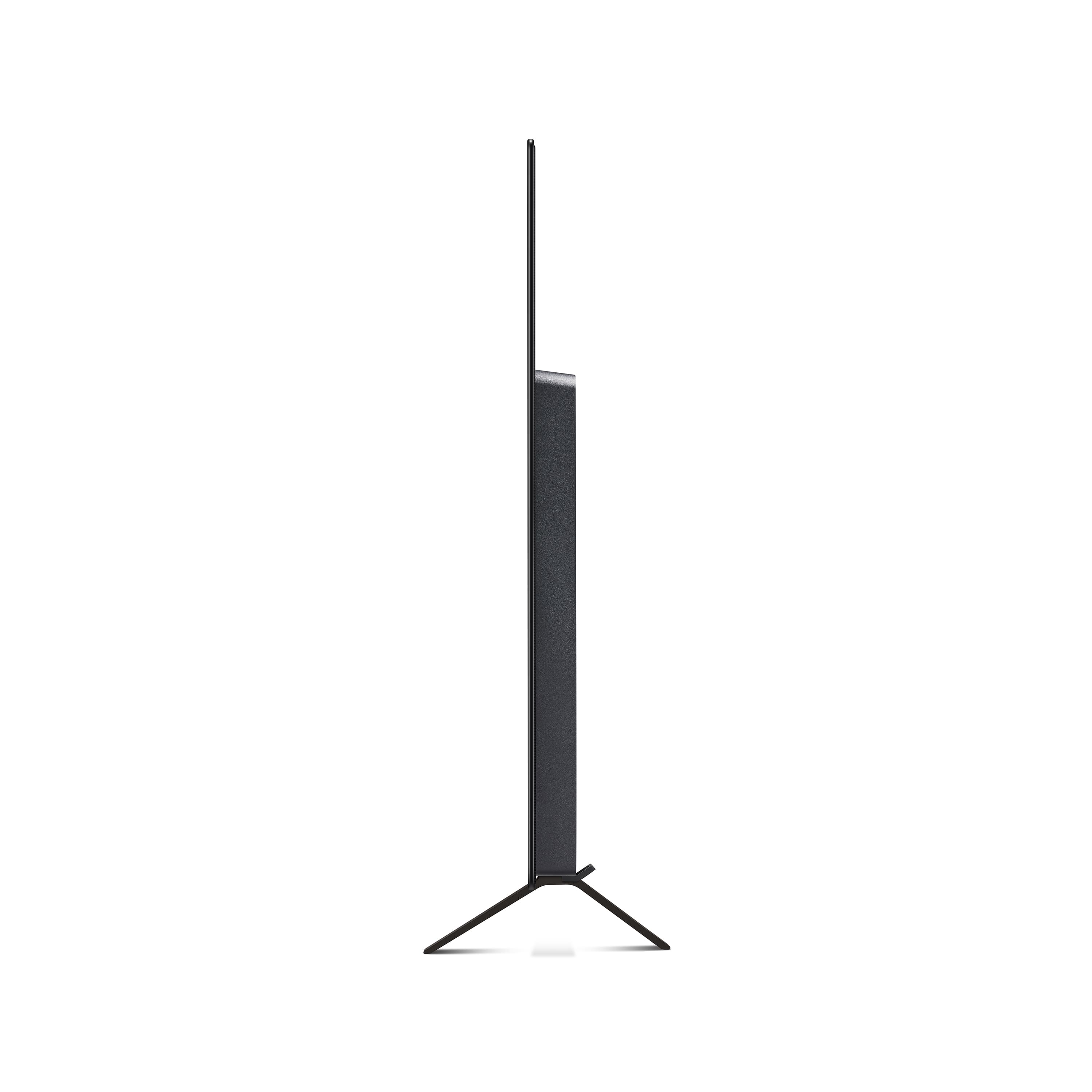
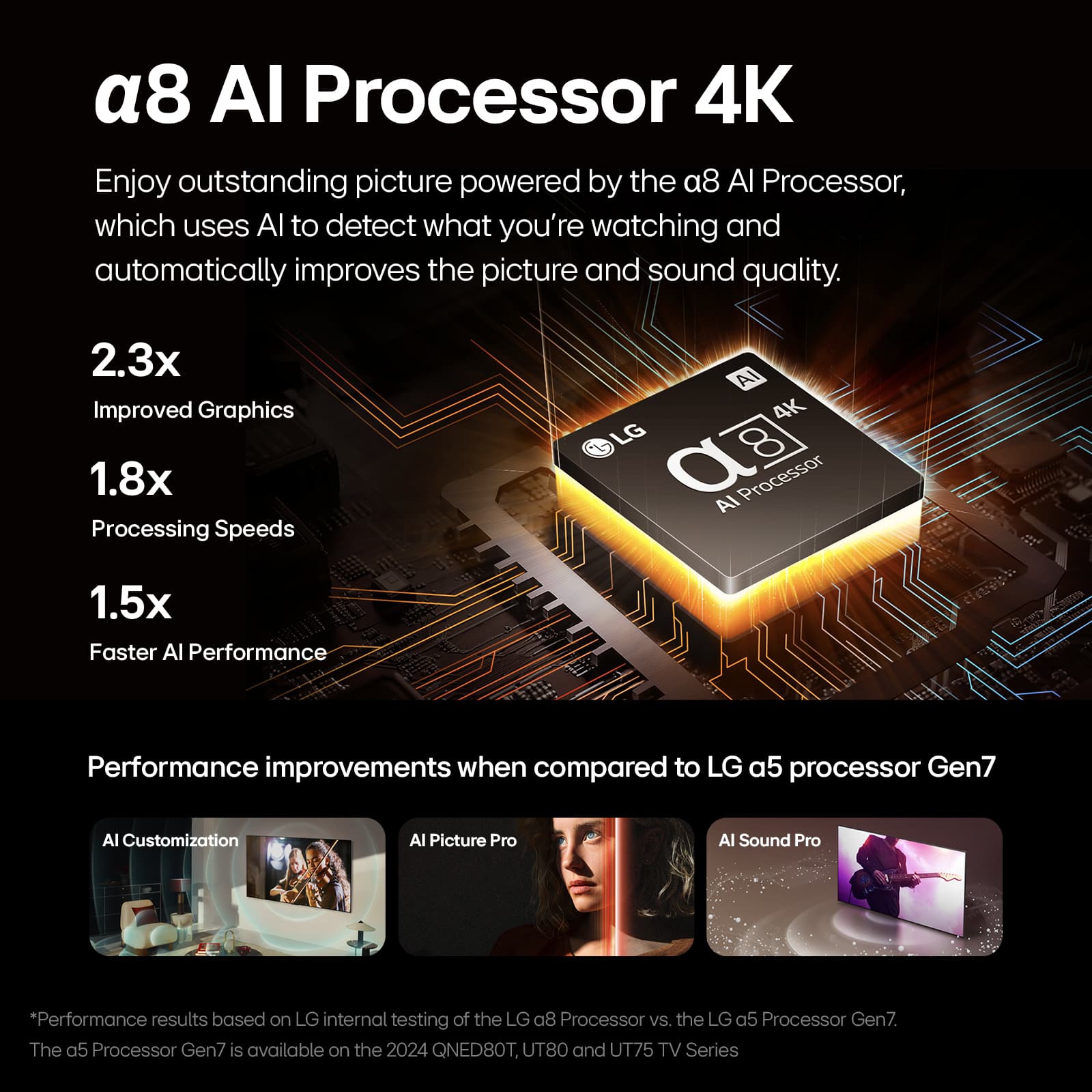




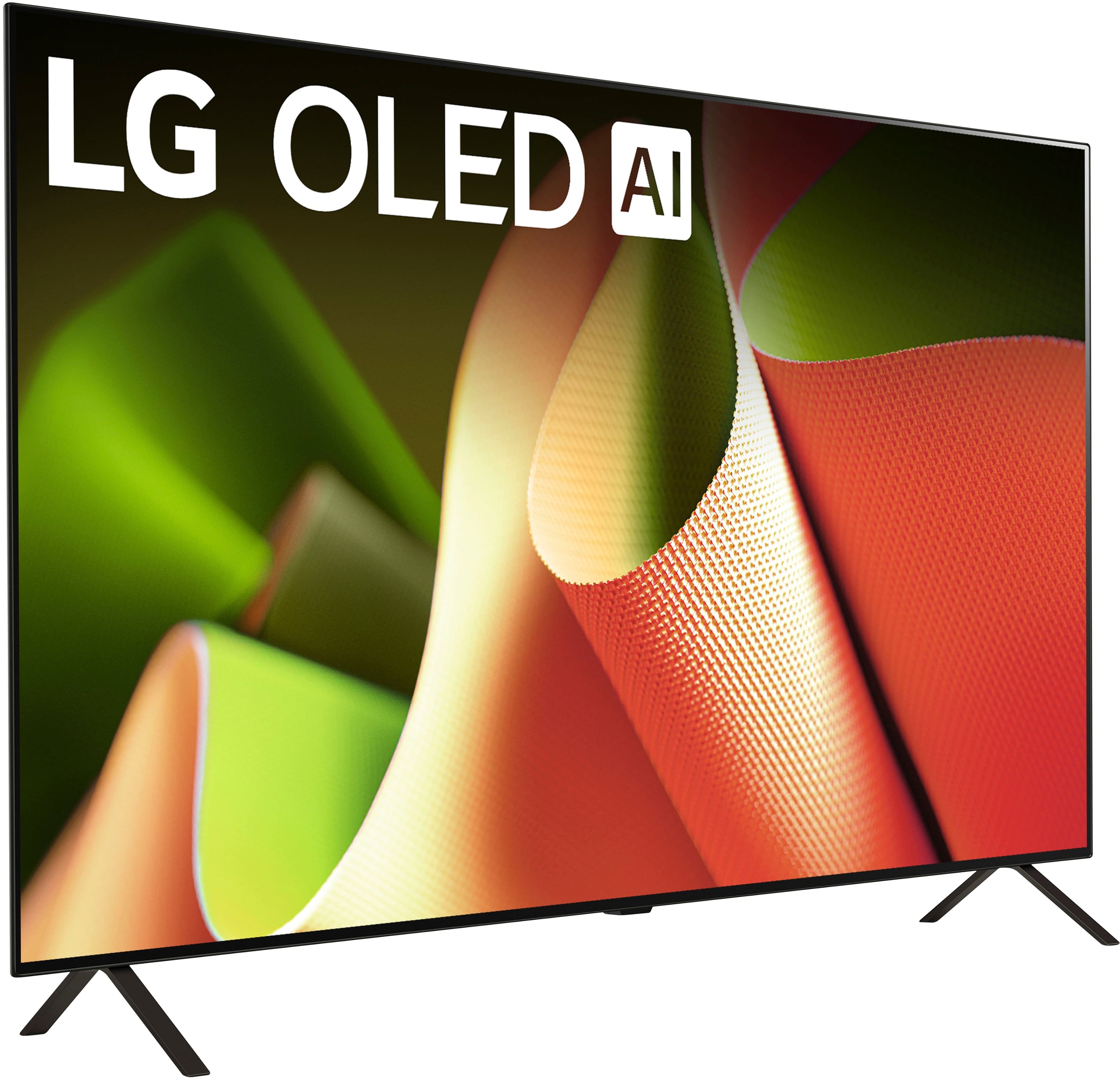
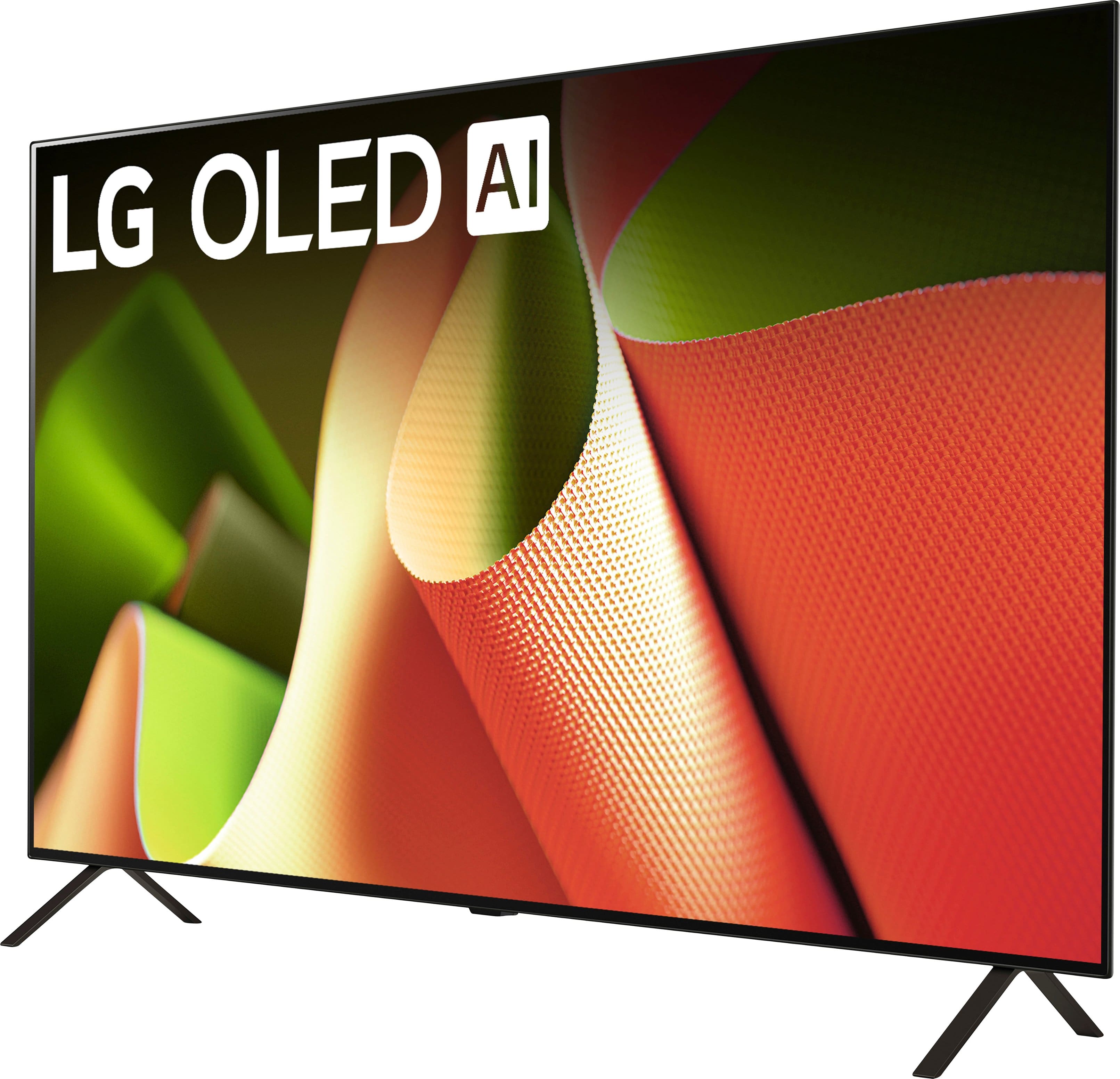




- Model:
- OLED48B4PUA
- SKU:
- 6584787
Rating by feature
- Picture Quality
Rating 4.9 out of 5 stars
- Sound Quality
Rating 4.5 out of 5 stars
- Brightness
Rating 4.7 out of 5 stars
Customers are saying
Customers are positive about the 48" Class B4 Series OLED 4K UHD Smart webOS TV (2024)'s picture quality, especially its black levels, refresh rate, and overall OLED quality. Many feel the TV offers great gaming performance and unbeatable value for its price. On the other hand, customers express concerns regarding the remote control and the software's performance. Some have also noted issues with input lag, the stand's design, and the upscaling capabilities.
This summary was generated by AI based on customer reviews.
Worst experience ever with Best Buy
||Posted . Owned for 1 week when reviewed.This reviewer received promo considerations or sweepstakes entry for writing a review.I purchased this TV on sale last week, intending to buy it used, like new. However, upon receiving the package, I was dismayed to find it in a deplorable state. Despite my hopes, the TV itself appeared to be in fair condition. Regrettably, the TV was scratched and damaged due to the poor packaging. The plug had rubbed against the screen, leaving large marks. When I reached out to Best Buy for assistance, I was met with complete disregard and lack of support. They refused to facilitate an exchange, contradicted their previous statements about the possibility of doing so at the store, and denied my request to purchase a new unit at the sale price that had been available for ten days since my purchase. I ended up just returning the unit. I am deeply disappointed and appalled by the service and experience I received from Best Buy. I sincerely hope that they will rectify this situation and demonstrate a commitment to customer satisfaction.
No, I would not recommend this to a friendBrand response from LG Digital Customer Care
Posted .Hi, Ulysses. Thank you for sharing your experience with us. We understand your concern about receiving a damaged product, especially when you’ve been excited about your new LG TV (OLED48B4PUA) model. We strive to provide exceptional services and ensure that all products are carefully packaged and handled. However, sometimes unforeseen circumstances can lead to issues during transit. If you haven’t already, we recommend giving Best Buy customer service a call at 888-237-8289. They’ll be able to help you out and find some solutions.
While we can’t directly handle sales or packaging from third-party retailers like Best Buy, we really want to make sure you have the best experience possible with our products. For future purchases, it might be a good idea to check the condition of items before finalizing anything, especially with third-party sellers. And if you ever find yourself in a similar situation again, don’t hesitate to reach out to us directly—we’re here to help and will explore options together.
Feel free to send us a private message on social media @LGUSSupport if you need any more assistance or have questions about your LG products. We’re here for you and want to make sure you're happy with everything moving forward. ^Juvy
Burn in Mark
||Posted . Owned for less than 1 week when reviewed.This reviewer received promo considerations or sweepstakes entry for writing a review.Bought this as open box item bought the picture and color was great until I noticed a rectangular burn in Mark on the bottom of the screen
No, I would not recommend this to a friendBrand response from LG Digital Customer Care
Posted .Hi, Wittlee. Thank you for sharing your experience with your LG TV (OLED48B4PUA) model. We understand how concerning it can be to notice a burn-in mark on your screen. OLED TVs are designed to deliver exceptional picture quality, but extended exposure to static images or logos can sometimes cause image retention. To address this, we recommend running the "Pixel Refresher" feature in the settings, which can help minimize or eliminate the burn-in mark. For more information, you may visit https://www.lg.com/us/support/help-library/lg-tv-troubleshooting-image-burnin--20152745607830.
If the issue persists, we’d like to assist you further. Please send us a private message on social media @LGUSSupport, and our team will explore additional options to help. Your satisfaction is important to us, and we’re here to support you. ^Juvy
- Pros mentioned:Picture quality
Extremely poor quality and experience
||Posted . Owned for 1 year when reviewed.This reviewer received promo considerations or sweepstakes entry for writing a review.If I could give this product zero stars I would because this LG TV has been a big disappointment from day one. Let me start out by saying that the picture quality this TV possesses is excellent but that is the only thing that was good about this product. Best Buys service and price is fine and I don't have any problems with Best Buy because they did what they could. To start, navigating all of the AI and all that is not easy and it was not a good experience. There should be a setting to turn all of that off and be done with it. Thats probably my fault because I'm an old school guy that is simply not accepting of all the new AI options and whatever. The issues with this TV started maybe a month after I bought it in August of 2024, which was only 14 months ago from when this review was written. The TV every 4 or 5 days wanted to run the clean pixels process which was a pain in the a.. to actually accomplish. A message would come up with instructions to click OK and it would perform the process. It didn't work because the next time I turned the set on it wanted to clean pixels again, and again, and again. I tried cleaning the pixels manually and on and on until eventually it decided to complete the process and the message went away. That is until it wanted to do the pixel cleaning again 4 or 5 days later and I had to go through the days long process again to get the message to disappear. There is no option to turn pixel cleaning off. Jump ahead to this week, November of 2025, 14 months almost to the day after I bought this TV. It stopped working and is now DOA, that is dead on arrival and it will no longer even power on and turn on. My next action will be to bring it to the dump and get rid of the thing as hazardous waste. I unfortunately did not get the extended warranty which would have covered the product and the Geek Squad would have come in to do a house call and see if it could be fixed. That's my second mistake with this TV with the first mistake being my purchasing it in the first place because I should have bought a new SONY. My old SONY Bravia that I was replacing was 17 years old and had no problems other than a few dead pixels, which is why I was replacing it. I called LG because that was my only recourse. I figured that it might be something that I was doing and I wanted to talk to a service person. The service person was nice and I went through her checks. Yes, the little red light on front was on and when the TV was turned on with the remote the red light blinked but no picture came on, it was dead. To end this sad review, the LG service person said she would elevate this issue to a higher service level and that she would call me back at 1 pm the next day and tell me what they said. LG never bothered to call me back and I waited all day. With that said. my opinion of LG is that they sell junk so make your purchase with that in mind. I bought this OLED TV 14 months ago and it only lasted 2 months past the warranty expiration date and it died and now I need to go out and buy a new set, which will be a SONY this time and I will get the extended service. One last thing, do not let let the AI on the TV log in to the LG web site to register the TV because that does not work either. My registration that I did from the tv was not showing up on my LG account. I had to convert the LG account from the TV to the Internet so I essentially never even registered it! But I was still getting ads from LG every single day because it appeared to have been registered when it wasn't. This LG experience was horrible and it turned out to be a horrible product so buyer beware. If it happened to me it could happen to you because LG seems to be very poor quality in my opinion. Their customer service are liars as well because they never bothered to call me back and tell me it wasn't registered and that the warranty had run out, which I already knew. Best Buy however is just fine, poor product quality isn't their fault and they will stand buy it if you have the Geek Squad coverage. So my last suggestion is to buy their 3 year Geek Squad warranty or whatever, especially if you chose to go the LG route. Good luck. My next TV will be a SONY because it lasted 17 years and will probably be bought at Best Buy because there really isn't any other place to purchase TVs these days.
No, I would not recommend this to a friendBrand response from LG Digital Customer Care
Posted .Hi, Howiee. Thank you for sharing your detailed experience with the LG TV (OLED48B4PUA) model. We appreciate the time you took to explain what happened and want to provide some guidance.
For this model, the Pixel Cleaning process is an automatic maintenance feature designed to preserve picture quality. While it cannot be disabled, it should normally run in the background without repeated interruptions. If the TV continues to request pixel cleaning excessively, one step you can try is performing a full power reset: unplug the TV for at least 5 minutes, then plug it back in and attempt to power on again. This can sometimes clear persistent system prompts.
Since your unit is no longer powering on, and the red standby light blinks without displaying a picture, this indicates a hardware issue that requires service. For more information, visit https://www.lg.com/us/support/help-library/lg-tv-power-my-tv-wont-turn-on--20154763472499. Please send us an email at lgdigitalcare@lg.sprinklrsupport.com with your product details so we can assist further in exploring service options. ^Juvy
- Pros mentioned:Picture quality
LG B4 TV has issues less than thirty days old
||Posted . Owned for 1 month when reviewed.This reviewer received promo considerations or sweepstakes entry for writing a review.I bought an LG B4 48" TV on January 29, 2025. It had a great picture and my wife and I were really liking it. On February 25, less than a month after our purchase and before I made the first payment, the TV started showing a dark blue vertical line about 2.5 inches from the right side from the top of the screen to the bottom. The area to the right of that line shows lighter and wider columns that go to the end of the screen. I tried to get Best Buy to exchange it since it was less than thirty days old, but they refused and referred me to LG for a repair. An online evaluation by LG indicated that the TV needed a new OLED panel and a repair ticket was started. I have been in contact with LG since then and I still do not have a repair date. I filed a complaint with LG Presidential Group and was contacted by the repairman who asked that I complain about the need for a panel and keep him from making a long road trip for an issue that was already diagnosed. I did that and was told by LG that the panel was approved. I did receive a voicemail from the repairman wanting to set a time for the repair, but he has not answered any of my telephone calls, voicemails, or texts that I have sent. A chat with LG indicated that a replacement panel had been received by the repairman, but he still has not contacted me. The latest contact that I had with the Presidential group indicated that these OLED panels are hard to come by and it sounded like the panel had not been received by the repairman. It appears that LG's system for tracking and resolving complaints is not too good. My last TV, a 40" Sony Bravia 720p, lasted 17 years and is still running. I thought that LG products were dependable, but this has been a nightmare which could easily been remedied by an exchange and LG technicians evaluating this TV to see what is wrong and prevent similar occurences. I still have a picture, but it has these lines. It is certainly a purchase that I am sorry that I made.
No, I would not recommend this to a friendBrand response from LG Digital Customer Care
Posted .Hi, Bruce. Thanks for sharing your feedback with us regarding the LG TV (OLED48B4PUA) model. We truly understand your concern, especially with your unit developing a panel issue so soon after purchase. We strive to provide reliable, high-quality products and ensure a smooth viewing experience. In the meantime, to obtain more information, you may visit https://www.lg.com/us/support/help-library/lg-tv-troubleshooting-vertical-lines-or-stains-on-an-oled-tv-screen--20153130731463. Since the repair process has been delayed, we’d like to escalate this further for you. Please send us a private message on social media @LGUSSupport so our team can review your case and provide an update on your panel replacement. We value your time and patience. ^Juvy
- Pros mentioned:Picture qualityCons mentioned:Upscaling
Very disappointing
||Posted .This reviewer received promo considerations or sweepstakes entry for writing a review.This rating is for this specific TV and Smart TV's in general. I am trying to replace my plasma TV and new TV's just don't seem to be of the same quality. Especially for sports. I can see where an OLED is great for watching movies from a disc or other high quality content for for an old man like who just wants to turn on my Xfinity box and watch the news it sucks. I assume the upscaling is not working properly so everything is blurry and I am not willing to fiddle with it. Therefore smart TV's are not smart. This TV is also too dim. My room is not very bright and this TV is supposed to be brighter than my old plasma TV but it is not. If you are replacing a cheap old LCD TV then this one is an upgrade. If you are replacing an old plasma tv you will be very disappointed. I am also disappointed in the very limited adjustments available since none of them worked to make my picture look better. I also changed the setting on my cable box to ensure I had the highest resolution and my HDMI cable is high quality and new. Sound quality is good.
No, I would not recommend this to a friendBrand response from LG Digital Customer Care
Posted .Hi, John. Thank you for sharing your experience with us. We understand your concern about the LG TV (OLED48B4PUA) model, especially after transitioning from a plasma TV. We strive to provide reliable, high-quality products and ensure a smooth and seamless viewing experience. For the blurry picture, it might help to adjust the “Picture Mode” to something like “Vivid” or “Sports” for better clarity, as those modes tend to enhance motion and brightness for content like sports. You might also want to check the "Picture Settings" and fine-tune features like "Sharpness" or "Motion Smoothing" to improve the overall viewing experience. As for the dimness, we suggest checking the "OLED Light" and adjusting it higher to increase brightness, and enabling "AI Picture Pro" can help optimize brightness based on the room lighting. For more help, visit https://www.lg.com/us/support/help-library/lg-tv-troubleshooting-a-dark-or-dim-screen--20153267537855.
Please send us a private message on social media @LGUSSupport with your details, and our team can assist you with further steps to improve your TV’s performance. We’re here to help and ensure you’re getting the most out of your OLED TV. ^Juvy
Worst Customer Service Experience After Spending O
||Posted . Owned for 1 year when reviewed.This reviewer received promo considerations or sweepstakes entry for writing a review.I purchased a $700 LG television from Best Buy as a Christmas gift for my parents, and it failed just one year later. LG opened a service case over a month ago, and since then I have been calling them daily. Each time, they make broken promises that someone will follow up, but nothing ever happens. They repeatedly tell me they have not heard back from their service department or Presidential team, and no one takes responsibility or provides a resolution. What makes this even more frustrating is that I own two additional LG OLED TVs and have spent over $3,000 with LG. This has been the worst customer service experience I have ever had. As the retailer, I expected Best Buy to stand behind the products they sell, but I have been left dealing with this alone. After this experience, I will never purchase another LG product again. Customers deserve accountability and real support when expensive electronics fail, not endless delays and broken promises.
No, I would not recommend this to a friendBrand response from LG Digital Customer Care
Posted .Hi, Andre. Thank you for taking the time to share what you’ve been dealing with regarding your LG TV (OLED48B4PUA) model. We understand the need for a reliable television and the value of clear communication and prompt support when issues arise.
To help move things forward, one helpful step you can try—if the TV is still accessible—is performing a power reset by unplugging the unit for about 60 seconds and plugging it back in. This can help determine whether the issue is tied to a temporary system fault or if the panel requires further service. You can also review support information for your model here:
https://www.lg.com/us/support/product/lg-OLED48B4PUA.
We’d like to take a deeper look into your service case and ensure it receives the attention it needs. Please send us an email at lgdigitalcare@lg.sprinklrsupport.com so we can assist you directly and work toward a resolution. ^Juvy
- Cons mentioned:Remote control
Lies and tricks
||Posted . Owned for 1 month when reviewed.This reviewer received promo considerations or sweepstakes entry for writing a review.Do not order open box because Best Buy are straight up Liars it clearly says includes accessories when you Buy open box excellent mine did not include a remote or any way to mount anything Best Buy then told me that online purchases with open box are basically you get what you get like a used car or something which is insane to me if you Buy open box excellent you should get exactly what it says excellent condition just like someone opened the box and closed it if I was to Buy open box poor or fair I would expect missing things and therefore I should not be penalized to have to pay $66 more for another open box TV because they lied like how are you going to pack something and send it to somebody without a remote this wasn't sold from some guy in his house Best Buy had their hands on it and sent this without Hardware or a remote to me and expected me to just deal with it
No, I would not recommend this to a friendBrand response from LG Digital Customer Care
Posted .Hi, there. Thank you for sharing your experience on the LG TV (OLED48B4PUA) model. We understand your concern about the open box product that doesn’t meet expectations, especially when accessories are missing. We strive to provide exceptional services and ensure a smooth experience. For situations like this, it’s important to double-check the return and exchange policies with the retailer. In this case, Best Buy should be able to address the issue, and we recommend contacting them at 888-237-8289 for a resolution.
If you need further assistance, please send us a private message on social media @LGUSSupport, and we will be happy to explore any other options with you. We appreciate your patience. ^Juvy
WORST TV IVE EVER HAD!
||Posted . Owned for 11 months when reviewed.This reviewer received promo considerations or sweepstakes entry for writing a review.I wish i could give it 0 stars. This TV is complete garbage. I bought this TV less than a year ago and i regret it so much. The sound constantly crackles out, you have to run the LED panel “cleaning” at least 4 times a week or the picture does this weird thing where it moves your entire screen down and doubles the picture, it CONSTANTLY glitches if you are scrolling or trying to select something it will freeze and then jump you ahead of what you were doing, the bluetooth connection works when it feels like it, i wish i wouldve gone to a better brand like Sony. Ill never by another LG TV again. Im literally counting the days until i can get a different TV. Save your money and get a quality TV instead of whatever garbage this is that LG finds acceptable.
No, I would not recommend this to a friendBrand response from LG Digital Customer Care
Posted .Hi, there. Thank you for reaching out about your LG TV (OLED48B4PUA) model. We understand the importance of having a TV that delivers consistent picture quality, stable sound, and smooth navigation—especially within the first year of ownership.
To fix the crackling sound, turn off “AI Sound Pro” and set the Sound Mode to Standard for stable audio. Navigate to: Settings → Sound → Sound Mode → Standard.
For the picture shift and doubling effect, run a manual Pixel Refresher only when prompted by the TV, not multiple times a week. Excessive use isn't needed as the TV does short maintenance cycles automatically when off. For more guidance, visit https://www.lg.com/us/support/help-library/lg-tv-how-to-run-the-pixel-refresher--20153710651501. To fix freezing or jumping during navigation, restart the TV by unplugging it for 30 seconds and then turning it back on. This refreshes the webOS system and enhances responsiveness. We’d like to assist you directly so we can take a closer look at each issue. Please send us an email at lgdigitalcare@lg.sprinklrsupport.com. We're here to help. ^Juvy
- Pros mentioned:Oled quality
A great TV
||Posted . Owned for 3 weeks when reviewed.This reviewer received promo considerations or sweepstakes entry for writing a review.I've read nothing but good things about LG OLED4884PUA 4K SMART OLED TV. That's what the 5 stars is for. Bust Buy doesn't deserve anything. I purchased the TV July 10 nd they waited until the morning of delivery for the driver to call and tell me that the item is out of stock and back ordered and I should but something else. OK I will but never again from Best Buy. And they can keep the $400 gift card for writing this review.
I would recommend this to a friendBrand response from LG Digital Customer Care
Posted .Hello there, Skanzo. Thank you for sharing your experience with us regarding your LG OLED48B4PUA TV. We understand your inquiry. We're sorry to hear about the issues you encountered with the retailer. Please send us a private message on Social Media @LGUSSupport and our team will be more than happy to explore possible solutions.
https://www.bestbuy.com/site/lg-48-class-b4-series-oled-4k-uhd-smart-webos-tv-2024/6584787.p?skuId=6584787
We appreciate your patience. —Renzo
- Cons mentioned:Stand
I couldn't tell you about the tv
||Posted . Owned for less than 1 week when reviewed.This reviewer received promo considerations or sweepstakes entry for writing a review.Bought Open Box Excellent. Geek Squad didn't think to check the return for the feet. Box only included the tv and remote. No instructions. No feet. Talk to chat, they said because it is an open box item, they must transfer me to their local store for a resolution. Only problem is my local store is 40 minutes away. I'm not driving an hour and a half because you people are incompetent. I hope after I get a stand this thing actually works because geek squad doesn't actually check any of the returns that they sell as open box. If I run into any additional issues, I will just let my credit card company handle this. Because Best Buy is not equipped to support their purchases like a normal online dealer. Customer service is beyond useless.
No, I would not recommend this to a friendBrand response from LG Digital Customer Care
Posted .Hello there, Charlie! Thank you for sharing your experience with the OLED48B4PUA TV. We understand the issue you've faced with your purchase, especially regarding the missing feet and lack of instructions. This situation is understandably concerning, and we appreciate your patience.
While we can't directly resolve issues related to the open box purchases, we recommend reaching out to Best Buy's customer service for assistance. You may contact Best Buy's Customer service 1 (888) 237-8289. They should be able to provide you with the necessary parts or guide you through the resolution process. If you continue to experience issues or have concerns about the functionality of your TV, please feel free to reach out to us for support.
If you have any further questions or need assistance, don't hesitate to send us a private message on Social Media @LGUSSupport. We're here to help, and we appreciate your understanding!
—Avril
- Pros mentioned:Picture quality
Frutrating remote with this TV!
||Posted . Owned for 2 months when reviewed.This reviewer received promo considerations or sweepstakes entry for writing a review.This LG TV has a great picture but the remote is frustrating and is more like a mouse than a remote- we were forced to get a universal remote- it turns off intermittently and 3 friends who have it find it equally frustrating- cannot recommend
No, I would not recommend this to a friendBrand response from LG Digital Customer Care
Posted .Hi, Cassie. Thank you for sharing your feedback with us. We understand your concerns about the LG TV remote control (OLED48B4PUA) model and the intermittent powering off. We aim to provide reliable products and excellent service.
The intermittent shut-off may be due to the "Quick Start+" feature, which can be sensitive to power fluctuations. Try turning it off in the TV's settings: Settings > General > System > Additional Settings > Quick Start+ and toggle to Off.
If you need further assistance, please message us on social media @LGUSSupport, and our team will be happy to help. ^Juvy
- Cons mentioned:Stand
Inaccurate description- no stand
||Posted . Owned for less than 1 week when reviewed.This reviewer received promo considerations or sweepstakes entry for writing a review.While the TV is nice, this product gets a 1 star review because the product description is inaccuate. The TV does not ship with a stand in the box. The best buy website clearly states that a stand is included in the box, but it is not. There is space for the stand in the foam, but it is not there. There is also not sufficient equipment to mount the tv in the box. Very disapponting, given that this is a premium OLED tv, that LG and best buy would cut costs by not including a necessary component.
No, I would not recommend this to a friendBrand response from LG Digital Customer Care
Posted .Hi, Thomas. Thank you for sharing your thoughts on the LG TV (OLED48B4PUA) model. We appreciate your feedback and understand your concern about receiving a product that doesn’t meet your expectations, especially regarding the stand and mounting equipment. We aim to give you great services and make sure everything goes smoothly. To clarify, the product packaging typically includes information on the required accessories, and we recommend checking the Best Buy website or your purchase confirmation for specific details regarding what’s included. If you haven’t already, you may want to reach out to Best Buy customer service at 888-237-8289 to address the discrepancy regarding the stand.
If you have any other questions or need further assistance, please send us a private message on social media @LGUSSupport. We’re here to help and want to ensure you have the best experience with your LG product.
Thank you for your understanding. ^Juvy
Fatal flaw for gaming
||Posted . Owned for 1 month when reviewed.This reviewer received promo considerations or sweepstakes entry for writing a review.This tv has a beautiful picture for movies, shows, or sports but do NOT buy it for gaming. Playing PS5 and PS5 Pro it frequently blacks out at random times for a good five seconds, right in the middle of gameplay. I tried multiple new HDMI cables, changed to every port, changed multiple settings that were recommended and NOTHING worked. It’s the TV not your console so don’t listen to anyone who tries to tell you that, they don’t know what they are talking about. I spent a month researching and trying to make it work but it’s not fixable. You can find many other complaints of this online and LG has not addressed it. I finally returned the TV since I had 60 days as a plus member. I switched to the TCL QM7 and it has not done it one time after hours and hours of play. Do NOT buy this TV for gaming. Get a TCL QM7 or the Samsung S90D. Save yourself all the hassle I went through.
No, I would not recommend this to a friendBrand response from LG Digital Customer Care
Posted .Hi, Julie. Thank you for sharing your experience with us regarding the LG TV (OLED48B4PUA) model. We understand your concern about dealing with random blackouts while gaming, especially after trying multiple HDMI cables, ports, and settings adjustments. We strive to provide reliable, high-quality products that exceed our customer's needs and expectations.
We recommend checking if the TV's HDMI settings are fully compatible with the PS5 and PS5 Pro, particularly making sure that HDMI 2.1 is enabled (for the best gaming experience) and that the TV is set to "Game Mode" to optimize performance. However, we completely understand your decision to move on from this unit, given the issues you've encountered.
Please feel free to reach out via private message on social media @LGUSSupport if you'd like assistance with any further inquiries. Your feedback is incredibly valuable, and we appreciate the opportunity to learn from your experience. ^Juvy
Not Very "Intelligent For Broadcast Television Use
||Posted . Owned for 1 month when reviewed.This reviewer received promo considerations or sweepstakes entry for writing a review.This is not a very "intelligent" tv for someone who primarily uses broadcast channels. On start-up, it shows available prompts that are not actually active, unless you have set it up to gobble up your band width, or cable, which is truly not needed for our purposes. Then, to locate broadcast reception, it gives you no prompt or direction. After a minimum of two visits into the "home hub" prompt, it may, (or may not) display whatever broadcast channels it was last on, in a small screen box. Then you must click on the box to get a full screen picture. From there, you can usually make it function properly, but be very careful with that "clicker". If you accidentally touch one of the wrong buttons, it's over, and you are in no-where land again! It always requires a minimum of three minutes to actually get to a point of watching.
No, I would not recommend this to a friendBrand response from LG Digital Customer Care
Posted .Hello there, AaronC. Thank you for sharing your experience with us. We understand your inquiry regarding the user experience with your LG OLED48B4PUA TV when using broadcast channels. We appreciate your detailed feedback, and we'd love to help improve the setup process for you. For easier access to broadcast channels, we recommend using the Live TV option from the home hub, where you can quickly navigate between over-the-air channels without the need for additional bandwidth. You can also set up your favorite channels for quicker access through the Channel List under Settings to avoid unnecessary steps. If you're experiencing issues with the remote or input navigation, try resetting the remote by removing the batteries for about a minute, then re-inserting them.
https://www.bestbuy.com/site/lg-48-class-b4-series-oled-4k-uhd-smart-webos-tv-2024/6584787.p?skuId=6584787
We want to ensure you have the best experience, so please send us a private message on Social Media @LGUSSupport, and our team will be more than happy to assist you further. —Renzo
TV Dead on Arrival and no help from Best Buy
||Posted . Owned for 3 weeks when reviewed.This reviewer received promo considerations or sweepstakes entry for writing a review.Long time customer, here. TV dead on arrival. Asked BB for an even exchange. 1 day past the 15-day return, they insisted I go through manufacturer warranty. Called several times, spoke to supervisor. No luck. Got Geek Squad coverage, still must go through maunfacturer. Hours on the phone, frustrating and unacceptable. A once-great company. Will never buy here again.
No, I would not recommend this to a friendBrand response from LG Digital Customer Care
Posted .Hello there. We understand your concerns regarding the dead-on-arrival issue with your LG OLED48B4PUA TV and the challenges you've faced with the return process. Best Buy's standard return policy allows for returns or exchanges. We recommend contacting Best Buy directly on this.
To address the issue with your TV, we recommend performing a power reset: unplug the TV from the power outlet, press and hold the power button on the TV itself (not the remote) for 10 seconds, then plug it back in and attempt to turn it on. This step can sometimes resolve power-related issues.
https://www.bestbuy.com/site/lg-48-class-b4-series-oled-4k-uhd-smart-webos-tv-2024/6584787.p?skuId=6584787
For further assistance, please send us a private message on social media @LGUSSupport, and our team will be more than happy to explore possible solutions. We appreciate your patience. —Renzo
The worst customer service experience
||Posted . Owned for 3 weeks when reviewed.This reviewer received promo considerations or sweepstakes entry for writing a review.I strongly suggest to NOT buy this TV from Best Buy. It has being the worst experience of my life. I bought the TV online. The TV arrive broken in the screen, all the foam inside and the box were mess up. I contact custumer service before the two weeks warraty to return. They spoke to me and then put me in hold and hang up on me MULTIPLE times. Not helpful at all!!!! When I got a chance to talk to someone they told me to go my nearest store. By that time the two weeks have pass and in the store they told me the online custumer service LIE to not do the refund themselve basically. They keep telling me they can’t help. Now I lost almost 700 dollars. Worst experience
No, I would not recommend this to a friendBrand response from LG Digital Customer Care
Posted .Hi, Angel. Thanks for sharing your feedback with us regarding LG TV (OLED48B4PUA) model. We understand your concern about receiving a broken screen unit and the retailer’s return process. We strive to ensure that all products are carefully packaged and handled. However, sometimes unforeseen circumstances can lead to issues during transit. We strive to provide high-quality products and exceptional services to ensure a smooth experience. If the TV arrived damaged, we recommend contacting Best Buy customer service at 888-237-8289 for further assistance. Additionally, if there are any performance concerns we can assist with, please send us a private message on social media @LGUSSupport, and we’ll be happy to explore possible solutions. ^Juvy
Nothing but issues
||Posted . Owned for 8 months when reviewed.This reviewer received promo considerations or sweepstakes entry for writing a review.I purchased this in May and by November I had no picture so had to have it repaired and now have no sound so we’ll have to have it repaired again. Do not purchase this LG product
No, I would not recommend this to a friendBrand response from LG Digital Customer Care
Posted .Hi, CrystalD. Thank you for reaching out about your LG TV (OLED48B4PUA) model. We understand the importance of having a TV that performs reliably. For situations where the TV powers on but has no sound, one helpful step is to reset the audio output by going to Settings > Sound > Sound Out and switching to a different option (such as internal speakers), then switching back. This refreshes the audio path and can help restore sound. For more guidance, visit https://www.lg.com/us/support/help-library/lg-tv-troubleshooting-no-audio-on-an-lg-tv--20153110596213. We’d like to take a closer look at your case. Please send us an email at lgdigitalcare@lg.sprinklrsupport.com so our team can assist you further. ^Juvy
LG GIVING RUN AROUND ON WARRANTY REPAIR / REPLACE
||Posted .This reviewer received promo considerations or sweepstakes entry for writing a review.Dont Do It! This Is Not Working With My Ps4. I tried with 3 TV's but LG is the only one it does not work on. I Was Promised Service And Call Backs 3 Times Within 24 To 48 Hours From LG And Have Not Received One!!!! They Are Not Honoring Warranty It Appears. First Time They Said Tech Would Follow Up Then Second Time They Said They Were Not Sending Tech, Then Third Time Said Tech Support Would Follow Up But They Never Called Me Back. Based On My Experience, I recommend You Do Not Buy Lg Products
No, I would not recommend this to a friendBrand response from LG Digital Customer Care
Posted .Hi, Christopher. Thank you for sharing your experience with the LG TV (OLED48B4PUA) model. We understand your concern about your PS4 to connect and function properly, especially when it has worked seamlessly with other TVs. We strive to provide high-quality products and ensure a smooth experience. For this model, we suggest checking that the HDMI input your PS4 is plugged into is set to the right mode. Just head over to Settings > General > Devices > HDMI Settings and make sure “HDMI Deep Color” is turned off for that specific port, as older consoles like the PS4 might not handle this feature too well on some TVs.
Also, give a different high-speed HDMI cable a shot, and try connecting the PS4 directly to HDMI 1 or 2 (steering clear of soundbars or switches in between). A little power cycle—unplugging both the TV and PS4 for a full minute—can also help refresh the connection.
We really appreciate your feedback and want to make this experience better for you. Feel free to send us a private message on social media @LGUSSupport so our team can take a look at your case and give you the support you need. We’re here to help out and assist you further. ^Juvy
- Pros mentioned:Picture quality
LG overheating issue
||Posted . Owned for 5 months when reviewed.This reviewer received promo considerations or sweepstakes entry for writing a review.5 months old and it quit working! LG has a known problem with boards overheating. LG voided my warranty because we installed it in an RV. Terrible customer service. Picture was great when it worked.
No, I would not recommend this to a friendBrand response from LG Digital Customer Care
Posted .Hi, Patrick. Thank you for sharing your experience with your LG TV (OLED48B4PUA) model. We understand your concern about a product that stops working, especially when it was performing well initially. We strive to provide top-notch products and exceptional services to ensure a smooth experience. To prevent overheating issues, we recommend ensuring that the TV is installed in a well-ventilated area with adequate airflow around it.
We’d like to assist you further. Please send us a private message on social media @LGUSSupport so our team can review your case and explore any potential solutions to address the issue. Your satisfaction is important to us, and we’re here to help. ^Juvy
- Pros mentioned:Picture quality
What a Mess !
||Posted . Owned for 1 month when reviewed.This reviewer received promo considerations or sweepstakes entry for writing a review.Why did LG even put out this junk. Shame on you LG. Even LG Customer Service recommends to buy the much better rated C4. B4 comes in different sizes. Avoid them all and by the C4 if you are buying a LG TV.
No, I would not recommend this to a friendBrand response from LG Digital Customer Care
Posted .Hi, there. Thank you for sharing your feedback about your LG TV (OLED48B4PUA) model. We understand your concern about a product that doesn't meet your expectations, especially when it doesn't deliver the quality you were hoping for. We strive to offer products that cater to a wide range of preferences and needs, and we appreciate your perspective on the C4 series.
If you’re experiencing specific issues with the unit, we’d love to help troubleshoot or assist with any concerns you may have. Please send us a private message on social media @LGUSSupport, and our team will work with you to find a solution or explore alternatives. Your feedback is valuable, and we are here to assist. ^Juvy