Customer Ratings & Reviews
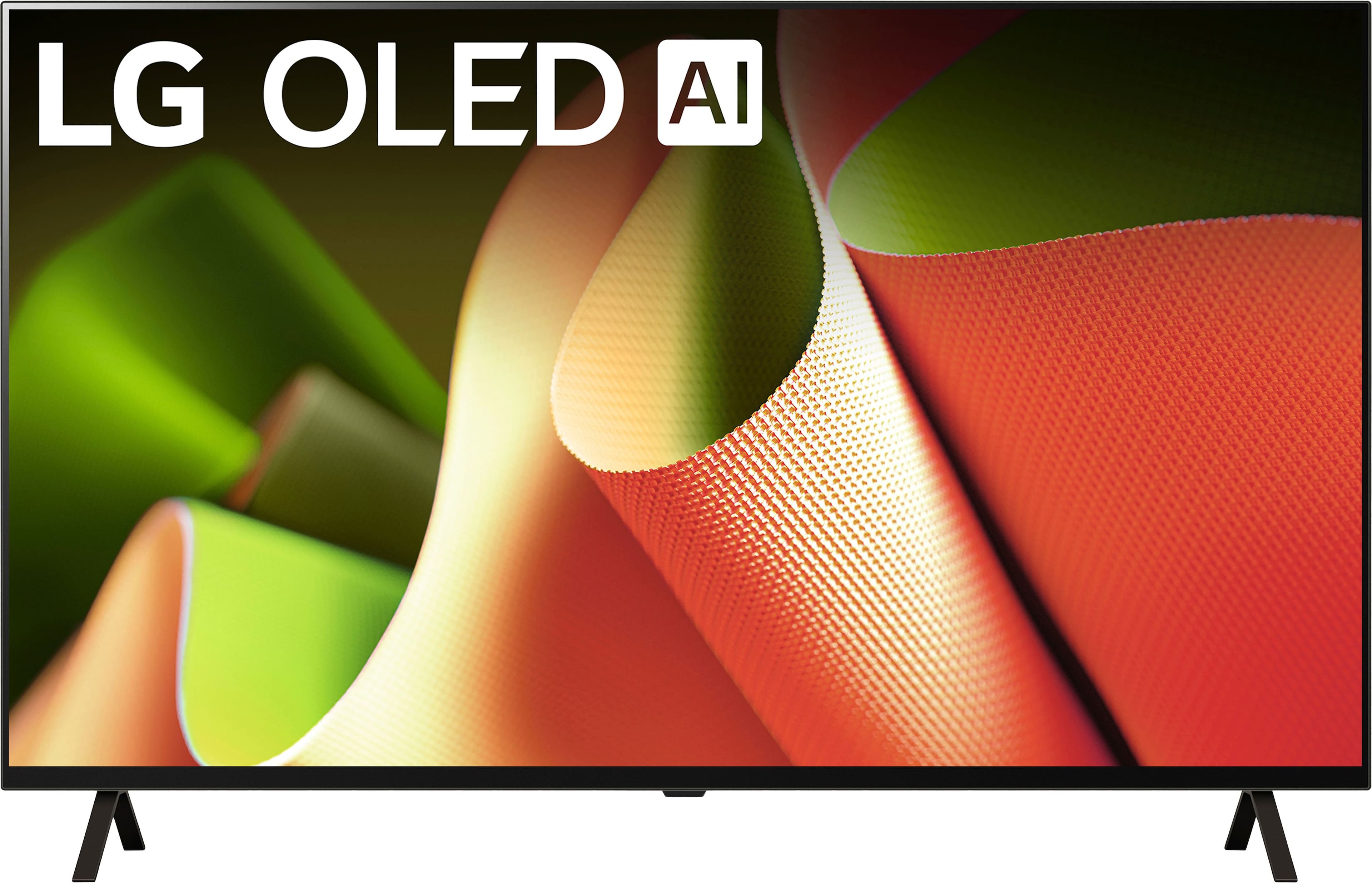
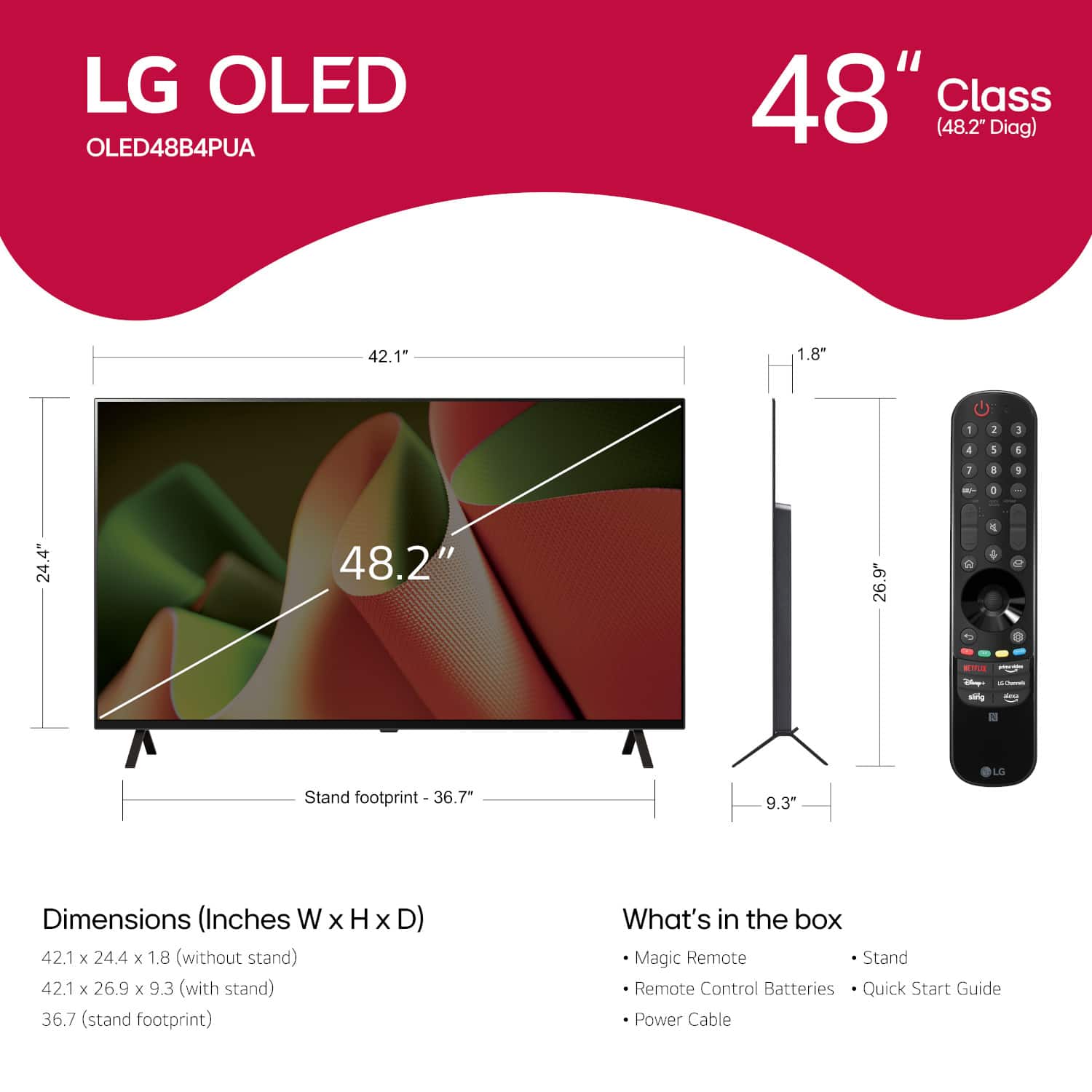








- Model:
- OLED48B4PUA
- SKU:
- 6584787
Rating by feature
- Picture Quality
Rating 4.9 out of 5 stars
- Sound Quality
Rating 4.5 out of 5 stars
- Brightness
Rating 4.7 out of 5 stars
Customers are saying
Customers are positive about the 48" Class B4 Series OLED 4K UHD Smart webOS TV (2024)'s picture quality, especially its black levels, refresh rate, and overall OLED quality. Many feel the TV offers great gaming performance and unbeatable value for its price. On the other hand, customers express concerns regarding the remote control and the software's performance. Some have also noted issues with input lag, the stand's design, and the upscaling capabilities.
This summary was generated by AI based on customer reviews.
- Pros mentioned:Picture quality, Refresh rateCons mentioned:Remote control
Its decent
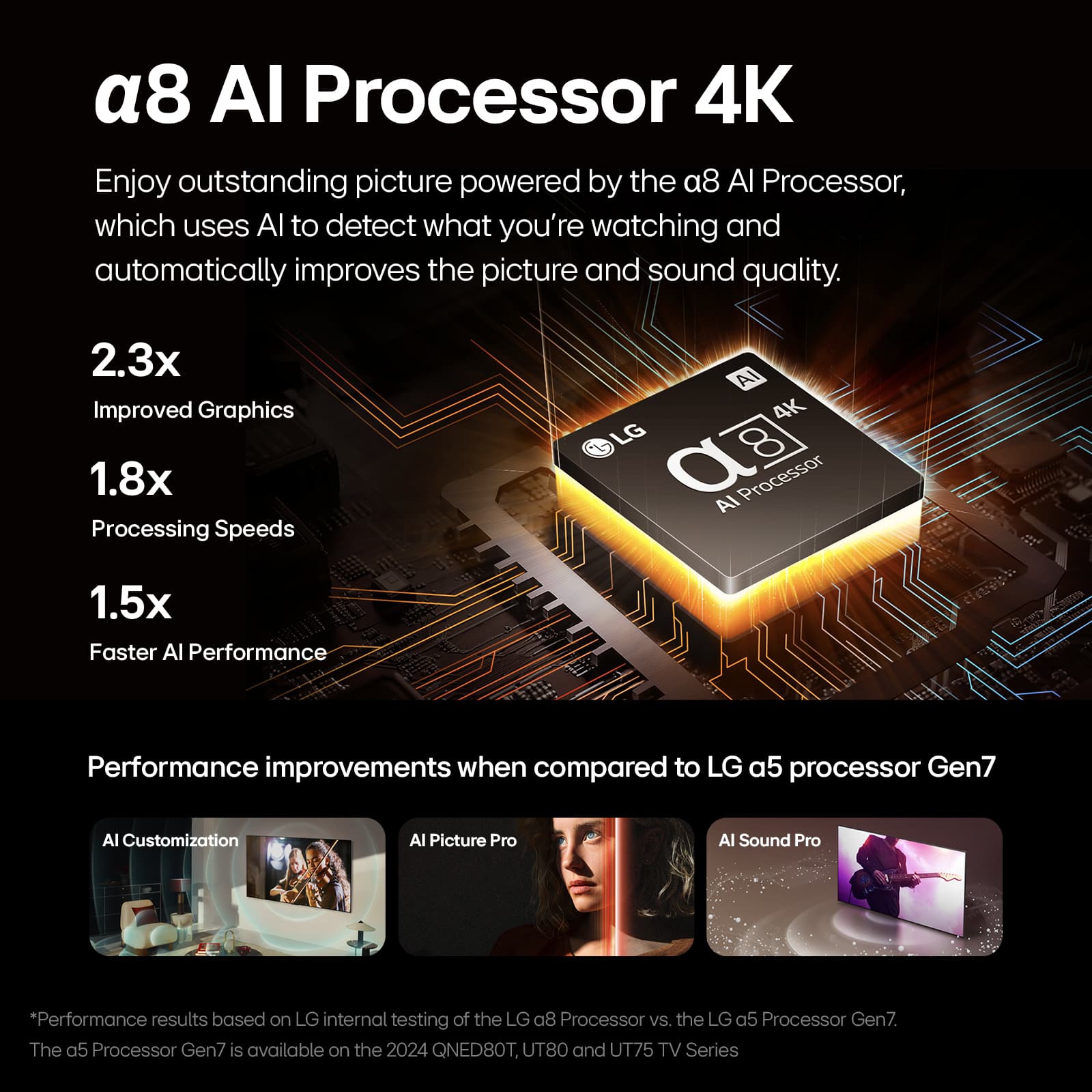
||Posted . Owned for 4 months when reviewed.This reviewer received promo considerations or sweepstakes entry for writing a review.The LG OLED B4 series is an impressive TV for its price, offering fantastic picture quality and a few standout features, though it’s not without its drawbacks. Picture Quality The TV's OLED panel shines with exceptionally bright HDR performance and incredibly deep blacks, creating a level of contrast that surpasses standard 4K TVs and even slightly edges out QLED technology. Whether watching movies, gaming, or streaming, the visual experience is immersive and vibrant. Build and Design The build quality is solid, albeit slightly heavy. However, this heft translates to durability and a sense of sturdiness. Mounted on the wall with bias lighting, the TV looks stunning and adds a premium touch to any room. Installation is straightforward, and the design feels more robust compared to many competitors. I use mine in a 12x12 room, where it fits perfectly. Additionally, I’ve noticed very little glare, even in bright daytime conditions, making it suitable for a variety of lighting setups. Performance and Gaming While the resolution and refresh rate are impressive on paper, the gaming features fall short in practice. Game Mode and AMD FreeSync didn’t work properly with my AMD RX 6800M GPU, causing the screen to flicker black or shut off entirely. As a result, gaming performance can be hit-or-miss. That said, the TV can function as a decent monitor when it works. I’ve had enjoyable gaming sessions, but the refresh rate never feels quite right, regardless of adjustments. Turning off TruMotion improves performance significantly. Smart Features The TV offers a wide range of apps and integrates seamlessly with Alexa. However, the AI features are underwhelming—I’ve noticed minimal benefits beyond slight sound optimization. Sound Quality One of the standout aspects is the built-in speakers. The sound quality is exceptional, delivering loud and clear audio that eliminates the need for an external sound system. It’s rare to find a TV with speakers this good. The Magic Remote The Magic Remote is functional but frustrating. The cursor behaves inconsistently—if you point the remote away from the screen, it gets stuck on the edge and moves prematurely when you bring it back. For comparison, a Wii Remote re-centers seamlessly, making the LG remote feel clunky and counterintuitive. Customer Service Perhaps the biggest downside is LG’s customer service, which is a nightmare to deal with. They make you jump through hoops to prove the TV has a malfunction before approving warranty service. You’re required to take photos and videos to document the issue, but the pictures often fail to send via text, requiring multiple attempts. Afterward, they may demand a video, but since you can’t record while on a call, they frequently deny warranty claims. This creates a frustrating and time-consuming process that undermines an otherwise excellent product. Despite the TV's strengths, purchasing it comes with the risk of poor support if anything goes wrong. Final Thoughts The LG OLED B4 series offers stunning picture quality, robust sound, and a beautiful design that fits well in most spaces. However, gaming performance can be inconsistent, and the customer service experience leaves much to be desired. While it’s a good TV overall, buyers should weigh the risks of potential support challenges.
I would recommend this to a friend - Pros mentioned:Picture quality
The next-gen of TVs
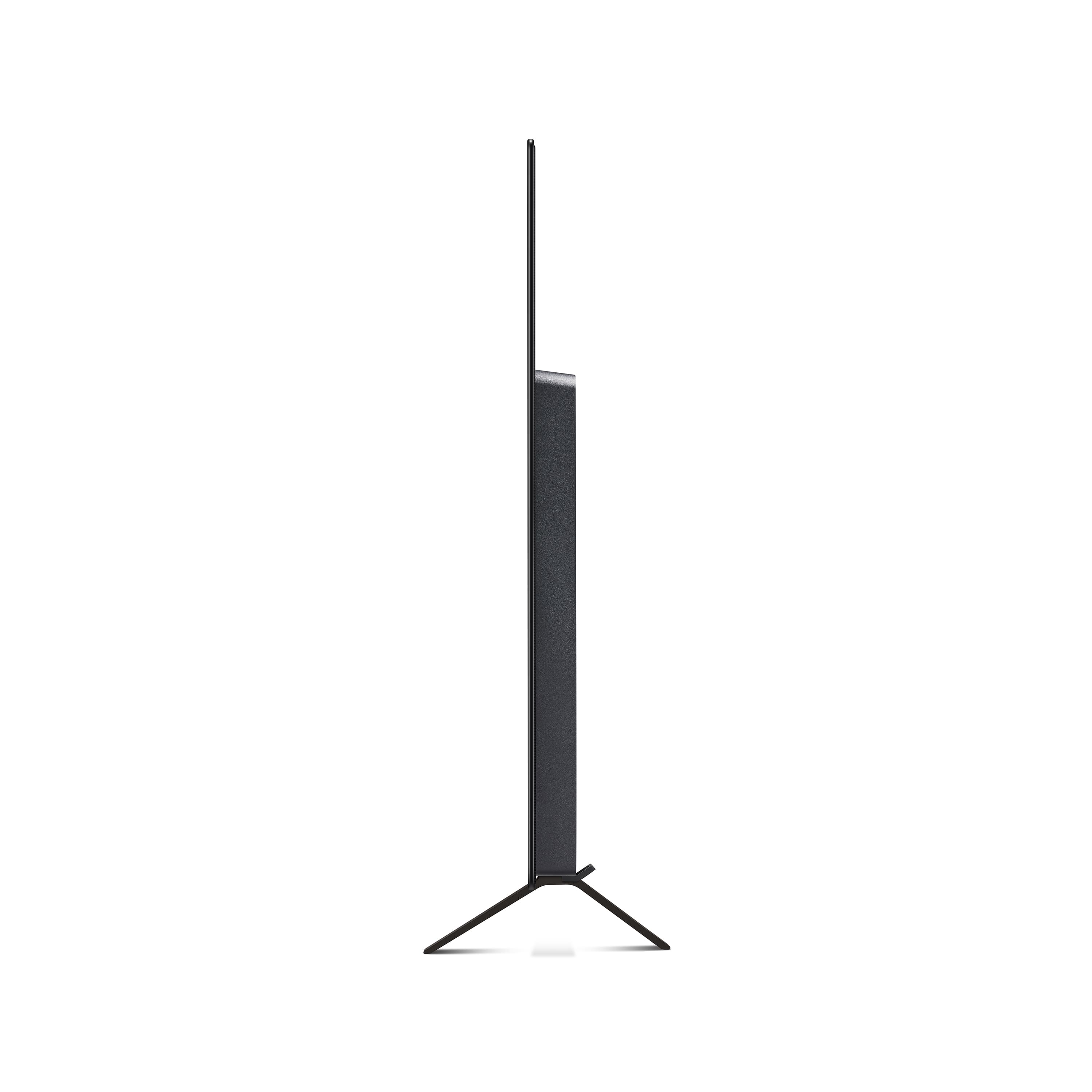
||Posted . Owned for 1 week when reviewed.This reviewer received promo considerations or sweepstakes entry for writing a review.It's a really great picture and offers tons of user friendly features. I really like the built-in Ai systems for image and sound quality. You can have a standard definition TV channel running for a few minutes and then image enhancement makes them look like HD channels, that was pretty wild to me. The brightness also really helps counter any light glare on the screen which is really nice too. These ultimately made understand better why 4kHD TVs are becoming less expensive, the OLED really is a next level, mind blowing experience compared to them. It's night and day, I'm glad I was able to catch the Labor Day discount sale at $750, I've been wanting one for some time but couldn't find what I want for under $1000. The only down side is getting the thing out of the box without breaking the screen. The screen is very very thin, like I'm talking iPad thickness here. (I measured and it's actually 3/8 inch thick!) It's pretty heavy and there's almost no way you can pick it up without leaning it over entirely on one side to get a grip that won't damage the screen. (not a fan of that when it's a $1000 tv)
I would recommend this to a friend Nice TV, Huge flaw.
||Posted .This reviewer received promo considerations or sweepstakes entry for writing a review.This tv is nice and I got it for half off, I upgraded from a 2017 UHD 4K LG tv. The wall mount fit the new one perfect. I am absolutely shocked at how bad the sound quality is. It sounds terrible. Sounds muffled and cheap. My old tv did not have this issue. Apparently when they make thinner TVs the worse the sound? Also taking this out of the box and hanging it was scary. I thought the screen would break. You must hold it from the bottom. Looks like I’ll be buying a soundbar to pair. Good thing I saved all that money.
I would recommend this to a friend- Pros mentioned:Oled quality
Would have been great, if not for a major flow
||Posted .This reviewer received promo considerations or sweepstakes entry for writing a review.I purchased this TV for use as a large-screen computer monitor. While generally the TVs suffer from issues when used as a monitor, in my research, the OLED TVs have sufficient refresh rates. Indeed, this device provides excellent picture, and I would have been very happy with this set in my application, were it not for one (major) flaw. The issue is that this model (I am not sure about other LG OLED models) forces auto-dimming of the screen if the picture does not sufficiently change over time. So if you are reading a document on the screen, or even typing something, the TV perceives it as basically a static picture, and the screen starts dimming, ostensibly to protect the panel. Having paid for the set (and understanding the risk of the pixel burn-out) I want to be able to make a conscious decision to prioritize the current quality of the picture over the long-term longevity. However, there is NO WAY TO DISABLE THE AUTO-DIMMING. As a result, avery few minutes I have to move the window around with my mouse, in order for the screen brightness to be resotred. This is extremely annoying and impacts productivity. In doing research, it appears that there used to be a way to disable auto-dimming, but recent firmware updates have removed this option. While this set produces very good quality picture for full-screen TV images (and probably gaming), without auto-dimming, I mostly usethis large-screen for running business applications. so that the auto-dimming bug is a serious issue for me. I believe LG should not be preventing the users from modifying the settings of the TV they paid for to make it most suited to their application. This is not a car which, when modified incorrectly, may become dangerous, so taking away owner's ability to disable auto-dimming is plain wrong.
No, I would not recommend this to a friend - Pros mentioned:Black levels
A Disappointing Purchase from Best Buy
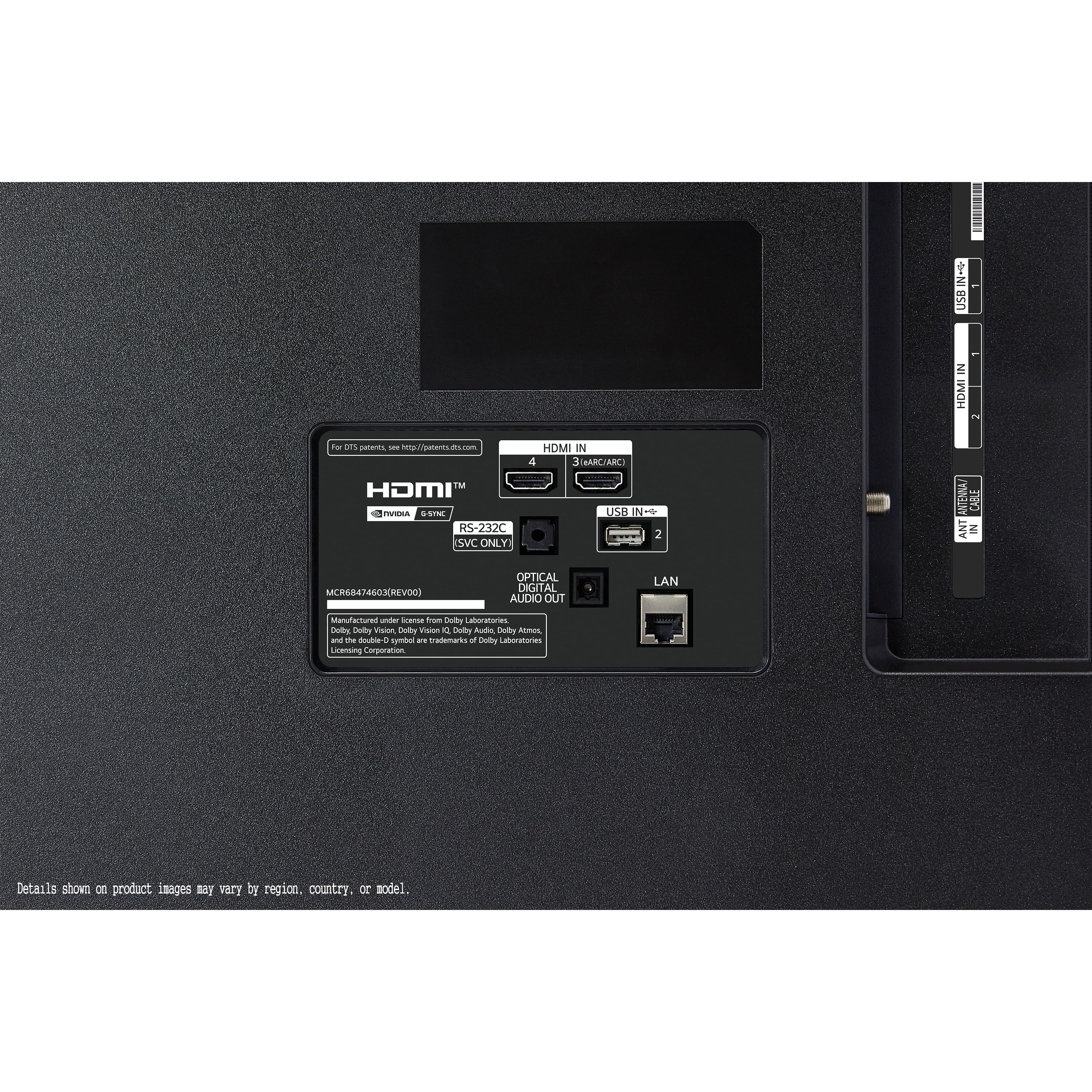
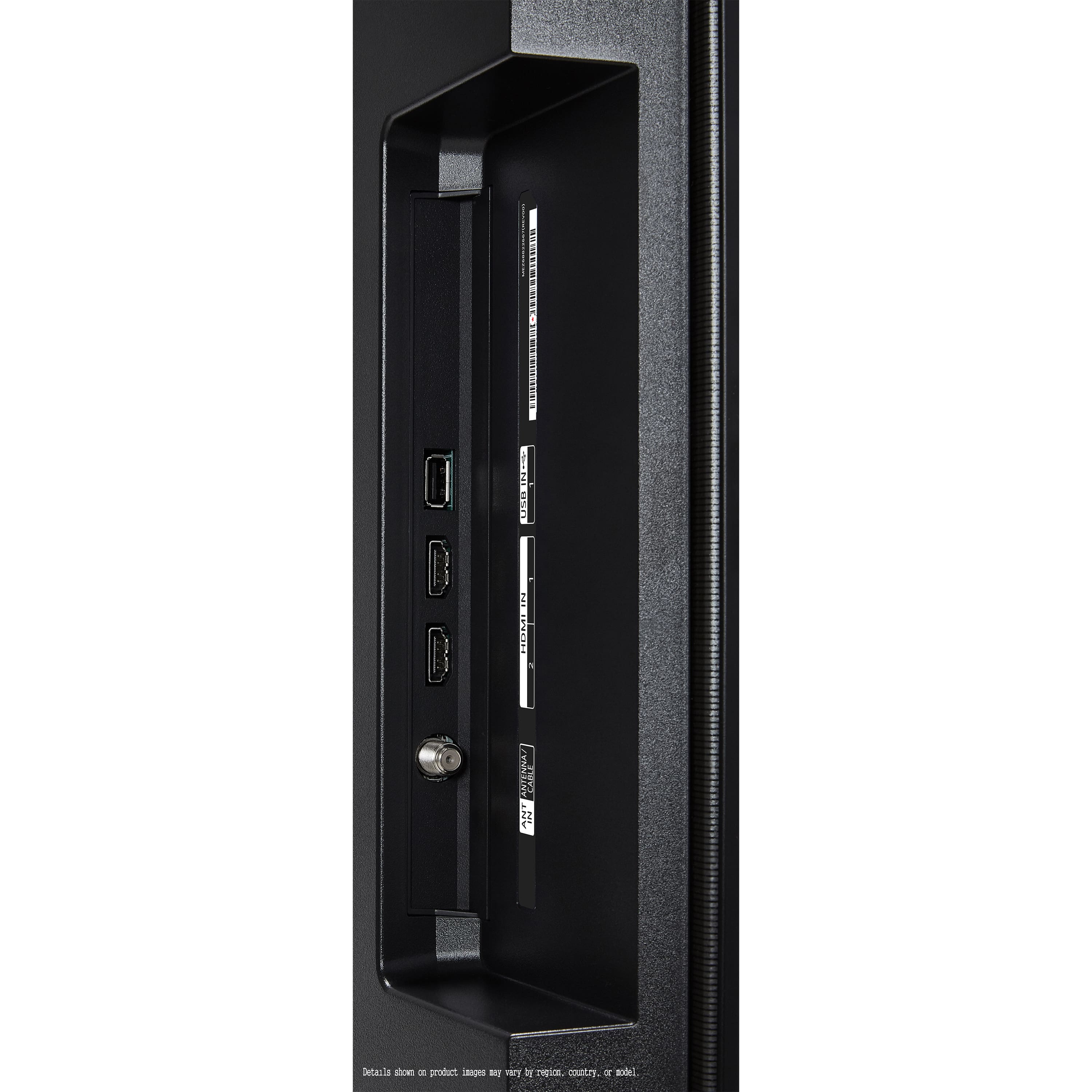
||Posted . Owned for less than 1 week when reviewed.This reviewer received promo considerations or sweepstakes entry for writing a review.I recently purchased the LG OLED 48-inch TV, enticed by the promise of stunning picture quality. While the TV itself has some notable strengths, my overall experience has been significantly marred by Best Buy's misleading product labeling and subpar handling. Let's start with the TV itself. The black levels on this OLED are truly exceptional. The inky darkness provides incredible contrast, making movies and dark scenes look rich and immersive. However, I've found the color to be somewhat straining on the eyes after extended viewing. While vibrant, certain hues seem overly saturated and lack the natural subtlety I was hoping for. This might be a matter of personal preference and could potentially be adjusted with meticulous calibration, but out of the box, it's been a noticeable issue. The TV's port selection is disappointingly limited. For someone with multiple gaming consoles, a soundbar, and other peripherals, the lack of HDMI ports quickly becomes a juggling act. This is a significant drawback for a premium television in this day and age. The Magic Remote, LG's mouse-like controller, is a mixed bag. At times, it's incredibly intuitive for navigating menus and web browsing. The point-and-click functionality can be much faster than traditional directional pads. However, it can also be quite fiddly and difficult to use for precise adjustments within apps or when trying to quickly change settings during fast-paced content. It feels like a solution that's trying to do too much and doesn't always succeed. Now, for the truly frustrating part: my experience with Best Buy. I specifically ordered what was advertised as an "Excellent" condition new TV. What arrived was far from it. Upon unboxing, it was immediately apparent that this was not a brand-new, untouched product. * There were noticeable scratch marks on the back panel of the TV. While not visible from the front, this immediately raised concerns about the care taken with the product. * Several accessories were missing from the box. This included some of the standard cables and documentation that should have been included with a new television. * The protective films that are typically applied to a new screen and bezel were already peeled off and haphazardly stuffed back into the box. This strongly suggested that the TV had been previously opened and potentially used. The condition of the packaging itself was also questionable, further reinforcing the feeling that I had received a returned or refurbished unit misrepresented as "Excellent" new. There was no indication anywhere in the product description or during the ordering process that this was anything other than a pristine, brand-new item. This experience with Best Buy has been incredibly disappointing. To pay a premium price for an "Excellent" condition product and receive something that clearly falls short is unacceptable. While the LG OLED TV has some inherent qualities, the issues with the color and limited ports, coupled with Best Buy's misrepresentation of the product's condition, have left me with a sour taste. I would strongly advise potential buyers to thoroughly inspect any "new" electronics purchased from Best Buy upon arrival and be prepared for potential discrepancies in the advertised condition.
No, I would not recommend this to a friendBrand response from LG Digital Customer Care
Posted .Hello there. Thank you for sharing your experience with us regarding your LG B4 Series OLED 4K UHD Smart webOS TV. We understand your inquiry regarding the color saturation, port selection, and the condition of the unit you received from the retailer. Your feedback is important, and we would like to assist you further.
https://www.bestbuy.com/product/lg-48-class-b4-series-oled-4k-uhd-smart-webos-tv-2024/JJ8VPZH77S
To help with the display, we recommend adjusting the color settings by navigating to Settings > All Settings > Picture > Select Mode and choosing Filmmaker Mode or Expert (Bright Space/Dark Space) for more natural hues. For further assistance and any specific concerns you may have, please contact us on lgdigitalcare@lg.sprinklrsupport.com. We appreciate your patience. —Renzo
- Pros mentioned:Picture quality
Annoying quirks
||Posted . Owned for 1 week when reviewed.This reviewer received promo considerations or sweepstakes entry for writing a review.The picture and sound are awesome. When you turn on the TV, there is a little icon in the left corner that asks if you want to turn on closed captioning. It is easy to accidentally select it. If you accidentally select it, you cannot turn off closed captioning without resetting your TV. There are instructions to turn off CC, but they do not work. The only way to turn off CC is to reset your TV. If you check online, you will see that this is a known issue that many LG users have and have not solved. If you have a cable box and you want to fast forward through the commercials on your recordings, you have to click a button on the remote that brings up a panel with several options. You have to scroll down to the bottom of the panel to locate the FF, Back, Pause, and Play buttons. The panel stays open the entire time, covering the TV picture as you FF, then you have to hit Play - all while this panel is open. If you need to pause, you have to do this whole thing over again to open the panel that covers the TV screen and keep it open and repeat to unpause. It is quite an ordeal. Also, there is a big cursor that appears on the screen that is very annoying and online it says you can just shake the remote to remove it, but that is not true. You have to use the circle on the remote to try and remove it and that is another ordeal. Apparently, there is no way to remove that cursor completely and it appears over and over and is truly annoying. I've only had the TV for a few days and had to reset it to get rid of closed-captioning, which is unnecessary. I am not sure I will keep it - it is just too annoying.
No, I would not recommend this to a friendBrand response from LG Digital Customer Care
Posted .Hi there, LindaW. Thank you for sharing your experience with us. We understand that the LG - 48" Class B4 Series OLED 4K UHD Smart webOS TV (2024) didn't meet your expectations, and we understand your inquiry regarding the closed captioning settings and the Magic Remote cursor. Your feedback is important, and we'd like to assist you further. To deactivate the cursor, you can press and hold the Back and Home buttons together for five seconds to unpair and then re-register the remote.
https://www.bestbuy.com/product/lg-48-class-b4-series-oled-4k-uhd-smart-webos-tv-2024/JJ8VPZH77S
For further assistance and any specific concerns you may have, please contact us on lgdigitalcare@lg.sprinklrsupport.com, and our team will be more than happy to assist you. —Renzo
- Pros mentioned:Picture quality
Great picture, terrible interface and service
||Posted . Owned for 9 months when reviewed.This reviewer received promo considerations or sweepstakes entry for writing a review.If it wasn't for the TV breaking updates and LG interface I would probably rate this TV at 4.5 stars. The picture is gorgeous and has held up for a few years. Unfortunately after every update I have issues for weeks updating apps and keeping a stable connection. I was unable to add or update apps for weeks recently and even a factory restore did not fix the issue. Moving through the menu is incredibly slow and I have to click through 6 menus just to pair my sound bar, which disconnects if I am idle for more than 5 minutes. It's too bad the best looking TV I have owned will be my last LG due to menu and service.
No, I would not recommend this to a friendBrand response from LG Digital Customer Care
Posted .Hi there. Thank you for sharing your experience with us regarding your LG 48" Class B4 Series OLED 4K UHD Smart webOS TV. We understand your inquiry concerning the interface speed, the update process, and the connectivity with your soundbar. To help with the soundbar connection, we recommend checking if "Auto Power Sync" is enabled within the Sound settings to maintain a stable link between devices. Your feedback regarding the menu navigation is very important to us as we work to improve our software efficiency.
https://www.bestbuy.com/product/lg-48-class-b4-series-oled-4k-uhd-smart-webos-tv-2024/JJ8VPZH77S
For further assistance and any specific concerns you may have, please contact us on lgdigitalcare@lg.sprinklrsupport.com, and we will be more than happy to assist you further. We appreciate your patience. —Renzo
- Pros mentioned:Picture quality
It's okay. But Less Expensive is probably better.
||Posted . Owned for 10 months when reviewed.This reviewer received promo considerations or sweepstakes entry for writing a review.I'm not really sure this is worth the price. Bought the TV October 2024. Considering a new TV for my Mom come Christmas. Hers is 10+years old. I'm thinking a Hisense or The picture is great. The remote is difficult to use. It uses the old Blackberry tiny little ball mechanism to press highlighted choice. Little thing goes where it wants to. Can take me 3 times to get it to work. Using the voice command on the remote doesn't work unless you have some kind of tv lg account. I stick to the Xfinity remote. Though I do use the remote to set the sleep timer. Wish the xfinity remote had that. I'm setting up a bedside speaker for my husband. To have the TV within his hearing range is painful for all others. Sound continues to vary with channel. That seems to be true with most TVs. Another reason for the speaker.
No, I would not recommend this to a friend - Pros mentioned:Picture qualityCons mentioned:Remote control
Decent for the price
||Posted . Owned for 1 month when reviewed.This reviewer received promo considerations or sweepstakes entry for writing a review.Put it in a dark room and sit close to it and it's a pretty decent TV. The remote is terrible and the WebOS is mediocre. Pair this with an Apple TV 4k streamer and ditch the LG remote and it becomes an impressive TV especially for the price.
I would recommend this to a friend - Cons mentioned:Remote control
Love the TV, I hate the remote
||Posted . Owned for 2 months when reviewed.This reviewer received promo considerations or sweepstakes entry for writing a review.The TV itself is fantastic, I was concerned about peak brightness, but it's not a problem, great OLED television, however that magic remote with the mouse feature that I cannot seem to disable in the settings is absolutely maddening, it's a shame because it's not for that, this would be an absolute home run for the price. It's so bad, that I switched the Smart TV to a Chromecast and use Google TV and simply abandoned webOS which comes on the TV.
No, I would not recommend this to a friend - Cons mentioned:Remote control
Good quality, poor remote and poor OS
||Posted .This reviewer received promo considerations or sweepstakes entry for writing a review.This is my first LG tv and I would say they are over hype. Remote is poorly designed. No backlight and buttons are placed in a way that you will always accidentally press something you intent not to use. Operating system is a hot mess.
No, I would not recommend this to a friendBrand response from LG Digital Customer Care
Posted .Hello there, DonP. Thank you for sharing your experience with us regarding your LG 48" Class B4 Series OLED 4K UHD Smart webOS TV. We understand your inquiry concerning the remote control design and the layout of our operating system. Your feedback is valuable to us as we work to enhance our user interface and accessories for a better viewing experience.
https://www.bestbuy.com/product/lg-48-class-b4-series-oled-4k-uhd-smart-webos-tv-2024/JJ8VPZH77S
For further assistance and any specific concerns you may have, please contact us on lgdigitalcare@lg.sprinklrsupport.com, and we will be more than happy to assist you further. We appreciate your patience. —Renzo
- Pros mentioned:Picture quality
Looks great, when it works
||Posted . Owned for 2 weeks when reviewed.This reviewer received promo considerations or sweepstakes entry for writing a review.The tv looks exactly as nice as you would expect an OLED from LG to. However, be wary of even the "excellent" open box tvs. I got mine and immediately had difficulty. I intended to use this tv as a large monitor. Upon connecting though, I have had all sorts of display issues. The most frustrating has been the irregular and intermittent flashing (I thought this might have been a power issue but have started running through a stabilized source) during video playback and gaming sessions. I thought it might be an issue with the feed from my computer, so I've done additional configuration to ensure there's nothing wrong there either. It seems like I probably got a borked one, and customer support has been pretty frustrating to work with. In summary: looks great if you get a good one.
I would recommend this to a friend - Pros mentioned:Picture quality
Had to return.
||Posted .This reviewer received promo considerations or sweepstakes entry for writing a review.Delivery and product arrived fast and undamaged. Seemed high quality and bright. Picture quality was good on Xbox X. However screen gave me eyestrain and motion sickness. First OLED TV . Not sure what it was.
No, I would not recommend this to a friendBrand response from LG Digital Customer Care
Posted .Hi there, ThomasB. Thank you for sharing your experience with us regarding your LG 48" Class B4 Series OLED 4K UHD Smart webOS TV. We understand your inquiry regarding the eyestrain and motion sickness you experienced while viewing the screen. To help with comfort, we suggest adjusting the "Eye Care Mode" or "TruMotion" settings in the Picture menu to better suit your needs.
https://www.bestbuy.com/product/lg-48-class-b4-series-oled-4k-uhd-smart-webos-tv-2024/JJ8VPZH77S
For further assistance and any specific concerns you may have, please contact us on lgdigitalcare@lg.sprinklrsupport.com, and we will be more than happy to assist you further. We appreciate your patience. —Renzo
- Pros mentioned:Picture quality
Great Entry Level OLED Had issue 2 weeks in
||Posted . Owned for 1 month when reviewed.This reviewer received promo considerations or sweepstakes entry for writing a review.The TV itself is stunning for an entry level OLED. My only issue, is about 2 weeks into owning it, it developed a single vertical red line on the left side of the screen. None of the normal trouble shooting methods solved it. Best Buy customer care helped me solve it by replacing the unit.
I would recommend this to a friend - Pros mentioned:Picture quality
Stick with what your used to
||Posted . Owned for 2 weeks when reviewed.This reviewer received promo considerations or sweepstakes entry for writing a review.Picture was great, hated the remote. Thought I may get past it after some convincing by the salesman. Every salesman wants you to buy LG, They say they are the best. I’d say there is a three way tie for the best. Stick with what you like. I took mine back and bought the Samsung. Also couldn’t download the app for Direct TV on LG. You can do so on Samsung.
I would recommend this to a friend - Cons mentioned:Remote control
Disappointed.
||Posted . Owned for 2 weeks when reviewed.This reviewer received promo considerations or sweepstakes entry for writing a review.Pretty disappointed. Waited to get a new TV, sad I chose this one. Remote is ridiculous, the weird little trackball is super annoying. TV settings are not easy to navigate. It does not support the streaming app I use most (History+)
No, I would not recommend this to a friendBrand response from LG Digital Customer Care
Posted .Hi there, DarlaH. Thank you for sharing your experience with us. We understand your inquiry regarding the Magic Remote and app availability on your LG 48" Class B4 Series OLED 4K UHD Smart webOS TV. For easier navigation, you can adjust the pointer speed or use the directional buttons on the remote to bypass the scroll wheel.
https://www.bestbuy.com/product/lg-48-class-b4-series-oled-4k-uhd-smart-webos-tv-2024/JJ8VPZH77S
For further assistance and any specific concerns you may have, please contact us on lgdigitalcare@lg.sprinklrsupport.com. We appreciate your patience. —Renzo
Unable to stream 4k videos via Wi-Fi
||Posted . Owned for 1 week when reviewed.This reviewer received promo considerations or sweepstakes entry for writing a review.Great panel. Beautiful contrast. Unfortunately, I have to give it three stars for the poor Wi-Fi capability. It is unable to stream 4k videos.
No, I would not recommend this to a friendBrand response from LG Digital Customer Care
Posted .Hi there, Booby. We are glad to hear that you are enjoying the beautiful panel and contrast of your LG 48" Class B4 Series OLED 4K UHD Smart webOS TV (2024). However, we certainly understand your frustration with the Wi-Fi streaming performance, especially when attempting to watch 4K content.
While OLED technology delivers exceptional picture quality, we know that reliable streaming is crucial for the full experience. Issues with 4K streaming over Wi-Fi can sometimes be related to home network congestion, signal strength, or streaming platform settings. For the fastest and most stable 4K connection, we often recommend a wired Ethernet connection if possible.
To help you troubleshoot this specific Wi-Fi concern and explore all available solutions, please reach out to our dedicated digital care team.
https://www.bestbuy.com/product/lg-48-class-b4-series-oled-4k-uhd-smart-webos-tv-2024/JJ8VPZH77S
For further assistance and any specific concerns you may have, please contact us on lgdigitalcare@lg.sprinklrsupport.com. We appreciate your patience. —Renzo
Good value
||Posted . Owned for 9 months when reviewed.This reviewer received promo considerations or sweepstakes entry for writing a review.Nice TV for the money, good deal overall. I would recommend.
I would recommend this to a friendBrand response from LG Digital Customer Care
Posted .Hello there, JuanV. Thank you for sharing your experience with us. We understand your inquiry and are happy to hear that you are enjoying your LG - 48" Class B4 Series OLED 4K UHD Smart webOS TV (2024). Your feedback is important, and we'd like to assist you further if needed.
https://www.bestbuy.com/product/lg-48-class-b4-series-oled-4k-uhd-smart-webos-tv-2024/JJ8VPZH77S
For further assistance and any specific concerns you may have, please contact us on lgdigitalcare@lg.sprinklrsupport.com, and our team will be more than happy to assist you. —Renzo
Great Oled for the price but…
||Posted . Owned for 2 months when reviewed.This reviewer received promo considerations or sweepstakes entry for writing a review.It definitely works fine for gaming but lacks the brightness even in a dark room. With movies and entertainment it seems to be to dark for some movies. Overall it’s better than nothing
No, I would not recommend this to a friendBrand response from LG Digital Customer Care
Posted .Hi there, ChristopherA. Thank you for sharing your experience with us. We understand your inquiry regarding the picture brightness on your LG 48" Class B4 Series OLED 4K UHD Smart webOS TV. Your feedback is important, and we'd like to assist you further in optimizing your viewing experience.
OLED TVs are known for incredible contrast, and we understand that finding the right balance for overall brightness is key. Since you've noticed the picture seems dark, especially for movies, here is one basic setting you can check to ensure maximum brightness:
Navigate to your TV's Settings menu.
Go to General and look for the Energy Saving or AI Brightness Settings.
Ensure the Energy Saving Step is set to Off to allow the OLED panel to reach its full brightness potential.
https://www.bestbuy.com/product/lg-48-class-b4-series-oled-4k-uhd-smart-webos-tv-2024/JJ8VPZH77S
If you have any further questions about its features or need help with other picture settings (like adjusting the OLED Pixel Brightness), please send us a private message on Social Media @LGUSSupport, and our team will be more than happy to assist you. We appreciate your patience. —Renzo
Scratchy AirPlay Audio, Great Display Otherwise
||Posted . Owned for 1 week when reviewed.This reviewer received promo considerations or sweepstakes entry for writing a review.I don't know if anyone else has this issue but when you play music through AirPlay the audio is not perfect. It has audio distortions and clarity issues. I'm on the same wireless network for both devices, latest software installed, and sound check done. Otherwise, the TV is great in every other aspect.
I would recommend this to a friend