A:AnswerI'm a Verizon customer and I set up my unlocked phone this evening. I went from a Verizon locked Galaxy S6 edge to this phone. The only thing that I even noticed during the transfer process was that the Verizon voicemail app was specific to their phones. I wasn't aware of that, but since I don't get many voicemails, it didn't matter to me. I found a third party app in about 20 minutes and recorded a standard greeting and everything is rosy. The other Verizon apps (Tunes, Naviagtor, Cloud....etc...) I never even opened on the old phone. Everything else carried over seamlessly, even my text messages, which I was ELATED to see. Smart Switch is your friend.
So - I suppose the answer to your question really depends upon how much YOU use Verizon's specific apps. If you're like me, and never even launched them, then an unlocked phone is fine. But if you rely on any of them (particularly the voicemail and perhaps the cloud), then you may want to stick with the locked phone. Weigh those pros and cons.
A:AnswerI went in Bestbuy the other day and they confirmed I could trade in my unlocked S8 for an unlocked S9 for $350. I would check in with your local best buy to make sure though
A:AnswerAll phones that say the battery is not removable are in fact removable. All you have to do is go to a Batteries and Bulbs store and they will replace the battery in a non removable battery phone. I know because I have done it before. And their batteries are better than what came with the phone.
A:AnswerHello! We appreciate your interest in our products. An unlocked smartphone is a phone that isn't tied to a specific carrier or contract. Therefore, you have the freedom to shop for the latest phones and plans as often — or as infrequently — as you like. Plus, they don't come preloaded with numerous carrier applications that take up space on your phone. And when it comes to international travel, unlocked phones can't be beaten. Ultimately, we suggest reaching out to the carrier in Mexico to confirm that the device will be compatible with their network. We hope this answers your question and helps you with your purchase decision. ^Rod
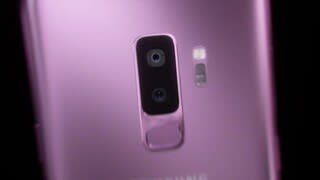
A:AnswerYes, it is. The finger print sensor on the back is in a better position. The audio is much improved now with 2 speakers instead of just one. A bit thicker Gorilla glass. A bit more efficient processor. And the version of Android will always be more current than on the S8.
A:AnswerYes ,if you buy unlocked is compatible with cricket ,metro pcs ,H2O .Phone I bought it was perfect ,no scratches .Always will say in the box if missing charger or has any damage .
A:AnswerYes, the phone supports band 71 and also the following 4G LTE bands:
4G LTE FDD
B1(2100),B2(1900),B3(1800),B4(AWS),B5(850),B7(2600),B8(900),B12(700),B13(700),B14(700),B17(700),B18(800),B19(800),B20(800),B25(1900),B26(850),B28(700),B29(700),B30(2300),B66(AWS-3),B71(600)
4G LTE TDD
B38(2600),B39(1900),B40(2300),B41(2500),B46(5200)
A:AnswerYes, unlocked phones work best with AT&T in my experience,
However when you do get an AT&T sim card give it about 25 minutes to an hour after activation and reset the phone trust me every time I get a new unlocked phone my service doesn't activate immediately just give a little time
A:AnswerEither call AT&T and have your Galaxy 6S unlocked and use whereis in that way or I just bought the unlocked version of the S9 in the S9 plus Both are working on Verizon. Even better I didn't even have to call and talk to them I just put the SIM cards in and automatically updated. Only downside is Verizon will not put there assurion insurance on an unlocked device.
A:Answer*Savings are deducted off the full total price of the device and are reflected in reduced monthly payments over the life of the device. Savings offer does not apply to unlocked phones or Sprint Flex Lease. Savings valid online starting 12:01 a.m. ET on 3/2/18 or until release date of phone, whichever is earlier.
A:AnswerYes the S9 is compatible with a wireless charger. Be aware that not every case is compatible. Make sure the case you purchase is compatible or you'll need to remove it whenever you use the wireless charger.