Insignia™ - SATA to USB-C Adapter for 2.5” SATA Drives - Black
Insignia™ - SATA to USB-C Adapter for 2.5” SATA Drives - Black
- Samsung - 990 PRO 2TB Internal SSD PCle Gen 4x4 NVMe$399.99
More Buying Options
Related Item

About This Item
- Key Specs
- Cable Length: 2 feet
- Connector Type (End 1): USB-C
- Gender (End 1): Male
- Connector Type (End 2): Serial ATA
- Gender (End 2): Male
- General
- Brand: Insignia™
- Model Number: NS-PACS2B25
- Product Name: SATA to USB-C Adapter for 2.5” SATA Drives
- Color: Black
- Quantity: 1
- Compatibility: 2.5 SATA Drives
- Connectivity
- Cable Type: Data transfer
- Cable Length: 2 feet
- Product Type: Adapter, Cable
- Connector Type (End 1): USB-C
- Gender (End 1): Male
- Connector Type (End 2): Serial ATA
- Gender (End 2): Male
- Warranty
- Warranty - Parts: 1 year limited
- Warranty - Labor: 1 year limited
- Other
- UPC: 600603311208
Whether you’re looking for additional storage space or want to access files on older drives, the Insignia NS-PACS2B25 1.97' USB-C to SATA Adapter is your simple plug-and-play solution. Connect your 2.5" SATA drive with a USB-C connection to view and transfer files on your computer. The plug and play design makes setup simple, and its UASP support reduces your machine’s processor requirements. Tackle any old storage projects today with the help of this Insignia adapter.
- External storage access: Connect your 2.5" SATA hard disk drive (HDD) or solid state drive (SSD) to your computer to back up files and transfer data.
- Wide-ranging system compatibility: Works with Windows 11, Windows 10, macOS 10.13 to 14.5, ChromeOS 78.x to 110.x, Android 9 to 14, iOS/iPadOS 14 to 17.5.X and PlayStation 5.
- 1.97 ft. (.6 m) cord: Offers flexible placement.
- UASP support: Reduces processor requirements and provides faster data speeds – up to 5Gbps with USB-C or 6 Gbps with SATA.
- Backwards compatible: Works with USB 3.2 Gen 1 and older versions for long-lasting use.
- Plug-and-play, tool-free design: Grants easy installation and assembly.
- LED indicator: Shows when powered and when reading/writing to the drive.
- Brought to you by Best Buy: Insignia brings you affordable, dependable products with all the features you need.
- External storage access: Connect your 2.5" SATA hard disk drive (HDD) or solid state drive (SSD) to your computer to back up files and transfer data.
- Wide-ranging system compatibility: Works with Windows 11, Windows 10, macOS 10.13 to 14.5, ChromeOS 78.x to 110.x, Android 9 to 14, iOS/iPadOS 14 to 17.5.X and PlayStation 5.
- 1.97 ft. (.6 m) cord: Offers flexible placement.
- UASP support: Reduces processor requirements and provides faster data speeds – up to 5Gbps with USB-C or 6 Gbps with SATA.
- Backwards compatible: Works with USB 3.2 Gen 1 and older versions for long-lasting use.
- Plug-and-play, tool-free design: Grants easy installation and assembly.
- LED indicator: Shows when powered and when reading/writing to the drive.
- Brought to you by Best Buy: Insignia brings you affordable, dependable products with all the features you need.
Whats Included
- Insignia™ 1.97' USB-C to SATA Adapter
- Quick Setup Guide
- Insignia™ 1.97' USB-C to SATA Adapter
- Quick Setup Guide
Q: What type of drive does the adapter support?
A: The adapter supports a 2.5" SATA drive.
Q: Is the adapter compatible with all SATA drives?
A: This adapter is compatible with 2.5" SATA drives.
Q: What is the length of the adapter cable?
A: The length of the USB-C to SATA adapter cable is 1.97 feet.
Q: Can I use this adapter on a 3.5" hdd?
A: Thank you for your inquiry! The Insignia™ SATA to USB-C Adapter is specifically designed for 2.5" SATA drives. Unfortunately, it is not compatible with 3.5" HDDs, as they typically require more power and a different connector. For a 3.5" HDD, you would need an adapter or enclosure that supports 3.5" SATA drives and provides the necessary power supply. If you have any other questions or need further assistance, feel free to ask! - Mae | Insignia Support
Q: What is the throughput speed of this adapter? The spec does not mention that. Please advise, Thanks.
A: The Insignia™ SATA to USB-C Adapter can transfer data at speeds up to 6 Gbps, which is fast enough for most SSDs and hard drives. It uses a USB 3.2 connection and supports UASP, which helps move files more quickly and smoothly. Patricia | Insignia Support
Q: Will it work with a 3.5" HDD?
A: Hello, thank you for your question. No, the NS‑PACS2B25 is not designed to power or support a 3.5‑inch hard drive. It is compatible with 2.5‑inch SATA HDDs and 2.5‑inch SATA SSDs. Sam | Insignia
Q: hello will this work on my dell inspiron 15 3542 which has the hdd drive it is 2.5 thank you
A: Hello Joe, thank you for your question. The Insignia™ SATA to USB‑C Adapter (Model NS‑PACS2B25) is compatible with the 2.5-inch SATA hard drive in the Dell Inspiron 15‑3542. It supports 2.5-inch SATA HDDs and SSDs, so it will work for your system. Vennila | Insignia
Reviews
Customers are saying
Customers express satisfaction with the SATA to USB-C Adapter for 2.5” SATA Drives, highlighting its overall performance and ease of use. Users appreciate the adapter's simple connectivity and broad compatibility with modern devices. The USB-C feature and reasonable price point also contribute to the positive reception of this product.
Customer Images
The vast majority of our reviews come from verified purchases. Reviews from customers may include My Best Buy members, employees, and Tech Insider Network members (as tagged). Select reviewers may receive discounted products, promotional considerations or entries into drawings for honest, helpful reviews.
Compare similar products

Whether you’re looking for additional storage space or want to access files on older drives, the Insignia NS-PACS2B25 1.97' USB-C to SATA Adapter is your simple plug-and-play solution. Connect your 2.5" SATA drive with a USB-C connection to view and transfer files on your computer. The plug and play design makes setup simple, and its UASP support reduces your machine’s processor requirements. Tackle any old storage projects today with the help of this Insignia adapter.
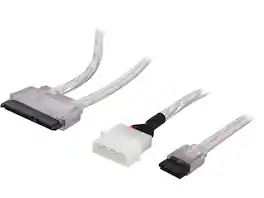
Nippon Labs SATA-COMBO-1.5SL 1.5 ft. SATA Data and Power Combo Cable Silver 1.5 feet- OEM

There’s nothing worse than low computer storage when you’re in the middle of working on a big project. Add portable data storage to your laptop or computer with the Insignia NS-PC25HDE 2.5" SATA to USB-C HDD Enclosure. It turns your 2.5" SATA drive into a USB-C connection with transfer speeds up to 6 Gbps, giving you a high-speed access to your data. The enclosure includes a USB-C cable and a USB-to-USB-C adapter for wide-ranging use. It also has a plug-and-play design, making it easy to use with most computers and laptops. Featuring UASP support, it further reduces processor requirements while improving your data speeds. Enhance your computer storage with a high-quality solution that will let you get things done.

Connect and store external hard drives on your desktop with this Insignia hard drive enclosure docking station. Two slots accept SSD and HDD drives for simultaneous reading, and a USB 3.0 port allows for fast data transfer. An eject button lets you safely remove each drive when not needed, and this Insignia hard drive enclosure docking station features an LED indicator light to show the working status of each device.
| Pros for Insignia™ - SATA to USB-C Adapter for 2.5” SATA Drives - Black | |||
|---|---|---|---|
| Overall Performance, Ease of use, Compatibility, Connectivity, Price | There were no pros for this product— | Ease of use, Overall Performance, Compatibility, Speed, USB-C | Ease of use, Overall Performance, Compatibility, Data Transfer, USB |
| Cons for Insignia™ - SATA to USB-C Adapter for 2.5” SATA Drives - Black | |||
| There were no cons for this product— | There were no cons for this product— | There were no cons for this product— | Size, Power, Connection |