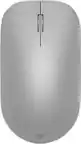
Microsoft - Surface Arc Bluetooth BlueTrack Ambidextrous Mouse for PC - Wireless - Violet
Microsoft - Surface Arc Bluetooth BlueTrack Ambidextrous Mouse for PC - Wireless - Violet
Color
VioletMore Buying Options
Related Item

Specifications
- Lighting TypeNoneMaximum Sensitivity1000 dots per inchNumber of Buttons (Total)2Connection TypeWireless
- Key Specs
- Lighting Type: None
- Maximum Sensitivity: 1000 dots per inch (Mouse sensitivity is measured in dots per inch (DPI). The higher the DPI, the more sensitive the mouse is and may be more useful for high-density pixel screens. Lower DPI typically means more precision and accuracy in mouse movement.)
- Number of Buttons (Total): 2
- Connection Type: Wireless
- General
- Brand: Microsoft
- Model Number: EP2-32831
- Product Name: Surface Arc Bluetooth BlueTrack Ambidextrous Mouse for PC
- Color: Violet
- System Requirements: Microsoft Windows 10/8.1, Bluetooth 4.0 or higher (The software that a product must have for it to be able to integrate with another product.)
- Features
- Mouse Type: Standard
- Lighting Type: None
- Maximum Number of Memory Profiles: 1
- Performance
- Mouse Operation: Button(s), Touch scroll
- Mouse Grip Style: Palm grip (In comparison to many palm and claw grips, ergonomic grip mice are designed for a specific handedness and put the hand and wrist in a position to promote comfort. Customizable grips feature buttons/keys that can be configured to perform specific actions and may also have customizable calibration and sensitivity settings.)
- Handedness: Ambidextrous
- Tracking Method: BlueTrack (There are several types of computer mice, optical and laser being among the most common. Optical mice detect less detail and provide more precise and accurate movement. Laser mice detect more detail and can be used on a wider variety of surfaces, but are more sensitive to small movements.)
- Maximum Sensitivity: 1000 dots per inch (Mouse sensitivity is measured in dots per inch (DPI). The higher the DPI, the more sensitive the mouse is and may be more useful for high-density pixel screens. Lower DPI typically means more precision and accuracy in mouse movement.)
- Minimum Sensitivity: 400 dots per inch (Mouse sensitivity is measured in dots per inch (DPI). The higher the DPI, the more sensitive the mouse is. Lower DPI typically means more precision and accuracy in mouse movement, but higher DPI may be useful for high-density pixel screens.)
- Number of Buttons (Total): 2
- Number of Thumb Buttons: 0
- Number of Programmable Buttons: 0
- Adjustable Weight: false
- Connectivity
- Connection Type: Wireless
- Wireless Connectivity: Bluetooth (The manner in which a device sends data to another device over a short distance without the use of wires or cables.)
- Maximum Wireless Range: 32.8 feet
- Operating System Compatibility: Windows
- Plug and Play Operation: true
- Number of Devices Connectable Simultaneously: 1
- Power
- Mouse Power Source: Battery-powered
- On/Off Switch: true
- Rechargeable Battery (Mouse): false
- Battery Size: AAA (The battery size required for operation.)
- Number of Batteries Required: 2
- Batteries Included: true (Indicates whether the product comes with the required batteries for its operation.)
- Included
- Mouse Pad Included: false
- Dimensions
- Product Height: 1.14 inches (The out of box height of the item. Height is measured as the vertical distance from the bottom of the item to the top as it would be primarily used or placed.)
- Product Length: 6.3 inches (The out of box length of the item. Length is measured as the longest dimension of the item.)
- Product Width: 4.13 inches (The out of box width of the item. Width is measured as the horizontal distance from one side of the item to the other as it would be primarily used or placed.)
- Product Weight: 154.22 grams (The out of box weight of the item.)
- Warranty
- Warranty - Parts: 1 year
- Warranty - Labor: 1 year
- Other
- UPC: 196388542949
The perfect travel companion. Slim, light, and ready to travel, Surface Arc Mouse is designed to conform to your hand and snaps flat to fit easily in your bag. Connects via Bluetooth. Available in a choice of rich colors to complement your style [1]
- Surface Arc Mouse: Slim, light, and ready to travel, designed specifically for Surface devices
- Available in four rich colors [1]: Black, Platinum and new Violet and Ocean.
- Sleek, ultra-slim design: Slim, smooth and soft to the touch, Surface Arc Mouse fits discreetly within your workspace and is designed to sit comfortably in your hand. Connects wirelessly to your Surface device via Bluetooth.
- Snaps flat for travel: Surface Arc Mouse goes anywhere without the weight or bulk of traditional mice. What’s more, you can snap it flat and easily slip it into your pocket or bag for travel.
- Power up or down with a snap: Simply snap Surface Arc Mouse into its curved position to power up, and snap again to flatten and power down.
- Scrolls in every direction: Surface Arc Mouse allows for vertical and horizontal scrolling for easier, more intuitive navigation. Plus, enjoy precise tracking with optimized left and right click.
- Surface Arc Mouse: Slim, light, and ready to travel, designed specifically for Surface devices
- Available in four rich colors [1]: Black, Platinum and new Violet and Ocean.
- Sleek, ultra-slim design: Slim, smooth and soft to the touch, Surface Arc Mouse fits discreetly within your workspace and is designed to sit comfortably in your hand. Connects wirelessly to your Surface device via Bluetooth.
- Snaps flat for travel: Surface Arc Mouse goes anywhere without the weight or bulk of traditional mice. What’s more, you can snap it flat and easily slip it into your pocket or bag for travel.
- Power up or down with a snap: Simply snap Surface Arc Mouse into its curved position to power up, and snap again to flatten and power down.
- Scrolls in every direction: Surface Arc Mouse allows for vertical and horizontal scrolling for easier, more intuitive navigation. Plus, enjoy precise tracking with optimized left and right click.
- Surface Arc Mouse: Slim, light, and ready to travel, designed specifically for Surface devices
- Available in four rich colors [1]: Black, Platinum and new Violet and Ocean.
- Sleek, ultra-slim design: Slim, smooth and soft to the touch, Surface Arc Mouse fits discreetly within your workspace and is designed to sit comfortably in your hand. Connects wirelessly to your Surface device via Bluetooth.
- Snaps flat for travel: Surface Arc Mouse goes anywhere without the weight or bulk of traditional mice. What’s more, you can snap it flat and easily slip it into your pocket or bag for travel.
- Power up or down with a snap: Simply snap Surface Arc Mouse into its curved position to power up, and snap again to flatten and power down.
- Scrolls in every direction: Surface Arc Mouse allows for vertical and horizontal scrolling for easier, more intuitive navigation. Plus, enjoy precise tracking with optimized left and right click.
Whats Included
- Microsoft Surface Arc Mouse - Violet
- 2 AAA Batteries
- Microsoft Surface Arc Mouse - Violet
- 2 AAA Batteries
- Microsoft Surface Arc Mouse - Violet
- 2 AAA Batteries
Disclaimers
- [1] Available colors may vary by market.
- [1] Available colors may vary by market.
- [1] Available colors may vary by market.
Q: Is this mouse suitable for both hands?
A: Yes, this mouse is ambidextrous.
Q: Are batteries included with the purchase of this mouse?
A: Yes, batteries are included with the purchase of this mouse.
Q: How does this mouse connect to a device?
A: This mouse connects wirelessly to a device via Bluetooth.
Q: Does this mouse have an on or off switch?
A: Yes, this mouse has an on/off switch.
Q: What kind of batteries does the mouse require?
A: The mouse requires AAA batteries.
Q: How many buttons does this mouse have?
A: This mouse has two buttons in total.
Q: Does this mouse use Bluetooth for wireless connectivity?
A: Yes, this mouse connects wirelessly via Bluetooth.
Q: Does this mouse require any special mouse pad?
A: No, a mouse pad is not included with this product.
Compare similar products

The perfect travel companion. Slim, light, and ready to travel, Surface Arc Mouse is designed to conform to your hand and snaps flat to fit easily in your bag. Connects via Bluetooth. Available in a choice of rich colors to complement your style [1]

Put your style on display with the M340 wireless mouse collection, offering a choice of colorful statement designs made with recycled plastic. M340’s minimalist round shape and compact mouse design make it super portable. Enjoy silent clicks with Silent Touch Technology to work, browse, and chat in peace, and experience a strong wireless connection with the included USB receiver.
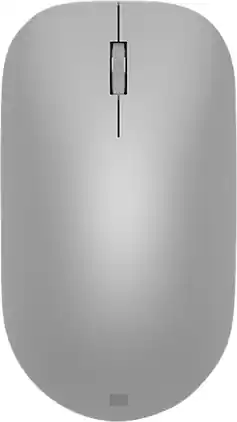
Maintain steady control over your internet browsing and other computing tasks with this Microsoft Surface mouse. It's ergonomically sculpted for comfort, and it has a metal scroll wheel for accurate navigation. This Microsoft Surface mouse is suitable for both left-handed and right-handed users, and Bluetooth connectivity lets you connect wirelessly to your computer.

Marketing Information from the Manufacturer
| Pros for Microsoft - Surface Arc Bluetooth BlueTrack Ambidextrous Mouse for PC - Wireless - Violet | |||
|---|---|---|---|
| Ease of use, Design, Size, Battery Life, Bluetooth | Ease of use, Design, Size, Overall Performance, Noise Level | Ease of use, Bluetooth, Design, Battery Life, Compatibility | There were no pros for this product— |
| Cons for Microsoft - Surface Arc Bluetooth BlueTrack Ambidextrous Mouse for PC - Wireless - Violet | |||
| Scrolling, Price | USB | Connection, Scroll Wheel | There were no cons for this product— |
Specs
Reviews
Top Mentions
- Ease of use (590)
- Design (337)
- Size (116)
- Scrolling (40)
- Price (39)
Customer Images
The vast majority of our reviews come from verified purchases. Reviews from customers may include My Best Buy members, employees, and Tech Insider Network members (as tagged). Select reviewers may receive discounted products, promotional considerations or entries into drawings for honest, helpful reviews.
- Rated 5 out of 5 stars
Perfect Travel Mouse
No tactile feedback with a scroll wheel and separated left/right click buttons, but the functionality is still there--just takes getting used to. This generation of Arc Mouse is much better than the ones introduced w/ the Surface pros gen 1-6. Excellent tracking, flattens when travelling and turns off + saves battery, takes two AAA batteries keeps it lightweight. Image looks more purple online, but more of like a periwinkle in-person. Would love more color ways and less pricey, but I'd recommend highly for workers and travelers and coffee-shop work. One of the rare Microsoft products that I must have, but biggest con is it gets oily easily and needs to be cleaned often.
DreKayy37 Posted
- Rated 4 out of 5 stars
Slick travel mouse
The two main features of this mouse are the flexible body and the touch pad “buttons” When traveling you can flatten the mouse and in doing so it powers off, great feature to save batteries and having to remember to switch off when running out the door. The mouse doesn’t have conventional buttons or a scroll wheel but a touchpad that you can click on either side or slide a finger to scroll vertically or horizontally. You might need to download the “Microsoft mouse and keyboard center” app to tweak the settings as I found the horizontal scrolling needed to be set to maximum to be useful. The shape of the mouse makes it a little hard for me to work with the same precision as a regular mouse. The arch shape fills the hand but there is no body under the arch for my thumb and small finger to grip. Over time I might get used to it and modify my grip. Good mouse, looks slick but a bit pricy. Get it on sale when you can!
This review is from Microsoft - Surface Arc Bluetooth BlueTrack Ambidextrous Mouse for PC - Wireless - Black
RichardC Posted
- Rated 5 out of 5 stars
Mircosoft Surface Mouse
The Microsoft Surface Mouse is amazing and fits my needs perfectly. It’s comfortable, responsive, and sleek, making everyday work easy and efficient. The smooth scrolling and precise tracking improve productivity, and the design pairs beautifully with my Surface device. I’m very satisfied with its performance and reliability.
ColleenB Posted