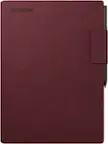
reMarkable - Paper Pro - 11.8" Paper Tablet with Marker Plus and Premium Leather Book Folio - Black
reMarkable - Paper Pro - 11.8" Paper Tablet with Marker Plus and Premium Leather Book Folio - Black
- reMarkable - Marker Tips refill (6pcs) for your reMarkable Paper Pro Marker and Marker Plus - Black$19.00
Related Item

Specifications
- Screen Size11.8 inchesScreen Resolution2160 x 1620Active Area11.7Processor Model1.8 GHz quad-core Cortex-A53Total Storage Capacity64 gigabytesOperating SystemLinux
- Key Specs
- Screen Size: 11.8 inches (Size of the screen, measured diagonally from corner to corner.)
- Screen Resolution: 2160 x 1620 (Screens come in a range of resolutions (measured in pixels, horizontal x vertical). The higher the resolution, the greater the picture quality.)
- Active Area: 11.7 (The size of the screen area that a user interacts with, either by stylus and/or touch (if supported).)
- Processor Model: 1.8 GHz quad-core Cortex-A53 (Your computer's processor is like its brain. Working in combination with system memory, the power of the processor determines the complexity of software you can run, how many programs you can have open at the same time, and how fast those programs will run. Most computers feature an AMD, Intel or Snapdragon processor.)
- Total Storage Capacity: 64 gigabytes
- Operating System: Linux (The operating system manages all software and hardware, including files, memory and connected devices. Most importantly, it lets you interact with your device and your programs in a visual way; otherwise, you'd be typing computer code to get anything done.)
- Wireless Connectivity: Wi-Fi (The manner in which a device sends data to another device over a short distance without the use of wires or cables.)
- Battery Chemistry: Lithium-ion
- General
- Brand: reMarkable
- Model Number: RM83C-1005NW
- Product Name: reMarkable Paper Pro - 11.8" Paper Tablet with Marker Plus and Premium Leather Book Folio
- Color: Black
- Year of Release: 2024
- Display
- Screen Size: 11.8 inches (Size of the screen, measured diagonally from corner to corner.)
- Screen Resolution: 2160 x 1620 (Screens come in a range of resolutions (measured in pixels, horizontal x vertical). The higher the resolution, the greater the picture quality.)
- Active Area: 11.7 (The size of the screen area that a user interacts with, either by stylus and/or touch (if supported).)
- Processor
- Processor Model: 1.8 GHz quad-core Cortex-A53 (Your computer's processor is like its brain. Working in combination with system memory, the power of the processor determines the complexity of software you can run, how many programs you can have open at the same time, and how fast those programs will run. Most computers feature an AMD, Intel or Snapdragon processor.)
- Storage
- Total Storage Capacity: 64 gigabytes
- Compatibility
- Operating System: Linux (The operating system manages all software and hardware, including files, memory and connected devices. Most importantly, it lets you interact with your device and your programs in a visual way; otherwise, you'd be typing computer code to get anything done.)
- System Requirements: Wifi (The software that a product must have for it to be able to integrate with another product.)
- Connectivity
- Wireless Connectivity: Wi-Fi (The manner in which a device sends data to another device over a short distance without the use of wires or cables.)
- Power
- Charging Interface(s): USB-C (The connection for transmitting power to charge the device.)
- Battery Chemistry: Lithium-ion
- Camera
- Front-Facing Camera: false
- Rear-Facing Camera: false
- Dimensions
- Product Height: 1.66 inches (The out of box height of the item. Height is measured as the vertical distance from the bottom of the item to the top as it would be primarily used or placed.)
- Product Width: 9.33 inches (The out of box width of the item. Width is measured as the horizontal distance from one side of the item to the other as it would be primarily used or placed.)
- Product Depth: 15.04 inches (The out of box depth of the item. Depth is measured as the distance from the front of the item to the back as it would be primarily used or placed.)
- Product Weight: 3.53 ounces (The out of box weight of the item.)
- Included
- Stylus Included: true
- Warranty
- Warranty - Parts: 1 year limited
- Warranty - Labor: 1 year limited
- Other
- UPC: 7090045250372
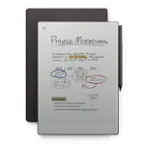
Bring paper into your digital workflow with reMarkable Paper Pro. Ultraslim and portable, but with a full-size 11.8” color display, adjustable reading light, and an unmatched paper-like writing experience.
- An unprecedented paper-like writing experience: With its incredible responsiveness and finely textured display surface, reMarkable Paper Pro offers an unprecedented paper-like writing experience in a digital notebook
- Designed to help you focus: Distraction-free by design. No notifications, pop-up ads, or social media. Just you and your thoughts, so you can find the focus to do your best work
- All your notes, organized: Stay on top of your paperwork. Keep all your handwritten notes, to-do lists, PDFs, ebooks, and sketches organized and in one safe place — easily accessible on multiple devices and platforms
- Mobile and desktop note-taking: Create, edit, and organize notes from your smartphone or laptop with the reMarkable apps. With a Connect subscription*, all your work is safely stored, up to date, and ready to use across your devices
- Handwriting conversion: Make handwritten notes easy to reuse by converting them into typed text. You can then refine or expand your converted drafts with the Type Folio keyboard cover (sold separately). Upload documents to cloud storage services, or send by email to share them instantly
- Google Drive, Dropbox, and OneDrive integration: Access popular cloud storage services right from your paper tablet to improve your workflow. Browse stored files, copy them to your paper tablet, and upload documents directly
- Take notes directly on PDFs: Read and review reports and presentations on an immersive and eye-friendly display, and write your thoughts directly onto the page. Signing PDFs and annotating documents has never been easier
- Send content to your paper tablet: Save any web page, Microsoft Word document, or PowerPoint presentation to your paper tablet for when you have time to focus and read in-depth. All it takes is a click with our Read on reMarkable extension
- Share your screen live: Stream your notes and ideas directly onto a bigger screen. Turn your paper tablet into the perfect digital whiteboard to write, draw, and demonstrate tricky concepts live in meetings
- Read in comfort. Day or night: Unlike most laptops and phones, reMarkable Paper Pro has a low-glare display that reflects natural light. A built-in adjustable reading light means you can keep working when the lights go out, too
- Two weeks of battery life: With up to two weeks of battery life and 90 days of standby time, reMarkable Paper Pro is always ready to come out of your bag and get to work.
- Marker Plus: Take notes, sketch, and annotate with a premium digital pen designed to deliver realistic friction and natural writing feel. Attaches magnetically to your paper tablet, and features a built-in eraser
- Book Folio: Keep your paper tablet and Marker Plus safe in style. With the magnetic Marker strap, you never have to worry about losing track of your digital pen
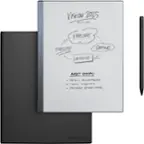
- What's included: reMarkable Paper Pro - 11.8" paper tablet, Marker Plus, Book Folio - Premium leather - Black, 6 spare Marker tips, USB-C cable
- An unprecedented paper-like writing experience: With its incredible responsiveness and finely textured display surface, reMarkable Paper Pro offers an unprecedented paper-like writing experience in a digital notebook
- Designed to help you focus: Distraction-free by design. No notifications, pop-up ads, or social media. Just you and your thoughts, so you can find the focus to do your best work
- All your notes, organized: Stay on top of your paperwork. Keep all your handwritten notes, to-do lists, PDFs, ebooks, and sketches organized and in one safe place — easily accessible on multiple devices and platforms
- Mobile and desktop note-taking: Create, edit, and organize notes from your smartphone or laptop with the reMarkable apps. With a Connect subscription*, all your work is safely stored, up to date, and ready to use across your devices
- Handwriting conversion: Make handwritten notes easy to reuse by converting them into typed text. You can then refine or expand your converted drafts with the Type Folio keyboard cover (sold separately). Upload documents to cloud storage services, or send by email to share them instantly
- Google Drive, Dropbox, and OneDrive integration: Access popular cloud storage services right from your paper tablet to improve your workflow. Browse stored files, copy them to your paper tablet, and upload documents directly
- Take notes directly on PDFs: Read and review reports and presentations on an immersive and eye-friendly display, and write your thoughts directly onto the page. Signing PDFs and annotating documents has never been easier
- Send content to your paper tablet: Save any web page, Microsoft Word document, or PowerPoint presentation to your paper tablet for when you have time to focus and read in-depth. All it takes is a click with our Read on reMarkable extension
- Share your screen live: Stream your notes and ideas directly onto a bigger screen. Turn your paper tablet into the perfect digital whiteboard to write, draw, and demonstrate tricky concepts live in meetings
- Read in comfort. Day or night: Unlike most laptops and phones, reMarkable Paper Pro has a low-glare display that reflects natural light. A built-in adjustable reading light means you can keep working when the lights go out, too
- Two weeks of battery life: With up to two weeks of battery life and 90 days of standby time, reMarkable Paper Pro is always ready to come out of your bag and get to work.
- Marker Plus: Take notes, sketch, and annotate with a premium digital pen designed to deliver realistic friction and natural writing feel. Attaches magnetically to your paper tablet, and features a built-in eraser
- Book Folio: Keep your paper tablet and Marker Plus safe in style. With the magnetic Marker strap, you never have to worry about losing track of your digital pen
- What's included: reMarkable Paper Pro - 11.8" paper tablet, Marker Plus, Book Folio - Premium leather - Black, 6 spare Marker tips, USB-C cable
Whats Included
- 1x reMarkable Paper Pro - 11.8" Paper Tablet
- 1x Marker Plus for Paper Pro
- 1x Book Folio for Paper Pro - Premium Leather - Black
- 6x spare Marker tips for Marker Plus
- 1x Marker tip storage case
- 1x USB-C-C cable
- 1x reMarkable Paper Pro - 11.8" Paper Tablet
- 1x Marker Plus for Paper Pro
- 1x Book Folio for Paper Pro - Premium Leather - Black
- 6x spare Marker tips for Marker Plus
- 1x Marker tip storage case
- 1x USB-C-C cable
Disclaimers
- *New reMarkable users get a 50-day free trial, then $2.99/mo. Cancel anytime.
- *New reMarkable users get a 50-day free trial, then $2.99/mo. Cancel anytime.
Q: What comes included with the reMarkable Paper Pro?
A: The reMarkable Paper Pro comes bundled with the Marker Plus, Book Folio, spare Marker tips, a Marker tip storage case, and a USB-C-C cable.
Q: Does the reMarkable Paper Pro allow for handwriting conversion?
A: Yes, you can convert handwritten notes into typed text with the reMarkable Paper Pro.
Q: How much storage space does the reMarkable Paper Pro have?
A: The reMarkable Paper Pro comes with 64 gigabytes of total storage capacity.
Q: What is the battery life of the reMarkable Paper Pro?
A: The reMarkable Paper Pro has a battery life of up to two weeks.
Q: Can I use this device to read ebooks in color?
A: Yes, the reMarkable Paper Pro has a low-glare color display that allows you to comfortably read ebooks.
A: Hi there! Thanks for your questions. Handwriting in exported PDFs won't be searchable on other platforms. However, all internal hyperlinks within the PDF planner will be preserved in the exported file. If you need more information about our features, feel free to do so here: https://support.remarkable.com/s/
A: Yes, See pics of templates that are included.
Q: What all is included in the remarkable paper pro bundle
A: The notebook, case and marker plus pen. Also has a charging cord and extra tips for the pen.
Compare similar products

Bring paper into your digital workflow with reMarkable Paper Pro. Ultraslim and portable, but with a full-size 11.8” color display, adjustable reading light, and an unmatched paper-like writing experience.

Bring paper into your digital workflow with reMarkable Paper Pro. Ultraslim and portable, but with a full-size 11.8” color display, adjustable reading light, and an unmatched paper-like writing experience.

Replace all your notebooks and documents with a tablet that feels just like paper. Experience paper-like writing and reading on our thinnest and lightest design.
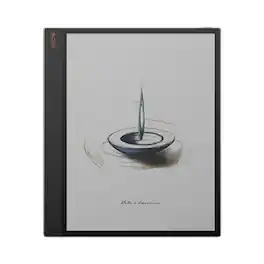
The 13.3'' Kaleido 3 color ePaper display tablet for enhanced productivity and intentional living. The Tab X C seamlessly transitions between work and life, thanks to its advanced octa-core processor and 6GB of RAM. With BOOX Super Refresh Technology, it effortlessly manages complex tasks and provides smooth web browsing. The wide, colorful canvas delivers a comfortable viewing experience, free from the harsh glare of traditional screens. Its gentle, natural hues make browsing, reading, and multimedia tasks effortless and enjoyable. At its core, it is a productivity hub that provides solid performance for everyday tasks, reduces eyestrain, and minimizes distractions. With split-screen mode, you can easily view project plans while keeping an eye on progress updates, compare data sets side-by-side for thorough analysis, or review documents while jotting down notes.This multitasking capability promotes smooth workflow management, saving time and boosting efficiency. Cloud storage services like Onyx Cloud*, Google Drive, Dropbox, and OneDrive enable seamless access across devices. You can also easily transfer files between your Tab X C and other devices using BOOXDrop. Navigate your tasks effortlessly with a user-friendly home screen. The tablet-like interface lets you personalize widgets for quick access to important updates. How to Connect & Charge the InkSpire Stylus to the Tab X C? 1.Locate the designated charging spot on the side of the tablet. 2.Position the center of the InkSpire stylus over this designated spot. 3.This area on the side of your tablet is also for charging it. A notification showing the battery level will pop up at the top of your screen.
| Pros for reMarkable - Paper Pro - 11.8" Paper Tablet with Marker Plus and Premium Leather Book Folio - Black | |||
|---|---|---|---|
| Overall Performance, Writing Experience, Ease of use, Battery Life, Color | Ease of use, Writing Experience, Battery Life, Overall Performance, Screen Size | Ease of use, Writing Experience, Battery Life, Note Taking, Organization | There were no pros for this product— |
| Cons for reMarkable - Paper Pro - 11.8" Paper Tablet with Marker Plus and Premium Leather Book Folio - Black | |||
| Backlight | Price, PDF Support | Backlight, Price, Speed, Connectivity, Security | There were no cons for this product— |
Specs
Reviews
Customers are saying
Customers value the Paper Pro for its excellent writing experience, overall performance, and ease of use. Users appreciate the phenomenal battery life and how it makes organizing notes a breeze. The added color feature is also well-received, while some customers suggest improvements to the backlight for low-light conditions.
Customer Images
The vast majority of our reviews come from verified purchases. Reviews from customers may include My Best Buy members, employees, and Tech Insider Network members (as tagged). Select reviewers may receive discounted products, promotional considerations or entries into drawings for honest, helpful reviews.
- Rated 5 out of 5 stars
rmpp rocks and the market does not have parity
I have used the kindle scribe, rm2, boox note air 2, and now the rmpp. For me, the rmpp is the best device followed by the rm2, then scribe, then note air 2. the new pen on the rmpp is the best experience of them all. the latency is not noticeable. it was slightly on the rm2. also, it feels like writing with a sharp pencil whereas the rm2 felt like a dull or soft pencil and the other two felt like a very slippery pen on paper laying on a hard surface rather than additional paper underneath like in a notebook. The color is great for visual highlights though it isn't completely profound for artistic purposes. The backlight is also nice and something i really wish the rm2 had. many reviewers indicate the rmpp isn't worth the price but I disagree. the scribe is NOT a notetaking device. the note air is too clunky but does offer integrations. the rm2 is also very good but i prefer the feel of the rmpp as well as the backlight and integration of color. the new processer and additional ram are also noticeable. I do wish getting epub books was easier as rmpp doesn't work with drm books from amazon or kindle.
LeeB Posted
- Rated 5 out of 5 stars
A Worthy Upgrade: reMarkable Pro Delivers Seamless
I’ve been using the reMarkable Paper Tablet Pro for a few weeks now, and I’m thoroughly impressed. The ease of use is outstanding—it feels incredibly intuitive right out of the box. Writing on it feels natural, almost like pen on paper, but with all the benefits of digital organization. The clarity of the text is excellent, both while writing and when reviewing notes later. Everything looks crisp and readable, whether I’m jotting down ideas, taking meeting notes, or marking up PDFs. I upgraded from the reMarkable 2, and I love this model even more. The addition of color and the ability to highlight in different shades has made a huge difference in how I organize and visually separate my notes. It’s a small change that makes a big impact. Plus, one of the best features is how it keeps all my notes in one place. No more scattered notebooks or loose papers—I can easily organize everything into folders and access them anytime. The syncing functionality has been seamless; my notes sync automatically to both the desktop app and my iPhone app without any hassle. It’s been a game-changer for staying organized across all my devices. Highly recommend this for anyone who wants the simplicity of writing by hand with the power of digital storage and accessibility!
RafaelG Posted
- Rated 5 out of 5 stars
10/10 Productivity Tool
Before switching to a reMarkable tablet, I was using the 2022 iPad Pro, which I genuinely enjoyed. However, I often found myself getting distracted by apps and notifications. After seeing a close friend use a reMarkable, I decided to make the switch—and I absolutely do not regret it. The battery life is incredible, easily lasting an entire week on a single charge. The paper-like screen feel is truly unique and far superior to the paper-like screen protector I had on my iPad. The reMarkable delivers that tactile, focused writing experience right out of the box with no need for add-ons. The reMarkable app is another highlight—it’s intuitive, well-designed, and clearly developed with care. You can tell the creators really understand what users are looking for in a distraction-free productivity device. If you’re considering making the switch and don’t have any major limitations holding you back, I highly recommend it. It’s been a game-changer for my focus and workflow
Dabeeid Posted