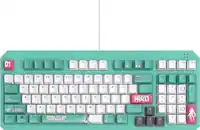
Turtle Beach - Vulcan II TKL Wired Compact RGB Mechanical Gaming Keyboard with Hot-Swappable Switches - Black
Turtle Beach - Vulcan II TKL Wired Compact RGB Mechanical Gaming Keyboard with Hot-Swappable Switches - Black
- Turtle Beach - Burst II Pro High-Performance Ultra-Lightweight Wireless Optical Esports Gaming Mouse - Wireless - Black$99.99$139.99

Related Item

Specifications
- Lighting TypeRGBForm FactorTenkeyless (TKL)Keyboard TechnologyMechanicalKey Switch BehaviorLinearConnection TypeWired
- Key Specs
- Lighting Type: RGB
- Form Factor: Tenkeyless (TKL) (The size, arrangement, and physical configuration of the product.)
- Keyboard Technology: Mechanical (Type of technology that detects a key press.)
- Key Switch Behavior: Linear (Refers to the mechanisms under the keycaps on a keyboard that enable you to type faster and more precisely. Linear switches move straight up and down without any sound or bump. Tactile switches provide a noticeable bump in the key press, and no sound. Clicky switches provide a bump in the key press and "clicky" sound.)
- Connection Type: Wired
- General
- Brand: Turtle Beach
- Model Number: TBK-2003-01-US
- Product Name: Vulcan II TKL Wired Compact RGB Mechanical Gaming Keyboard with Hot-Swappable Switches
- Color: Black
- League/Association: Not Applicable
- Features
- Lighting Type: RGB
- Customizable Lighting: true
- Numeric Keypad: false
- Touchpad: false
- Keyboard Type: Gaming
- Palm Rest: false
- Spill Resistant: false (Designed to resist some degree of accidental liquid spill. The level of spill-resistance is indicated by the product manufacturer, but the degree of protection may not be guaranteed after normal wear of the product.)
- Foldable: false
- Keycap Material: ABS
- Maximum Number of Memory Profiles: 5
- Functions
- Form Factor: Tenkeyless (TKL) (The size, arrangement, and physical configuration of the product.)
- Keyboard Technology: Mechanical (Type of technology that detects a key press.)
- Key Switch Behavior: Linear (Refers to the mechanisms under the keycaps on a keyboard that enable you to type faster and more precisely. Linear switches move straight up and down without any sound or bump. Tactile switches provide a noticeable bump in the key press, and no sound. Clicky switches provide a bump in the key press and "clicky" sound.)
- Multimedia Keys: true
- Actuation Distance: 4.0mm
- Actuation Force: 45g
- Connectivity
- Connection Type: Wired
- Wired Connectivity: USB-A
- Cable Length: 5.91 feet
- Detachable Cable: true
- Compatibility
- Operating System Compatibility: Windows
- Plug and Play Operation: true
- System Requirements: Windows 10 and above (The software that a product must have for it to be able to integrate with another product.)
- Dimensions
- Product Height: 1.27 inches (The out of box height of the item. Height is measured as the vertical distance from the bottom of the item to the top as it would be primarily used or placed.)
- Product Width: 14.42 inches (The out of box width of the item. Width is measured as the horizontal distance from one side of the item to the other as it would be primarily used or placed.)
- Product Depth: 5.41 inches (The out of box depth of the item. Depth is measured as the distance from the front of the item to the back as it would be primarily used or placed.)
- Product Weight: 1.46 ounces (The out of box weight of the item.)
- Warranty
- Warranty - Parts: 1 year
- Warranty - Labor: 1 year
- Other
- UPC: 840454401325
The Turtle Beach Vulcan II TKL mechanical gaming keyboard is a compact powerhouse built for PC gaming enthusiasts for the long haul. Engineered with a tenkeyless form factor that maximizes desk space for quick mouse movement and big swipes, Vulcan II TKL is perfect for fast-paced FPS, MOBA, and all-round competitive play. Its pre-lubed, hot-swappable TITAN HS mechanical linear switches deliver smooth, quiet yet rapid 1.8mm actuation—ideal for both gaming and typing and tested to 50 million keystrokes. Sound dampening foam and upgraded stabilizers provide a satisfying, clean keystroke sound with zero rattle or spring noise for smooth and crisp gaming and typing. ReacTap SOCD technology ensures ultra-fast input response and precise movement—perfect for strafing, tapping, or micro-adjustments in competitive titles while full key (NKRO) with 100% anti-ghosting ensures every key press registers accurately, even when multiple keys are pressed at once for complete reliability during high-speed or competitive gameplay. Featuring user-replaceable parts, a brushed aluminum top plate set on a low-profile housing, T-shaped keycaps, and a stylish, ergonomic layout the Vulcan II TKL is built to last for years. With hot-swappable switches (3-pin & 5-pin compatible), never again throw away a keyboard due to missed or double inputs due to mechanical switch oxidation or wear and tear. Switch replacements or upgrades are made easy without soldering. You can also customize each keycap with any 3rd party compatible cross-mount keycap to replace lost caps or simply to fit your style. Lastly, the detachable braided power cable is also replaceable if worn or upgradeable to match your setup. With per-key RGB illumination and synched AIMO across Turtle Beach PC products via Swarm II and dedicated game mode with EASY-SHIFT[+] key remapping, every keypress counts. A dedicated Artificial Intelligence launch key is added via FN press can be set to instantly access your favorite A.I. application. Up to five onboard profiles allow seamless transitions between setups and an integrated volume wheel with push-to-mute is in easy reach.
- Compact Tenkeyless Form Factor: Free up desk space and increase mouse range for competitive FPS and MOBA gameplay with a sleek, portable design.
- TITAN HS Mechanical Switches: Pre-lubed and rated for 50M keystrokes, the new TITAN HS (hot-swappable) switches offer smooth linear 1.8mm actuation ideal for rapid in-game responses and typing experience.
- Durable Aluminum Top Plate with Iconic Vulcan Design: Features a brushed aluminum top plate set on a low-profile housing, T-shaped keycaps, and a stylish, ergonomic layout.
- Premium Acoustic Design: Sound dampening foam and upgraded stabilizers provide a satisfying, clean keystroke sound with zero rattle or spring noise for smooth and crisp gaming and typing.
- ReacTap SOCD Technology: Prioritizes the most recent directional input between two keys to ensure fluid continuous movement, and the quickest, most accurate directional, counter-strafing and picking ability.
- Hot-Swappable Switches: With hot-swappable switches never again throw away a keyboard due to missed or double inputs due to mechanical switch oxidation or wear and tear. Compatible with both 3-pin and 5-pin switches, allowing easy maintenance, customization, and upgrades without soldering making the Vulcan II TKL ready for years on your desktop.
- Third-Party Keycap Compatibility: Supports most 3rd party cross-mount keycap sets, allowing gamers to replace lost caps or personalize the look with custom artisan or themed sets.
- Precision Keystrokes: Full Key (NKRO) with 100% Anti-Ghosting ensures every key press registers accurately, even when multiple keys are pressed at once for complete reliability during high-speed or competitive gameplay.
- EASY-SHIFT[+] + Game Mode: Unlock secondary key functions, disable the Windows key, and remap essential macros or commands for gameplay optimization.
- Integrated Volume Wheel with Push-to-Mute: Easily adjust master volume or mute audio instantly, without leaving your game.
- Stunning Per-Key RGB Illumination: Customize each key with vibrant 16.8M color RGB lighting and sync effects across AIMO compatible Turtle Beach gear using Swarm II software.
- Detachable USB-C Cable (Left Side Mounted): Clean up your setup with left-side cable routing. The included detachable braided cable ensures easy transport and reliable performance, or you can replace if worn or to match your PC setup.
- Onboard Profile Storage: Save up to five custom profiles directly to the keyboard for lighting, remapping, and macro preferences—no software required.
- Advanced Customization with Swarm II Software: Enhance your keyboard performance and aesthetics with the Swarm II desktop software including AIMO & RGB lighting, assign the A.I. launch key to your favorite artificial intelligence app, save profiles and much more.
Whats Included
- Vulcan™ II TKL Mechanical Gaming Keyboard
- 1.8m Braided USB-A to USB-C Cable
- Keycap & Switch Puller
- Three Extra TITAN HS Switches
- Quick Start Insert
Compare similar products

The Turtle Beach Vulcan II TKL mechanical gaming keyboard is a compact powerhouse built for PC gaming enthusiasts for the long haul. Engineered with a tenkeyless form factor that maximizes desk space for quick mouse movement and big swipes, Vulcan II TKL is perfect for fast-paced FPS, MOBA, and all-round competitive play. Its pre-lubed, hot-swappable TITAN HS mechanical linear switches deliver smooth, quiet yet rapid 1.8mm actuation—ideal for both gaming and typing and tested to 50 million keystrokes. Sound dampening foam and upgraded stabilizers provide a satisfying, clean keystroke sound with zero rattle or spring noise for smooth and crisp gaming and typing. ReacTap SOCD technology ensures ultra-fast input response and precise movement—perfect for strafing, tapping, or micro-adjustments in competitive titles while full key (NKRO) with 100% anti-ghosting ensures every key press registers accurately, even when multiple keys are pressed at once for complete reliability during high-speed or competitive gameplay. Featuring user-replaceable parts, a brushed aluminum top plate set on a low-profile housing, T-shaped keycaps, and a stylish, ergonomic layout the Vulcan II TKL is built to last for years. With hot-swappable switches (3-pin & 5-pin compatible), never again throw away a keyboard due to missed or double inputs due to mechanical switch oxidation or wear and tear. Switch replacements or upgrades are made easy without soldering. You can also customize each keycap with any 3rd party compatible cross-mount keycap to replace lost caps or simply to fit your style. Lastly, the detachable braided power cable is also replaceable if worn or upgradeable to match your setup. With per-key RGB illumination and synched AIMO across Turtle Beach PC products via Swarm II and dedicated game mode with EASY-SHIFT[+] key remapping, every keypress counts. A dedicated Artificial Intelligence launch key is added via FN press can be set to instantly access your favorite A.I. application. Up to five onboard profiles allow seamless transitions between setups and an integrated volume wheel with push-to-mute is in easy reach.
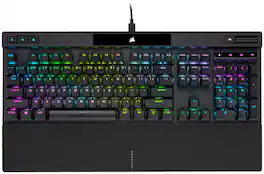
The CORSAIR K70 RGB PRO Mechanical Gaming Keyboard delivers an iconic aluminum frame and even better performance, powered by CORSAIR AXON Hyper-Processing Technology and world-renowned CHERRY MX mechanical keyswitches. Win in style with dynamic per-key RGB backlighting, easy to take on the go with a detachable USB Type-C cable. Powerful iCUE software on both PC and macOS enables custom macro programming, key remaps, and more, while dedicated media keys and an aluminum multi-function volume roller offer convenient control over media. With a tournament switch for instant compliance with competition guidelines and onboard storage for up to 50 profiles, the K70 RGB PRO is ready to take on any challenge.

Rank Up to a New Level of Control. Insanely responsive, and immensely customizable, the Turtle Beach Vulcan II TKL Pro Magnetic Mechanical RGB PC gaming keyboard delivers pro-level performance in a compact TKL form. Equipped with analog hall-effect magnetic switches for silky smooth, reliable key presses rated at a 150M click lifecycle and they have a fully adjustable actuation point from 0.1mm to 4mm. And with Rapid Trigger setting, you’ll have better, more precise movement control, with less downtime between key presses. Lastly, the per-key AIMO Intelligent RGB lighting, five on-board profiles and adjustable actuation points can all be customized using the Swarm II desktop software.

From enthusiast-level customization to ultra-low-latency performance, the complete package has never come this compact. Meet the Razer BlackWidow V4 Mini HyperSpeed—a wireless, hot-swappable 65% keyboard powered by Razer Chroma RGB, complete with stealth pudding keycaps for maximum illumination.
| Pros for Turtle Beach - Vulcan II TKL Wired Compact RGB Mechanical Gaming Keyboard with Hot-Swappable Switches - Black | |||
|---|---|---|---|
| RGB Lighting, Build Quality, Size, Switch Performance, Key Feel | There were no pros for this product— | RGB Lighting, Keyboard Quality, Software, Volume Knob, Wrist Rest | Build Quality, Size, Feel, Portability, Battery Life |
Specs
Reviews
Customers are saying
Customers consistently note the Vulcan II TKL keyboard's customizable RGB lighting, solid build quality, and responsive key feel. Many appreciate its compact size and portability, while others highlight the near-silent operation of the key switches and the overall switch performance. Overall, the keyboard is well-received for its design and functionality.
Customer Images
The vast majority of our reviews come from verified purchases. Reviews from customers may include My Best Buy members, employees, and Tech Insider Network members (as tagged). Select reviewers may receive discounted products, promotional considerations or entries into drawings for honest, helpful reviews.
- Rated 5 out of 5 stars
Compact, Lightweight, Mechanical Keyboard
Turtle Beach has released a new mechanical keyboard with RGB lighting that works with the SWARM II app. The Vulcan II TKL is lightweight and has a small footprint. The keys are solid and responsive. The keys have a solid feel to them. I don’t have to press all the way down to have it respond to a key press. Slight movement of a key is enough. I played Battlefield 6 for hours with it and enjoyed the sessions with the Vulcan II TKL. It doesn’t have a number pad, so it is a somewhat compact keyboard. I’ll be using this with my gaming laptop, but I could just as well use it with my desktop. It has RGB lighting that can be controlled through the SWARM II software. I can set the pattern, control the colors, etc. through SWARM II. It makes it easy to set it the way I wanted it. SWARM II also allowed me to configure what FN key combinations do. The configurability of that is made to be easy and it is. Turtle Beach has definitely made it straight forward to configure the Vulcan II and have made it easy to use Game Mode. It can support up to 5 profiles on the keyboard and sports a 1000Hz polling rate. It uses Titan linear mechanical switches with an estimated lifespan of 50 million keystrokes and comes with extra switches. It also comes with a switch puller and keycaps. Turtle Beach says it will support 3rd party keycaps which is a plus. I don’t see myself wearing out the switches, but it’s good to know I can replace them along with key caps if I need to. It is a low profile lightweight keyboard. It isn’t very wide since it doesn’t have a number pad. I don’t use number pads while gaming, so for me, it is a plus that it doesn’t have one. There are two angles you can set the keyboard to using the two sets of flip out feet. It also has rubber pads on the bottom to prevent it from shifting while gaming. I played many hours with it and not once did it shift forward, so the rubber pads serve their purpose well. Final Thoughts I like the Vulcan II TKL a lot. It’s form factor works well with my gaming laptop and it fits well inside my laptop backpack. Being able to configure profiles is a great feature. I also feel better knowing that I can replace not only the key caps, but also the switches if I ever have a problem with them. It’s also quieter than my other mechanical keyboard. My other one is loud while typing, but the Vulcan II TKL isn’t. Overall, I’m impressed with what Turtle Beach has made with the Vulcan II TKL. I would recommend it to anyone looking for a mechanical keyboard. Especially if someone is looking to save space either on their desk or in their laptop backpack. I hope Turtle Beach keeps this line of keyboards going on into the future. I’ll be looking forward to what they do with this line.
James Posted
- Rated 4 out of 5 stars
Quiet Contender
The Turtle Beach Vulcan II TKL RGB keyboard is a mid-tier TenKeyLess mechanical wired board that comes in black or white. I love the striking design language, volume wheel, and floating key design most. It uses Turtle Beach’s Titan HS linear pre-lubed switches, which feel lighter than traditional mechanical switches, are rated for 50 million keypresses. The TKL design reduces desk footprint so it's good for students, office setups, and gamers with limited space. The included braided USB-C cable is high quality, and the overall design and execution of the board are excellent. Setup and First Impressions The Vulcan II TKL is beautiful gives your mouse more room to move which is helpful in both work and gaming scenarios. You can hot-swap keys using both 3-pin and 5-pin switches which future-proofs the board and allows for deeper customization. Setup was simple: just plug it into any USB port, and it works automatically. For your RGB control, macros, and key remapping, you’ll need to download Turtle Beach’s Swarm II software. The overall board construction is mostly plastic, but the aluminum top plate adds strength. Keystrokes feel silky and premium on first use, though the ABS keycaps become shiny and attract fingerprints quickly. The keyboard feels premium right out of the box. User Experience For me, the weakest link was the Swarm II software for sure. It is functional yet bare, lacking depth compared the competition limiting the potential of good hardware. I noticed slight key wobble, but I would expect that from a pogo stick looking post mounted keycap. The most noticeable thing for me during everyday typing is the angular keycap shape. The sharp outer edges often catch my fingers when I type extremely fast and interferes with accuracy. The caps are fingerprint magnets and show fingerprints quickly. The legends are clean and crisp, though some icons (Shift, Tab, CapsLock) are different from standard text and arrow icons that look like military ranks. Despite these drawbacks, the dampening makes the Vulcan II TKL quieter than many mechanical keyboards in its class and a pleasant experience. This is polarizing you will either love or hate this board because of it. Does your partner complain they can hear your keyboard at night? This could be the answer to your prayers but you'll miss the click. In order to fully customize the board, Swarm II is required. While the software works, it feels dated and lacks the depth of options found in competitors' software. The hardware clearly has potential I am hoping in the future can be overhauled with more effects or even a community to share effects, macros, and presets. Typing and Gaming Typing on this keyboard was a mixed for me. The short 1.8 mm actuation helped with speed, but the sharp keycap edges led to more errors. My WPM decreased until I adjusted my finger placement to avoid catching the corners and I still find myself making a lot of corrections. For gaming, however, the board performs very well. The TKL layout provides more mouse space with switch actuation is fast and responsive. The key shape helps keep fingers in place during gameplay. The knob came in handy when adjusting the volume! Switch removal is tight on the first attempt but still safe—just requires more force than expected. Things I Love + Keyboard noise is reduced due to dampening. + Plenty of FN-layer on-board shortcuts for RGB, macros, media, and effects. + Three incline positions via adjustable feet. + On-board profiles and macro storage allow use w/o running software. Things to Know - No USB pass thru & no wrist rest included. - Switches are snug and can be difficult for beginners to remove. - Swarm II is extremely basic/limited. Needs RGB animations/effects or even downloadable library. - Macro Manager game list is outdated. (i.e. BO4 we are BO7 now) - RGB is top-lit only; minimal light spills down the sides. Still beautiful! Final Verdict The Turtle Beach Vulcan II TKL checks a lot of boxes for me like clean design, quiet linear switches, bright RGB lighting, all in a compact layout ideal for gaming and daily use. The aluminum plate adds both strength and a nice touch, and the dampened switches offer a smoother, quieter experience than many boards at this tier. For gamers, it's an option but for heavy typists, top-tier connoisseurs, and those valuing deeper software control, you may want to start elsewhere.
nkpstudios Posted
- Rated 5 out of 5 stars
A Solid & Colorful Performer
A very nice keyboard with style and speed. I really like the feel of the keys and the build quality feels very sold as well. I’ll be going over its features and comparing it to my Vulcan TKL II Pro as well. About a year ago I reviewed the Vulcan TKL II Pro with electronic hall-effect keys that use tiny magnets in each key to log keystrokes. With it, you can set the depth of a keypress before it considers it a keystroke. 1 to 4 mm in 30 steps per key. There are other differences as well, and I’ll cover them later in the review where needed. From here on out I’ll be referring to Turtle Beach as TB. The keyboard I’m reviewing as Mech. and the hall-effect switch Pro version as Pro. Ships with a USB-A to USB-C cable, 3 replacement switches and a removal tool. No wrist rest as with the Pro. Installing software using QR code with my phone took me to TB’s site with options to download product info, sign up and save in a rewards program, register my product... scrolling on down is just more stuff. But first I had to deal with a couple of pop-ups. One about cookies and the other is trying to sell me something. Since I have already reviewed a TB keyboard, I just pulled up Swarm 2 and added it. If this is your first TB keyboard then you will need to go to TB’s site and download Swarm II to make use of its features. It will want you to update Swarm II twice and then the same for the keyboard’s firmware. After all of that, you’re ready to go and set things up. Key mapping, key colors and such. Be warned, Swarm II isn’t the most user-friendly app to navigate. I really like the feel of how the keys move on the TB Vulcans compared to my Logitech MX and Spark 910G. There’s a little bit more resistance to the feel when you push a key down on this keyboard compared to the Pro. Nothing remotely close to a night and day difference, but noticeable. Might even be preferred by some. They sound about the same in use with the mechanical version having a very slightly duller clicking sound. The somewhat pastel-ish looking RGB colors are easy on the eyes. Build quality feels solid. The top deck under the keys is aluminum. It’s cold to the touch, whereas plastic generally isn’t. The bottom is plastic. I like the three height positions the dual function feet provided on the back. I like how the sculpted keys feel. Unlike the Pro I reviewed over a year ago, there’s no Neoprene wrist pad included. I like that you can change and use third party the keycaps. I was able to put some of the keycaps from my Logitech MX on the TB to see how it felt and looked. Performance wise; the action is snappy. Be it typing or gaming. I do a lot of typing and I really like how this keyboard feels. I didn't care for the size of the keycaps on the Pro, they were smaller than what I’m used to. One of the things I noticed about this keyboard is that the key caps are larger. Not a huge difference, about 2 millimeters, or so, but enough that I could tell the difference, and you can see it with them side by side. They are nicely sculpted and feel good to type and game with. I also didn’t care for all the light bleed around the keys and switches with the hall-effect version but got used to it. So, one of the things I noticed was that this keyboard isn’t as bright as the other one. The Pro is twice as bright at full brightness. I also want to note that Turtle Beach sells the same keyboard with the numeric pad. Swapping the switches is very easy with the included tool. They are simple normally open momentary single pole, single throw switches and do not require power to operate. They just make a circuit when they are pushed down and the contacts closed. I like the feel of the indented volume knob. Pressing it toggles mute on and off. A nice touch. Compared to the Pro: 1: The depth of a key press to it being registered as a keystroke is fixed versus variable and user programmable per key with the Pro. 2: 50 million keystroke life versus 150 million on the Pro. But you can replace switches on this one. 3: Slightly larger keycaps and dimmer than the Pro. See photos Conclusion: I think this keyboard is good value for the money. You have the unique option to change the switches and the keycaps. The Pro version offers more for not much more money. However, you might not need its extra features, and I like the larger keycaps better. You can’t go wrong with either. Recommended.
MrLowNotes Posted