Customer Ratings & Reviews











- Model:
- AWM18-A145BLK-PUS
- SKU:
- 6543535
Rating by feature
- Battery Life
Rating 3.8 out of 5 stars
- Speed
Rating 4.6 out of 5 stars
- Display
Rating 4.5 out of 5 stars
Customers are saying
Customers are impressed with the m18 18" 480Hz Gaming Laptop's performance, large screen size, and ample RAM, frequently praising its smooth visuals and impressive graphics capabilities. However, some users have reported issues with battery life, weight, and cooling, while others have noted concerns about the speakers and motherboard reliability. The build quality and port selection received positive feedback.
This summary was generated by AI based on customer reviews.
- Pros mentioned:Performance, Screen sizeCons mentioned:Battery life, Speakers, Weight

Desktop Power in a Laptop
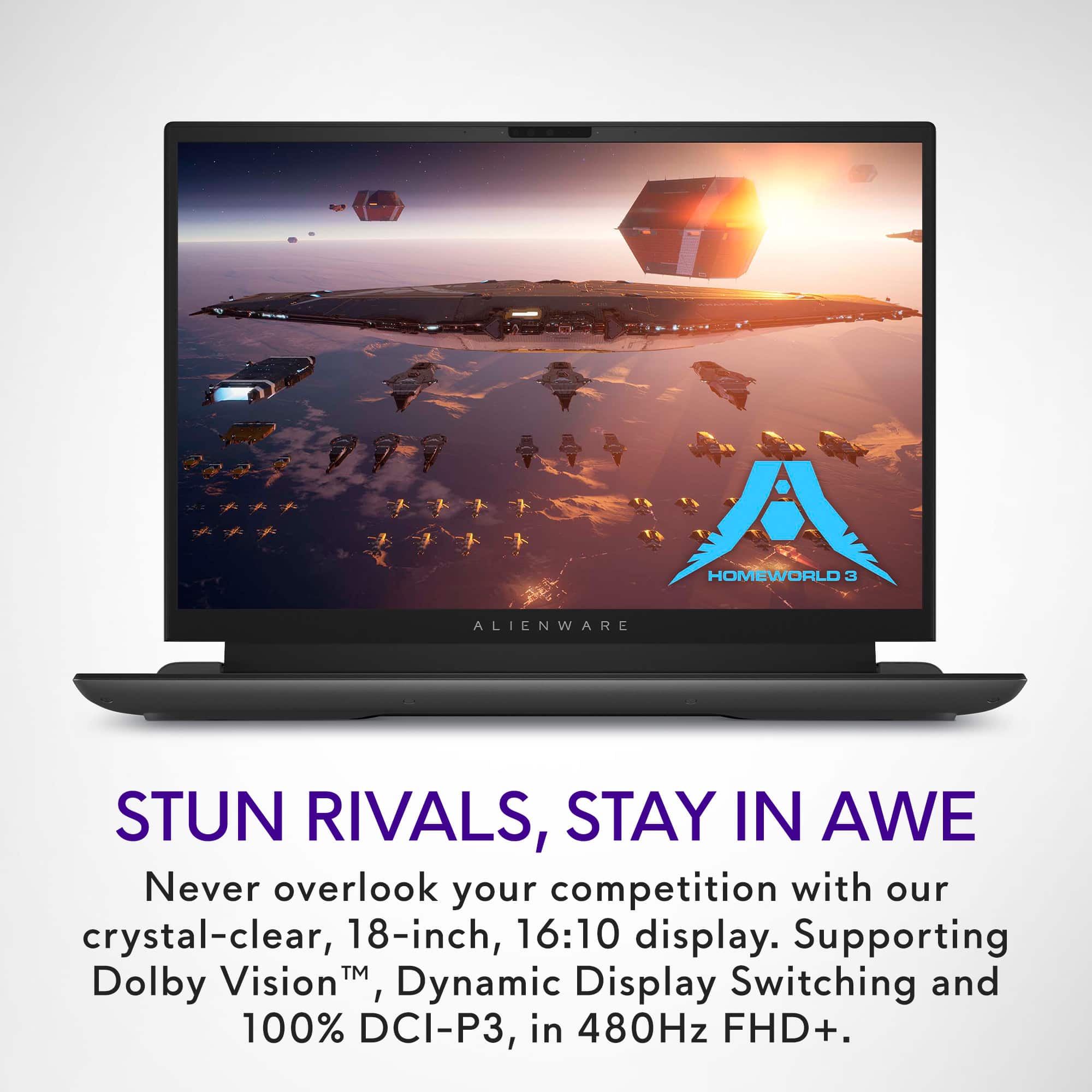
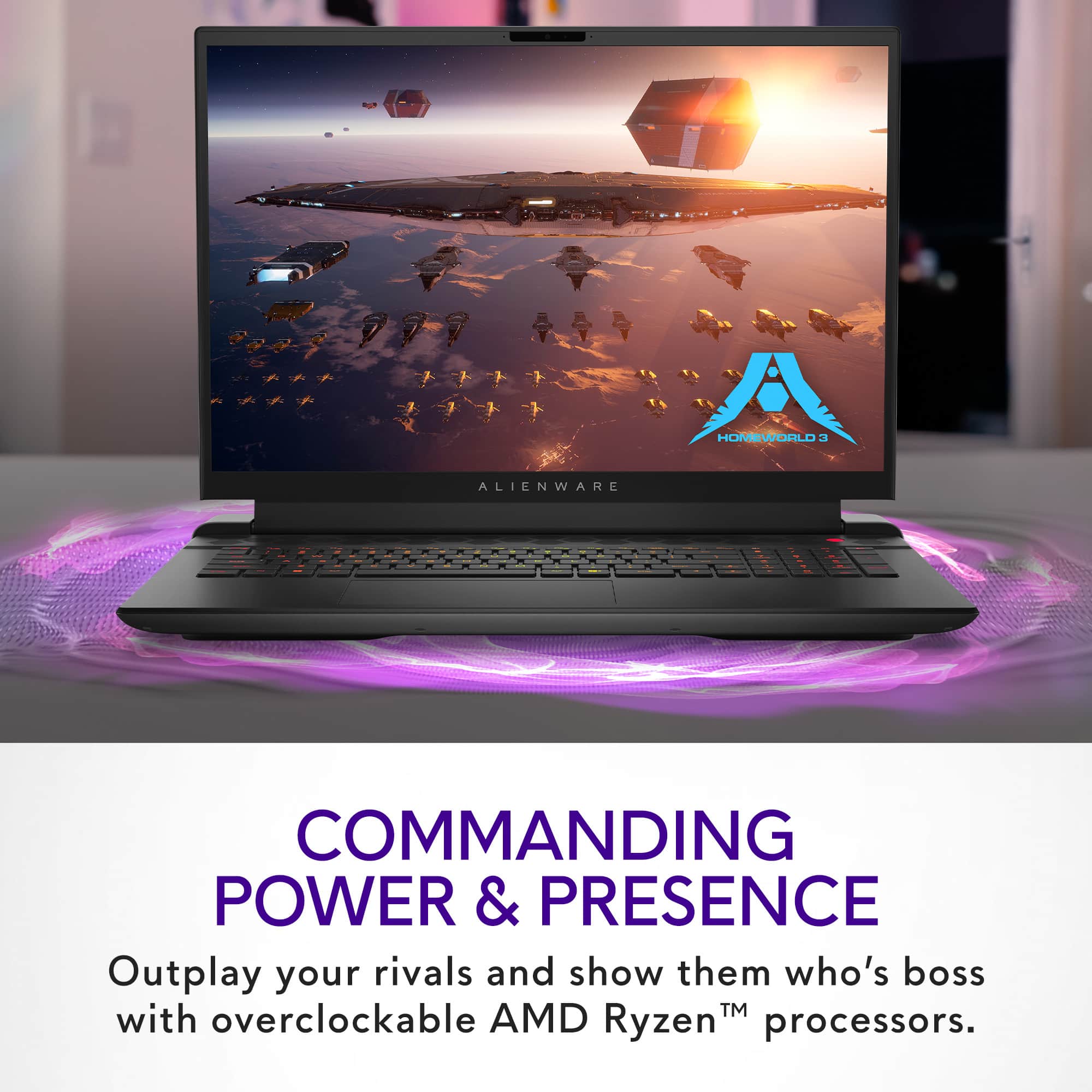
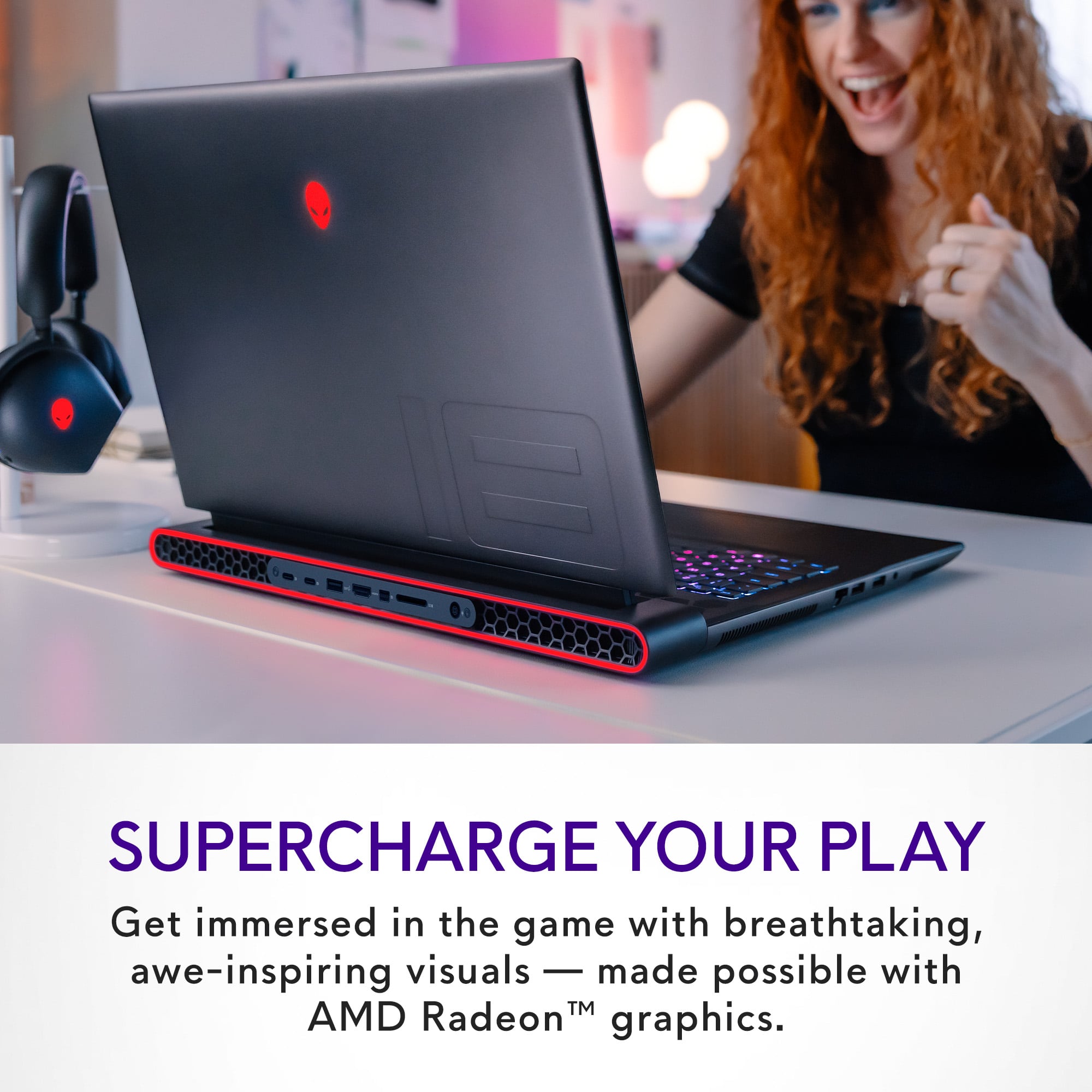
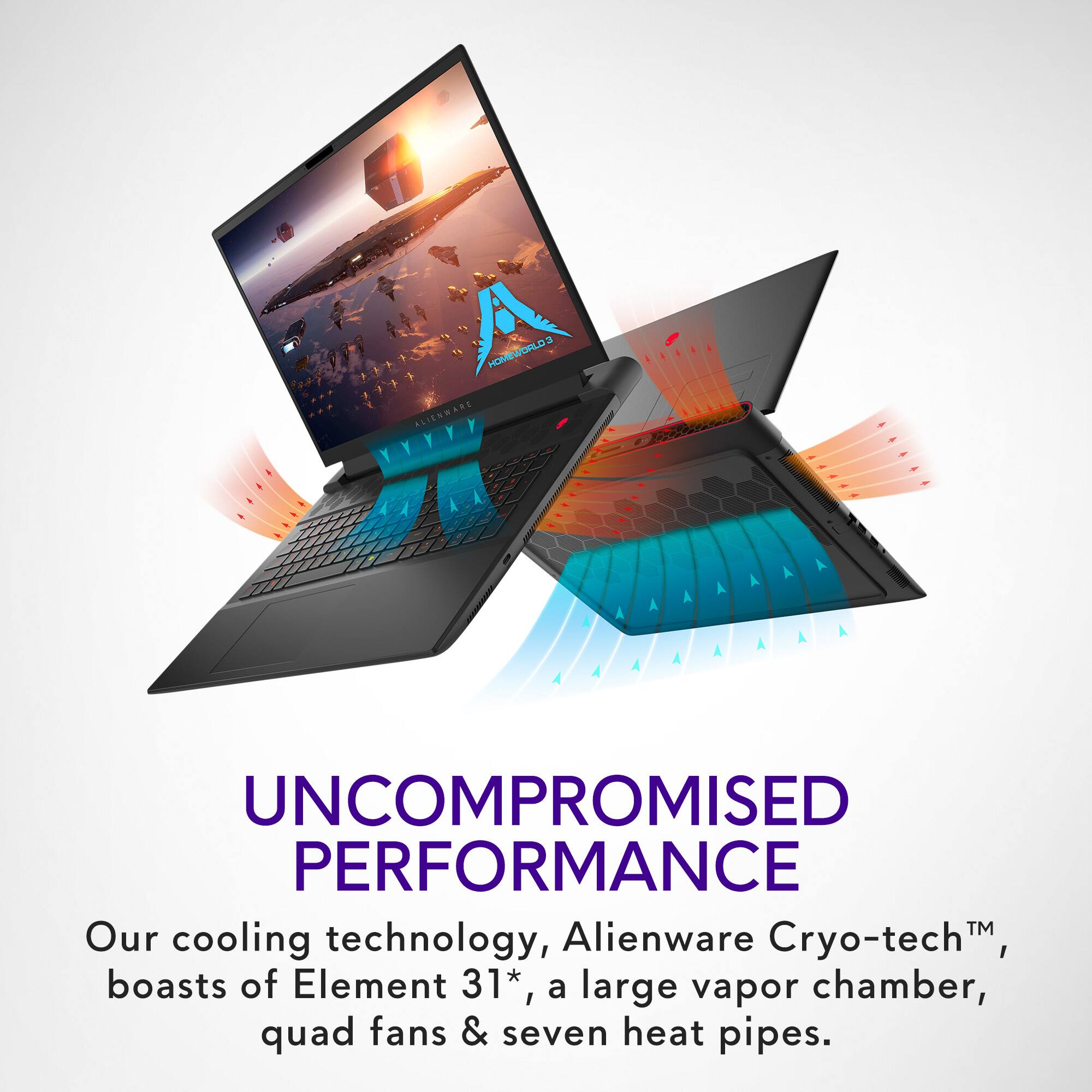
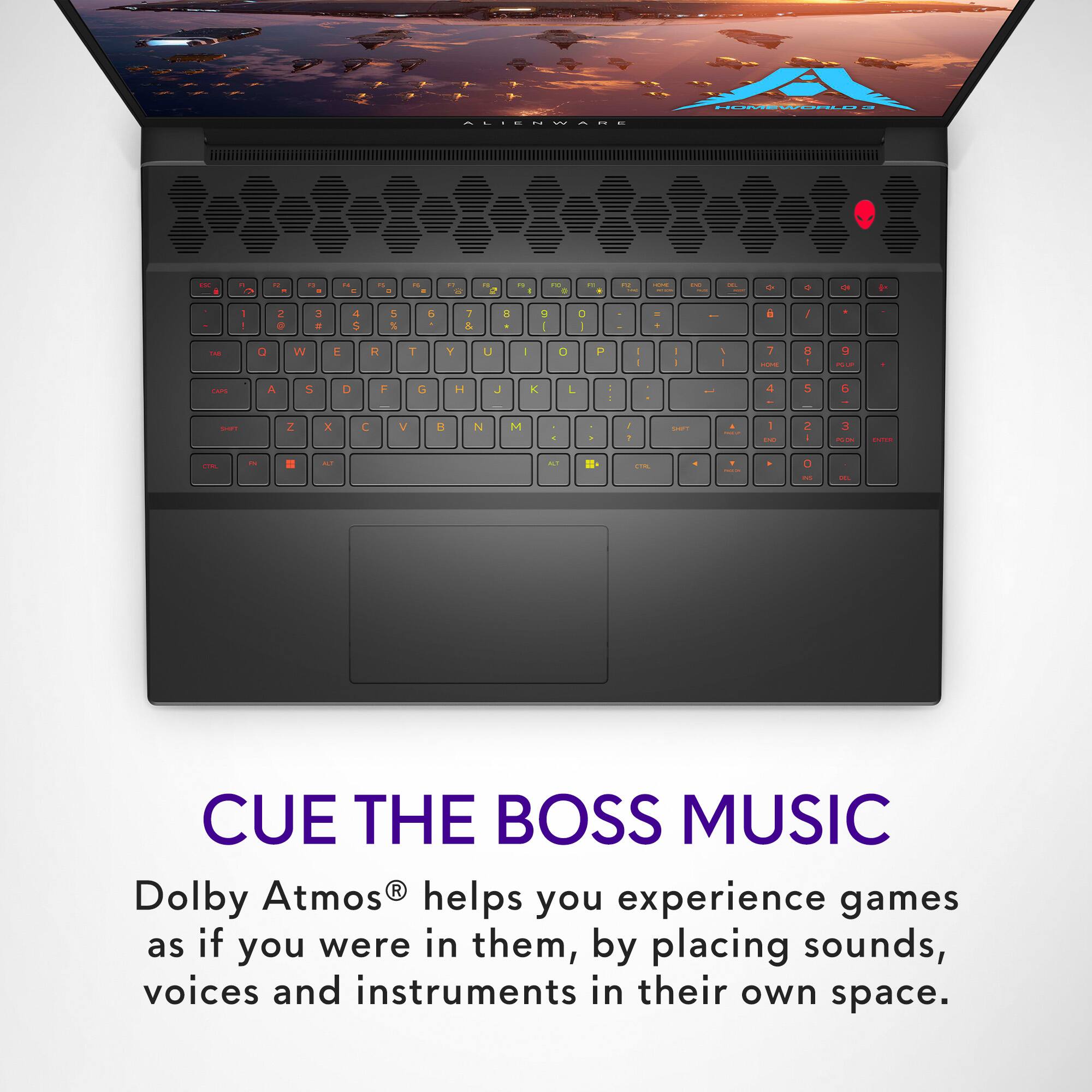
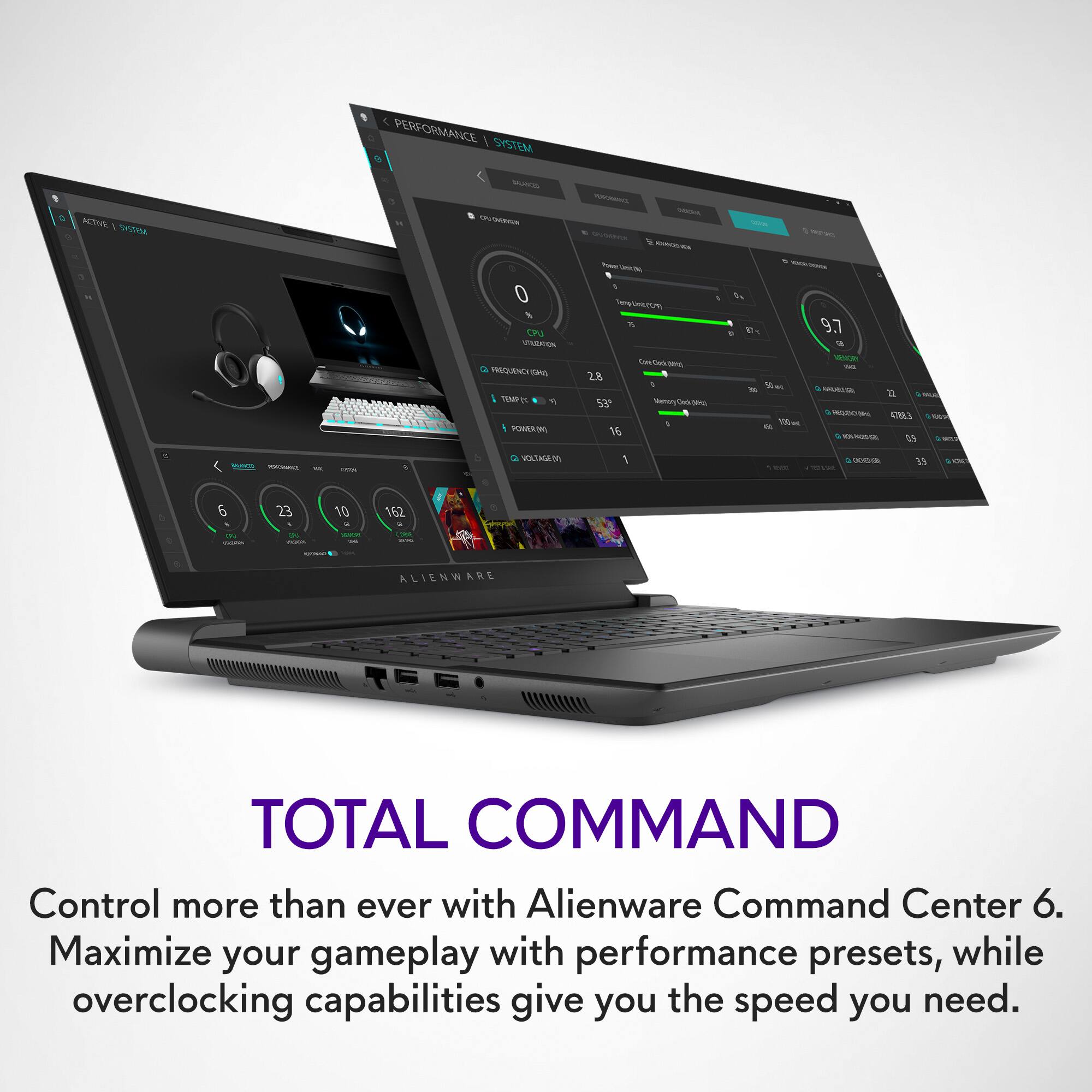
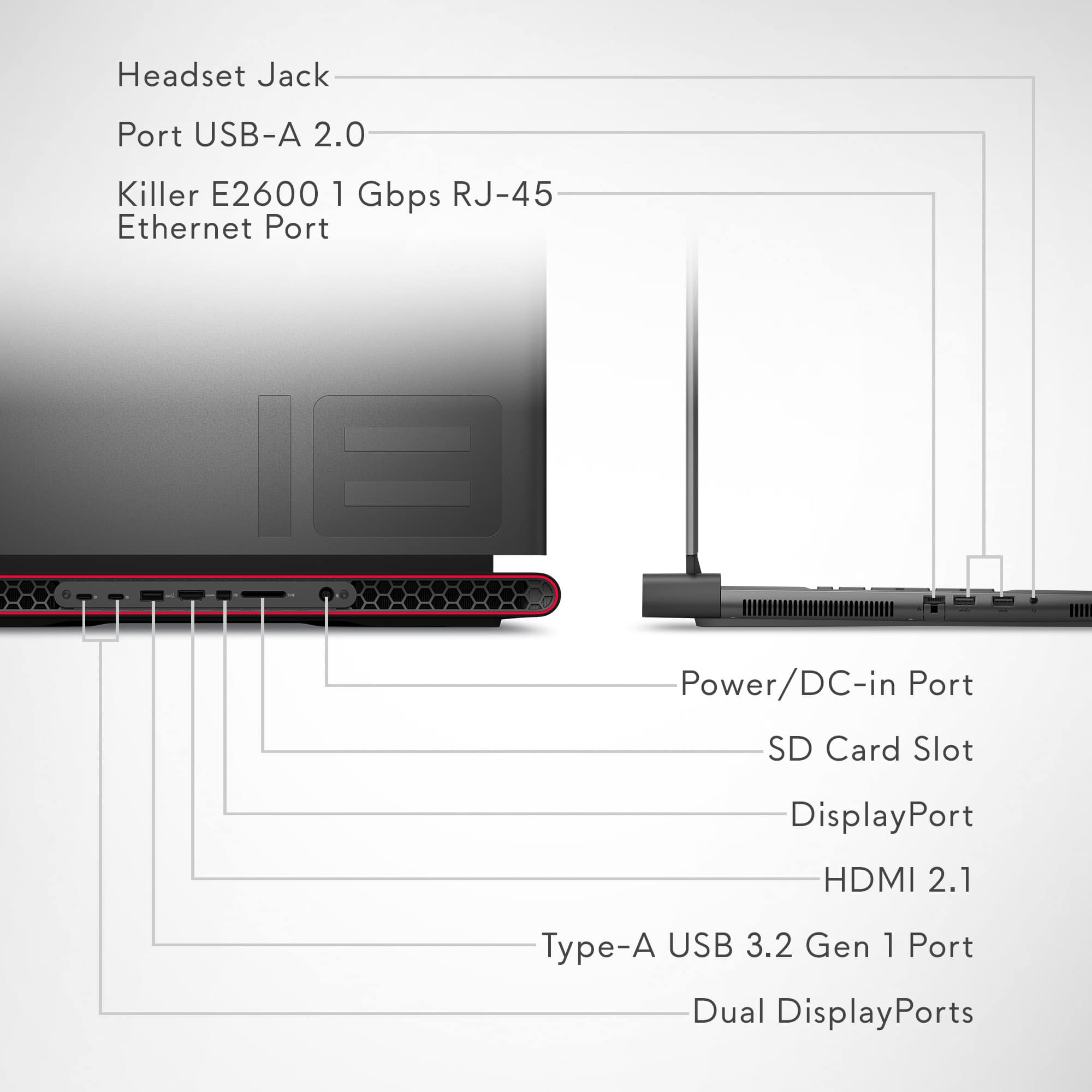
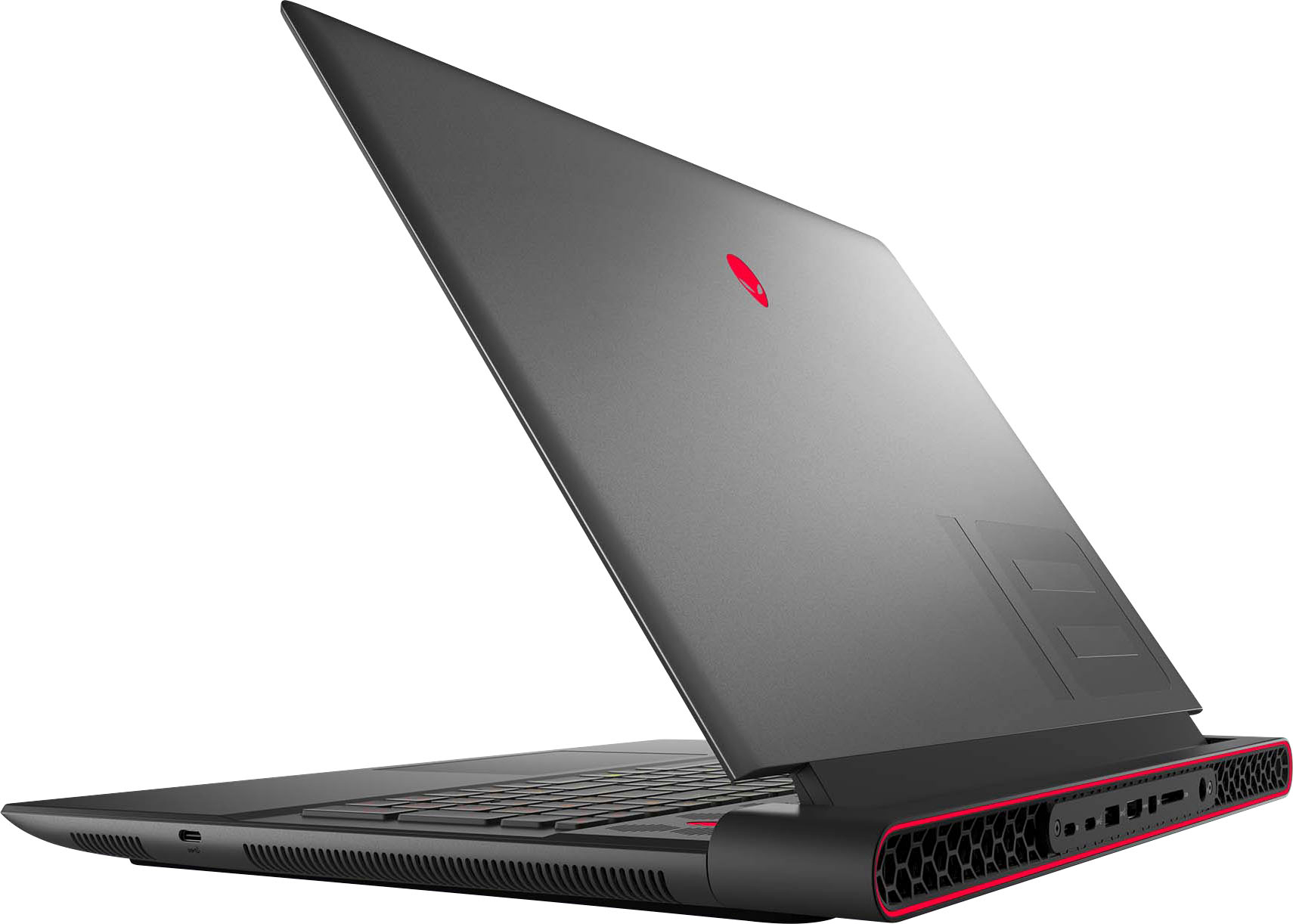
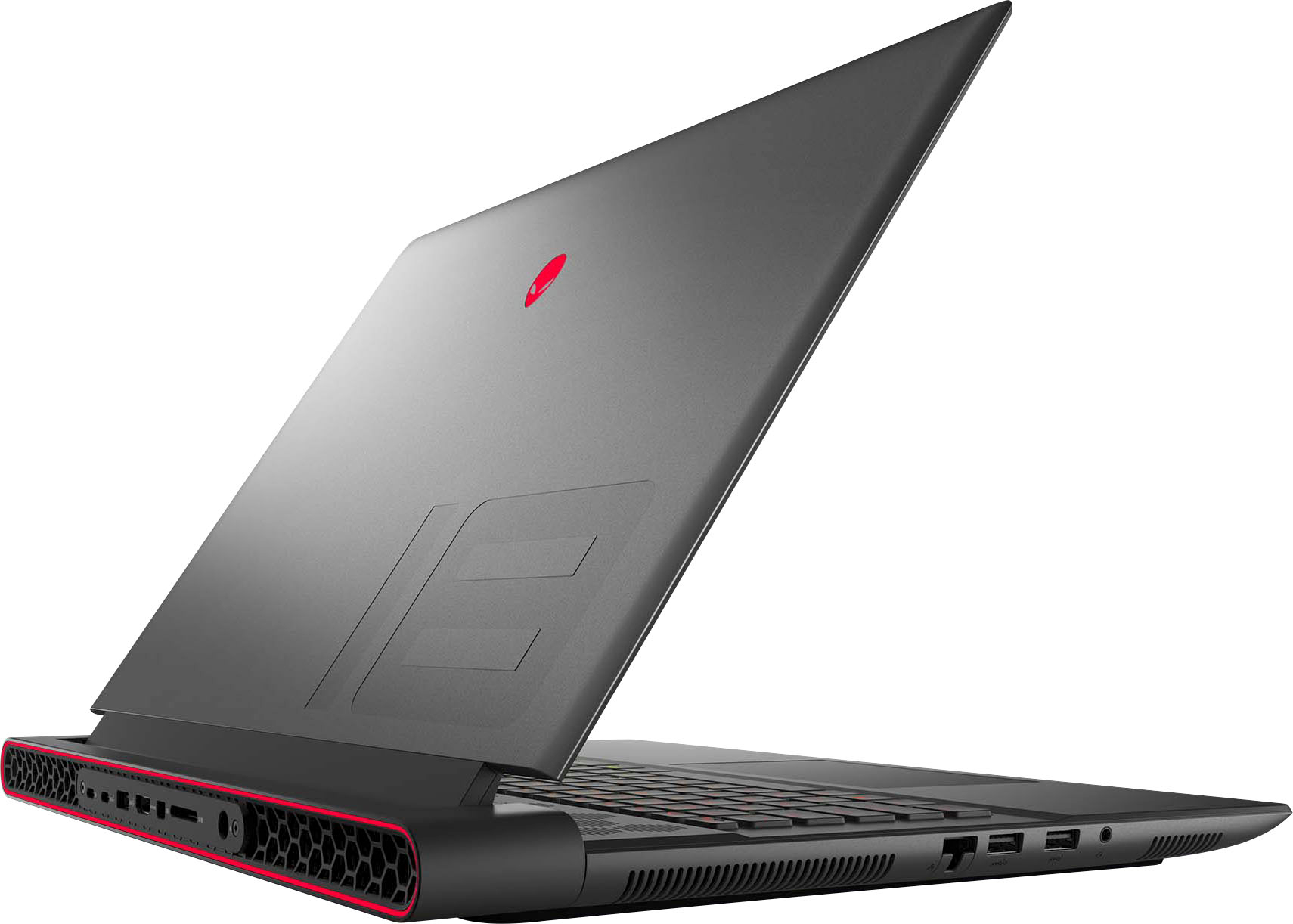
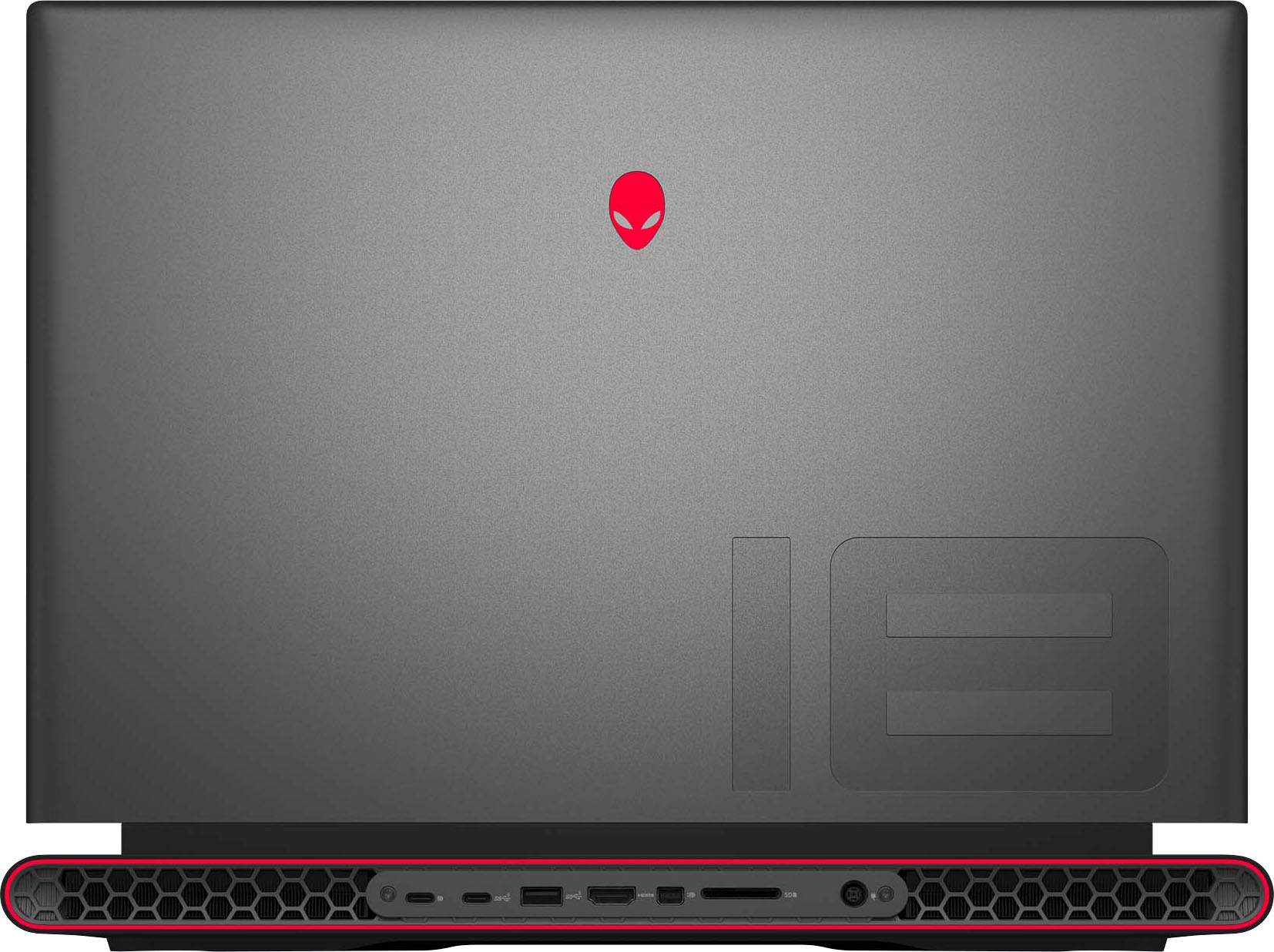
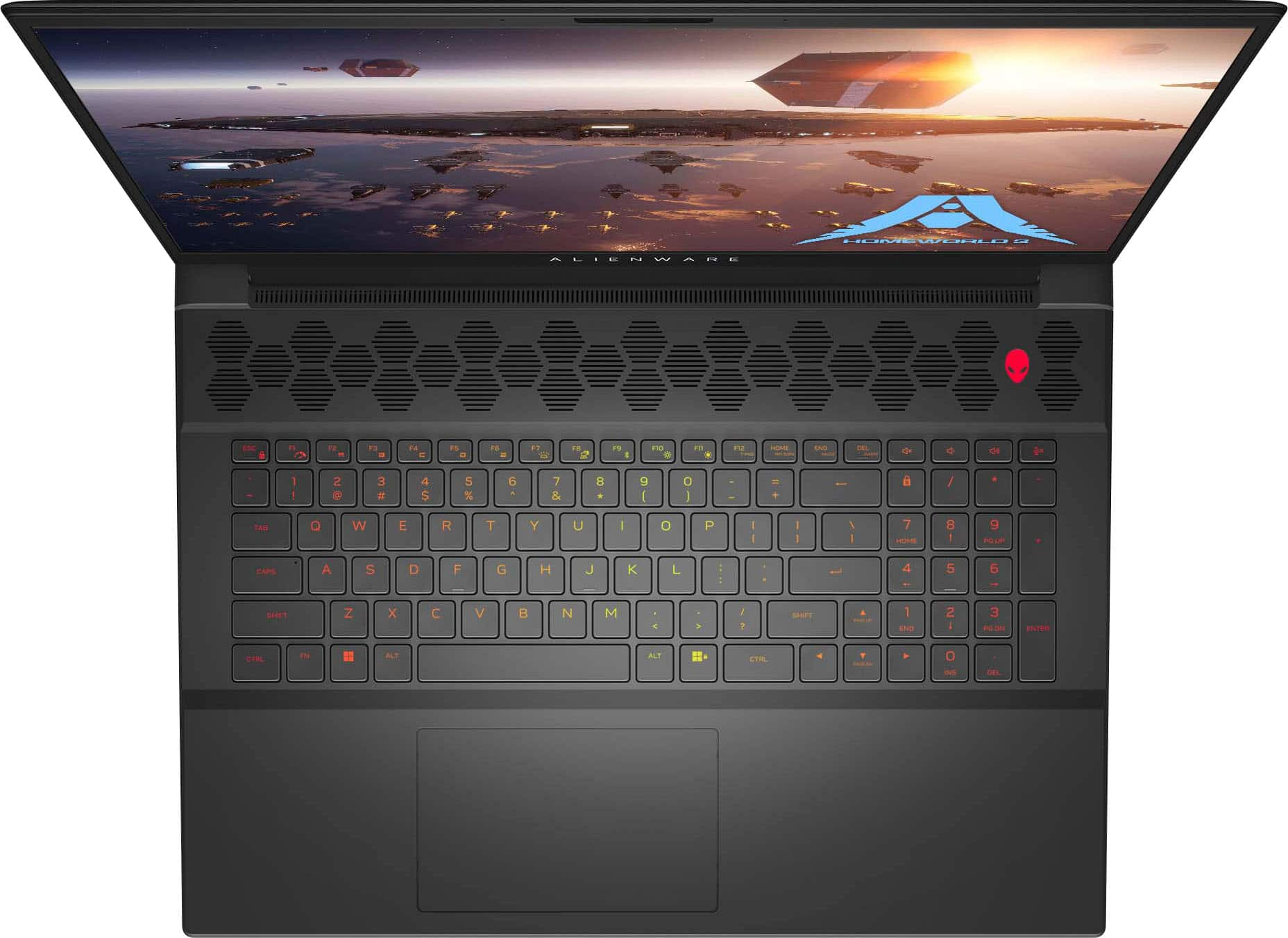
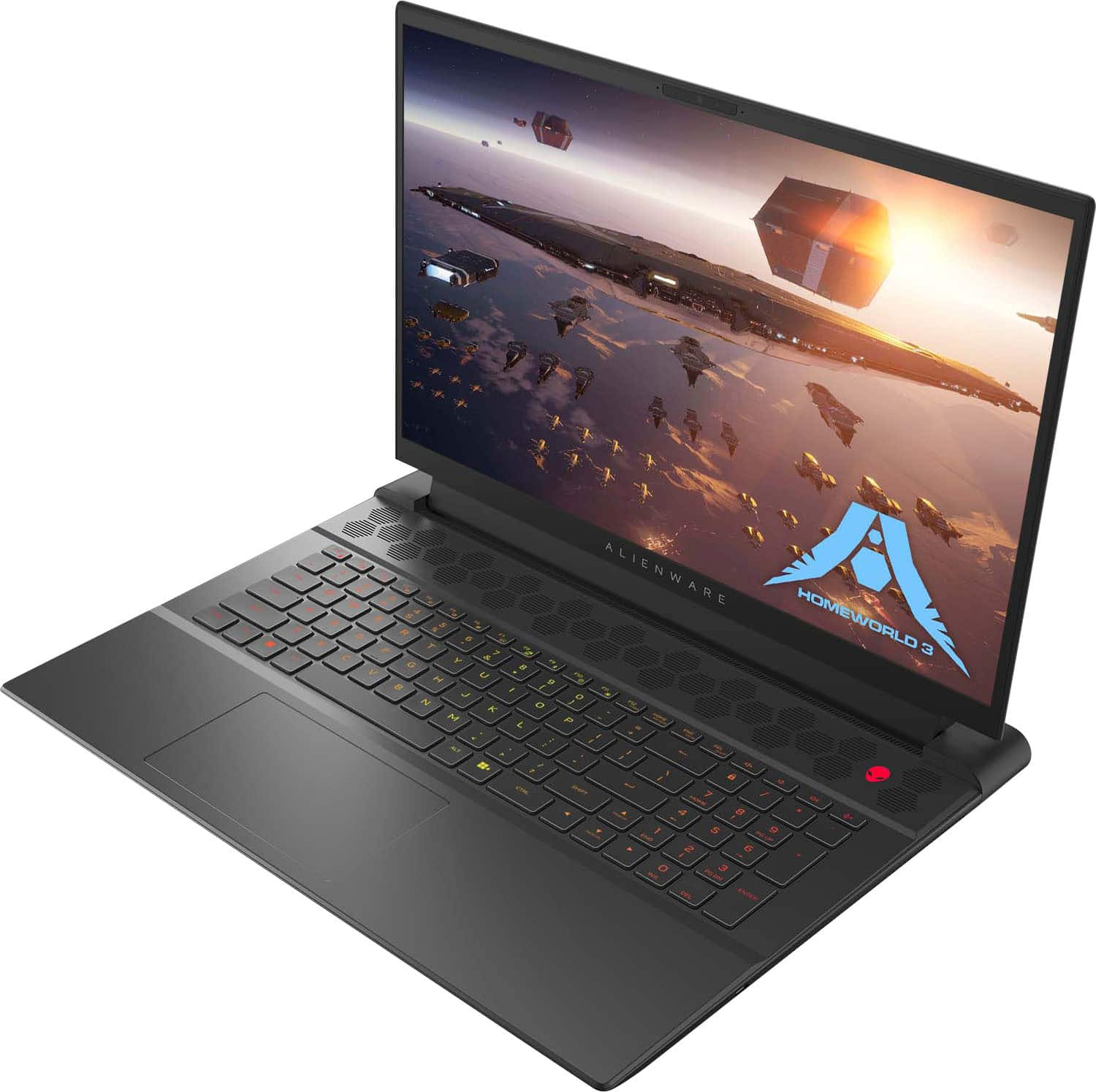
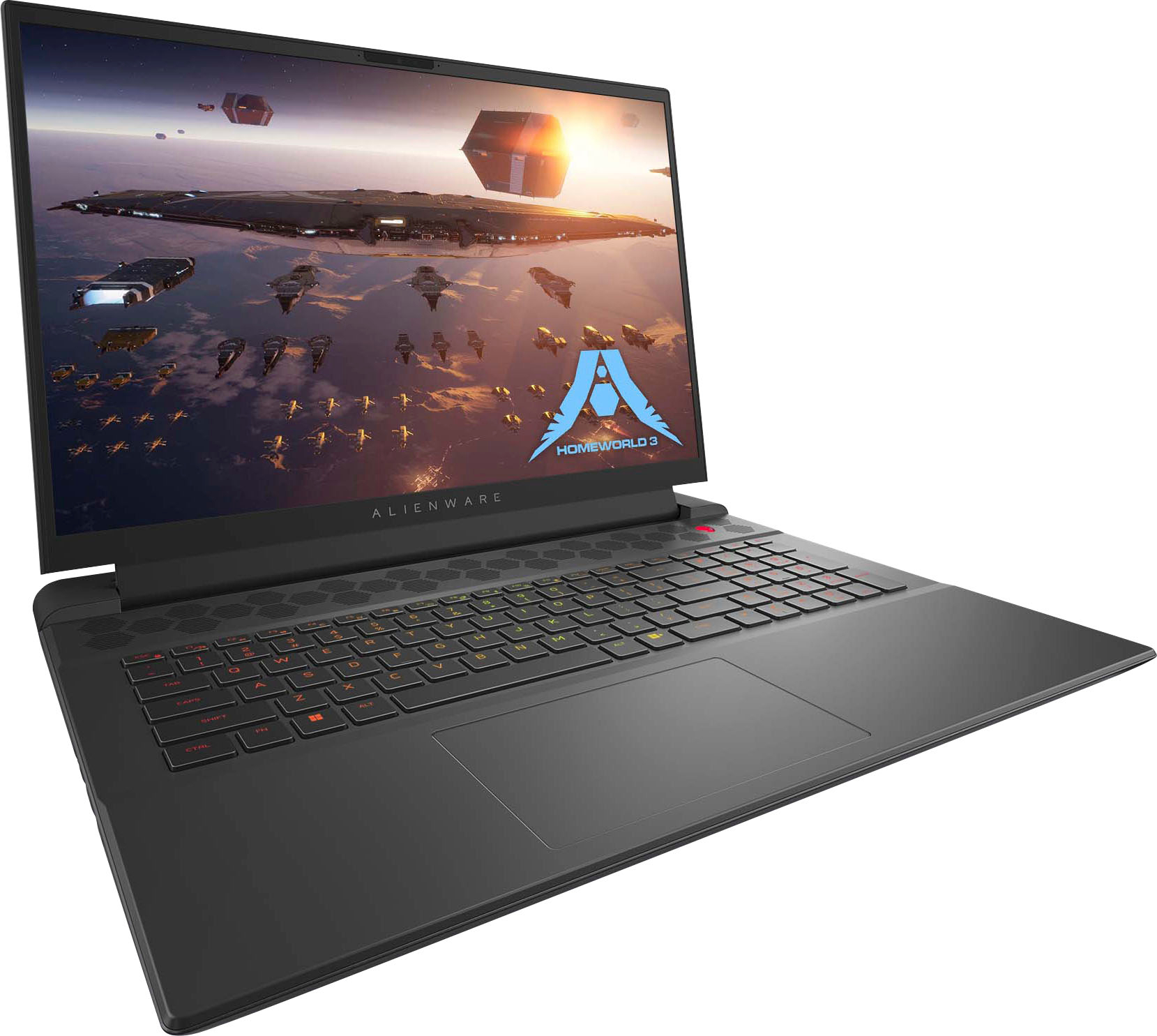
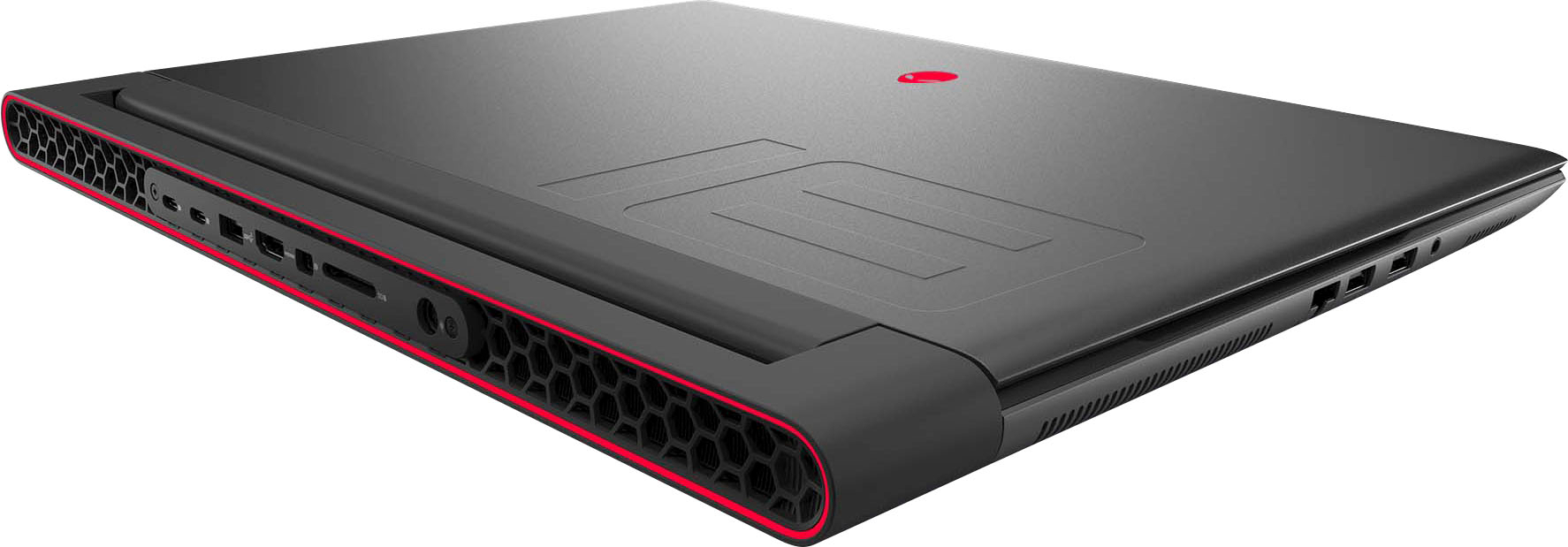
|Posted .This reviewer received promo considerations or sweepstakes entry for writing a review.Alienware makes big, beautiful laptops with a unique design language that sets it apart from anything else, and they’re powerful too. Performance – Who is this for? If you want desktop performance on the go, would like to have a large screen, and want to play at max settings using 480 refresh rate at FHD resolution, you’ve found an option. You can do this with considerably less noise than a thinner laptop, mostly due to increased airflow from the bigger chassis. If you’re looking for the desktop equivalent, you can say this is like having a 5950x in your laptop, although you'll see higher single core scores than even that CPU. On the GPU side, with advance optimus (mux switch), you get power saving integrated GPU, but the 4070 kicks in when you need it, such as gaming or GPU heavy tasks. With the refresh rate set to the max of 480mhz, I averaged around 103 fps when playing New World on max settings, 94 FPS average with Spider-Man Remastered, and just over 100fps when playing Call of Duty Modern Warfare II. Cooling performance is also impressive. You do get some fan noise when playing, the processor dances around 90 when playing new world, which is warm, but not throttling according to AMD’s specs (100C max). GPU is putting in some work too, but keeps temperatures below 70c, hugging closer to the 60 to 65 degree range. Fan noise is manageable but if you throw it on overdrive mode (max fan speeds), it does get a bit loud and could be distracting. It does, however, manage noise much quieter than a smaller gaming laptop. Display – The 18” display, love or hate the size, it looks great. It doesn’t get super bright at only 300 nits, it does support 480hz refresh rate which enhances how smooth everything looks on the computer. It has 100% DCI-P3 color gamut. You do have some bezel action going on, which I don’t mind at the top because of the camera, but they could have shrank it a bit on the sides and bottom. This could be a design or durability choice as constantly pushing on the screen instead of a bezel could be a problem over time. Design/Keyboard/Mouse – This is a large laptop. I just want to make that clear. This comes with some benefits. A spacious, easy to use keyboard with a number pad, which I’m in the minority of people who love to have them. The typing experience is pretty good. Because of the number pad, I find myself reaching slightly left. The whole keyboard could be one more key to the right and it would have solved that problem. I/O doesn’t leave you wanting either. The left has a few USB type A ports, headphone jack, ethernet, while the right hosts a USB-C. The back has another USB type A, two type C, HDMI, Mini Display port, SD card reader and the barrel type power port. The track pad isn’t bad. It isn’t great but it isn’t bad. I like the glossy, glass like feel that some have, this doesn’t have that. As for the chassis, you have plenty of air inlet and outlet ports, with honeycomb shaped vents along the top of the keyboard and the bottom of the laptop. Just below the monitor is more vents as well as along each side and the back. The hinge design sits about an inch and a quarter from the back and the laptop which leaves a small protrusion from behind the screen where the rear I/O lives. I personally don’t mind this but it does make the laptop slightly bigger than the screen size which can be misleading when shopping for accessories or bags. The lid itself is a gunmetal color with a “18” recessed into the likely magnesium alloy lid. The rest of the chassis is black and the two compliment each other. Quality is on par with what I would expect from Alienware. It feels solid and well built, also, it’s a bit heavy, be prepared to carry some extra weight when traveling, especially with the power brick, which is also large, not adopting the GaN style slim chargers of some other laptops. Getting into RGB, this borrows from the other laptops in this generations design. You get full control over the keyboard, alien logo on the lid, and the “stadium”, which is the ring in the back. The updated Alienware Command Center application allows customization with a few presets you can select from. Sound/Webcam/Microphone – Actually, most of the time, I’m left wanting, but the speakers didn’t disappoint. I’m not saying they’re the best I’ve heard but I would rate them better than most. They get loud, and at that volume, sound comes through clear. It lacks base and it’s a hair muddled, but overall, I can’t complain too much. I typically use headphones anyways, but it’s nice to know I could get by without them. Webcam and microphone are just OK. In good lighting the camera comes through clear, there’s a bit of grain, but it’s at least 1080p which is all I’ve asked for on laptops for the past few years so no complaints. Microphone comes through clear, but you’re not hiding the fact you’re using a laptop microphone. Also very happy to see windows hello included with the camera array which, in my opinion, is the most natural way to sign into a PC. Battery Life – I did a short battery life test where I browsed the internet with a youtube tab open in the background under balanced power setting. After about an hour I was at 45% and was getting low battery warnings about 35 minutes later. If you want to prolong the uptime while on battery, you’re going to need to adjust some settings, luckily the Alienware Command Center has a battery saver mode, which should help with this. Other Thoughts – It’s nice to see Wi-Fi 6e, I’m holding a 2.8gbps link to my network, also getting great latency when gaming. Alienware Command Center has been updated and works better but still needs optimization on moving between screens and settings. I do like how they’ve laid out the settings, provided additional details on performance statics, and included per game statistics. Everything is easier to navigate as well as adjust performance profiles on compared to previous versions. I wish they would have included the smaller GaN brick, which is available for purchase at this wattage on the dell website. Ethernet is 2.5ghz is a happy addition with faster speeds showing up on routers and from ISPs. I also noticed it was much faster to desktop then my old laptop, from power button to desktop, about 23 seconds from shutdown state. It’s a bit quicker from sleep mode. In summary, know what you’re getting. This is a desktop replacement, which is a category of laptop that prioritizes power and features over portability and battery life. Gaming is pleasant, multitasking is pleasant, everything is fast and convenient. You’re not going to spend a ton of time away from an outlet and it’s going to be a bit cumbersome to haul around. If those aren’t issues for you, then this is a fantastic laptop. It’s not top of the line, but in terms of both processor and GPU, it’s the next step down. If the best of the best is S-tier, then this would be A-. In summary, I’m enjoying it very much and would recommend to anyone who uses it like I do, a mobile desktop performance experience that I can plug in and play almost anywhere I go.
I would recommend this to a friend - Cons mentioned:Battery life
Did I get a lemon?
||Posted . Owned for 1 month when reviewed.This reviewer received promo considerations or sweepstakes entry for writing a review.I've had multiple driver issues and hardware Issues the battery stopped working and it has crashed 3 time in the 4 weekes iv had it. Tech support has ben great for temporary fixes but not long-term. Im getting ready to send it in for service or exchange. Also in the middle of playing steam games on several occasions it has just Decided to restart or shut down. It runs extremely slow at time and the screen will start glitching out the only temporary fix is a system full reset. I only use this laptop m18 r1 for youtube and steam games so im confused as to way its giving me such problems.
No, I would not recommend this to a friendBrand response from YourDellTeam
Posted .Hello GarretB,
We appreciate you taking the time to leave a review of your Alienware M18. We are sorry to hear that you are experiencing an issue with your system crashing and the performance of your device. That is not the type of feedback we like to hear from our customers, or the type of product Dell intends to deliver. We have noted the details of your statement and will escalate them to our quality team for improvements on current and future products. Below I have provided troubleshooting steps to help resolve your issue.
Here are the steps to help resolve your crashing issue:
1. At the desktop, click the Search the web and Windows box and type "problem reports".
2. Select View all problem reports viewing a list of errors that have occurred on your computer and possible solutions for them, such as updating drivers, flashing your system BIOS, or checking for updates to the software.
3. Under the Source column, look for Windows and under Summary, look for Shut down unexpectedly.
4. Right-click the line item and select Check for a solution.
We'd also suggest checking to make sure that your software and drivers are up to date on Dell's Product Page here: https://dell.to/3khR75H
You can read the full article on solving PC crashing issues here: http://dell.to/2u98Cct
System Performance Troubleshooting Link: https://dell.to/3yqre8r
We recommend that you contact Dell directly with the information below if you need further assistance.
Chat or call: https://bit.ly/DellSupportTeam
Phone number to Dell: 1-800-624-9896
Best,
Summer@Dell
Fast Computer!
||Posted . Owned for 3 weeks when reviewed.This reviewer received promo considerations or sweepstakes entry for writing a review.I needed a Laptop that was fast because I record music on special computer programs. This thing is Fast! It takes less than 30 seconds to fully boot up and it can open programs as fast as i can click them. I highly recommend this Laptop
I would recommend this to a friend- Pros mentioned:Performance, Ram, Screen sizeCons mentioned:Weight
Solid in every sense of the word!
|Posted .This reviewer received promo considerations or sweepstakes entry for writing a review.This is what you should expect from a gaming laptop. From the build quality, to the performance, to the aesthetic. Everything is covered with the Alienware M18 series laptops. Starting with performance and gaming, I am quite happy with my tests so far. I have been running Forza Horizon 5 with a benchmark rating of 119 FPS (see screenshots) and most settings after running the benchmark were automatically set to Ultra or Extreme. Being a graphically intensive game that is constantly changing, I feel this is a perfect game to test how well a system will perform, and the Alienware M18 passes with literal flying colors. Absolutely zero lag or stutter while racing through the beautiful scenery in Mexico. Having a 1TB SSD and 32GB of RAM certainly helps to make this computer super snappy and quick. A solid-state drive (SSD) is much faster than a traditional hard drive which means that your computer will start up faster, programs will open faster, files will load faster, and games will perform better. All of these specs work hand-in-hand to make this an excellent choice for mobile gaming. The screen is glorious to look at. Having an 18” screen makes me not even worry about hooking up an external monitor, even though you can very easily and it also looks amazing. Whether it is playing games, or watching a movie on Netflix, colors are vibrant, blacks are deep, whites are bright, and all the detail is there. It is simply beautiful to my eyes. I believe that an 18-inch screen is the ideal size for a gaming laptop. It feels just right when I sit in front of it. The sound quality of this laptop is way above par for a laptop computer. In fact, I have never previously owned a laptop that had this level of sound quality. The speakers are very loud and clear, and they produce a rich, full sound. If you prefer headphones over the built-in speakers, as I normally do, you have the option of using either Bluetooth or the built-in headphone jack for a stable, lag-free wired connection. The build quality is top notch. I have owned many computers, both desktop and portable, and this one ranks among the very best I’ve ever had. It just feels stout and well made. That said, it may be a tad heavy for some people at almost nine pounds, so I highly recommend taking a look at one in the store if you are concerned about weight and portability. I myself could care less about the weight and size. I actually welcome both. I want my tech to feel solid in the hands. I want my screen to be bigger for both gaming and movies. As an added benefit, a quick search will reveal that there are many options available for protecting and carrying large gaming laptops nowadays, which is a great thing. The venting system of this device is very effective. The vents for the heat as well as the speakers are shaped like a honeycomb and look minimal, but also very cool. Looking cool and staying cool. That’s the name of the game with this laptop. Even when I run Forza at the highest settings, I have not experienced any excessive heat from anywhere on the chassis. Which leads me to believe this has a well-designed ventilation system allowing for efficient airflow. This is a great feature for gamers or anyone who uses their computer for demanding tasks. The keyboard and trackpad are both excellent. The keys have a satisfying click and feel, and the backlighting is bright and evenly distributed. This makes it easy to see the keys even in low-light conditions. The multi-gesture trackpad is also very responsive and accurate. It is easy to use gestures such as pinch-to-zoom and two-finger scrolling. All of the RGB lighting is fully customizable via the pre-installed Alienware Command Center app. The app allows you to change the color, brightness, and speed of the lighting. Overclocking is also done through this app and all of the performance gauges are clear and easy to read. The app is well-designed and very easy to use. I have included various screenshots of some of these windows with my review. Both the Alien Head logo and the accent light on the back of the computer are a nice touch. They definitely add a bit of personality to the laptop and make it stand out from the crowd. I can’t wait to take it to the coffee shop and get the inevitable looks of curiosity and envy. The design is stunning to say the least. I love how Alienware goes outside the box and designs computers that are different looking and have mega style. The M18 is all of this. From the materials used and how it feels under your fingers, to the deep “Dark Metallic Moon” color scheme, to the Alien Head and RGB colors, this laptop is attention-seeking. The ports are represented well on this computer. 1 mini-Display port and 1 HDMI for external monitoring, 3 USB-A and 3 USB-C ports, a headphone jack, ethernet, and even a full size SD card slot (thank you Alienware!), all make for a great mobile solution. Lastly, I do appreciate how little is pre-installed by way of excessive bloatware. There really isn’t much to delete/uninstall. I have no need for Office products on a gaming laptop, so those installation files are removed first. After that, you are pretty much good to go. Simply do your windows updates, then load your favorite game and get playing. I generally play one game at a time, so having a 1TB SSD is plenty for me and I haven’t had the need to use an external drive yet. I highly recommend that you visit your local store and check out the M18 in person. You will be amazed at how cool it looks and feels. Pick it up, type on it, and admire the beautiful screen. The whole thing is simply amazing, and I am ecstatic to own one. Now, I must log out and go off-road racing!
I would recommend this to a friend - Pros mentioned:Speed
Best laptop eva
||Posted . Owned for 3 weeks when reviewed.This reviewer received promo considerations or sweepstakes entry for writing a review.I love this computer so fast would totally recommend it to anyone
I would recommend this to a friend - Pros mentioned:Performance
Take your games with you.
||Posted . Owned for 3 weeks when reviewed.This reviewer received promo considerations or sweepstakes entry for writing a review.A fine gaming laptop. Does everything I ask of it (mainly playing warzone while traveling).
I would recommend this to a friend Great gaming laptop
||Posted . Owned for 1 month when reviewed.This reviewer received promo considerations or sweepstakes entry for writing a review.Overall great laptop with great performance. I really am enjoying what this laptop offers. The graphics and ram are plenty for gaming the processor is great as well sometimes runs a bit loud but you can do a balance mode which lessens the noise.
I would recommend this to a friendSteer Clear
||Posted . Owned for 3 months when reviewed.This reviewer received promo considerations or sweepstakes entry for writing a review.This was by far the worst purchase I have ever made in my life. Out of the box it seemed to work fine, the sound works great and when it actually runs it works fine. The problem is that the next day after opening it the computer bluescreened on me and the entire system crashed. I thought it odd at first, but carried on. It proceeded to crash probably 10 times throughout the next week. Every time I closed the laptop and tried to turn it on again the OS would crash. I factory reset the computer multiple times as well as tried to turn to the internet to see if other users with the same problem could offer some assistance. Before I knew it the time window to return this "top of the line" laptop was up while I was still trying to get the darn thing to just run like a normal laptop should, so I am stuck with it. Long story short I will probably never purchase another product like this again, and I would warn you to not do the same. You might not run into issues like I have, but I wouldn't wish this headache on anyone else.
No, I would not recommend this to a friendBrand response from YourDellTeam
Posted .Hello DissatisfiedPlum,
We appreciate you taking the time to leave us your review. We sincerely apologize for the crashing issues that you are experiencing with your Alienware m18 Gaming Laptop. It's important for us to hear about inconsistencies in our products for consideration of future development. Below I have provided troubleshooting instructions with the full article that can help resolve this issue.
Here's the steps to help resolve your crashing issue:
1. At the desktop, click the Search the web and Windows box and type "problem reports".
2. Select View all problem reports viewing a list of errors that have occurred on your computer and possible solutions for them, such as updating drivers, flashing your system BIOS, or checking for updates to the software.
3. Under the Source column, look for Windows and under Summary, look for Shut down unexpectedly.
4. Right-click the line item and select Check for a solution.
You can read the full article on solving PC crashing issues here: http://dell.to/2u98Cct
If you continue to experience issues, please reach out to Dell Support directly by using the information provided below.
Chat or call: https://bit.ly/DellSupportTeam
Phone number to Dell: 1-800-624-9896
Best,
Jay@Dell
M18 R1
||Posted . Owned for 3 weeks when reviewed.This reviewer received promo considerations or sweepstakes entry for writing a review.Hello I just want to say I’m very happy and impressed with this product and I was very happy with my purchase at Best Buy the staff was very helpful with all the details and questions I had
I would recommend this to a friendHad High Hopes for this Laptop
||Posted . Owned for 1 week when reviewed.This reviewer received promo considerations or sweepstakes entry for writing a review.I bought this laptop to game on. Read several reviews and decided to give it a try. Big disappointment. I used it 3 times after I bought it and it lagged, stuttered, froze, and kept shutting down in the middle of my games. A laptop of this caliber should work like a charm. I kept getting numerous blue screens. Enough, I returned it and exchanged it for another one just like I hopes a got a dud, and 2 days later I took that one back also. I talked to the Geek Squad members and they all confirmed it was a graphic card that went bad. On a brand new laptop right out of the box? My grandson bought the Alienware m16 and his was worse than mine. He returned his also. I really want to like this laptop but not if it needed a new graphic card right out of the unopened box. My suggestion is to look for another brand. I’m going back to MSI’s.
No, I would not recommend this to a friendBrand response from YourDellTeam
Posted .Hi There MrsNoLegs,
Thank you for taking the time to leave a review of your Alienware m18 gaming laptop. We are sorry to hear that you have been experiencing multiple issues with your device and made the decision to return it. That is not the type of feedback we like to hear from our customers, and not the type of product Dell intends to deliver. We have noted the details of your statement and will use them to improve current and future products.
If you continue to experience issues, please reach out to Dell Support directly by using the information provided below.
Chat or call: https://bit.ly/DellSupportTeam
Phone number to Dell: 1-800-624-9896
Best,
Summer@Dell
Alienware m18
||Posted . Owned for 3 weeks when reviewed.This reviewer received promo considerations or sweepstakes entry for writing a review.This is what I was looking for when I think of the gaming laptop I always dreamed to own growing up. It is like night and day gaming on this laptop compared to any console.
I would recommend this to a friend- Pros mentioned:Ram, Screen sizeCons mentioned:Cooling
SPEEEEEED!
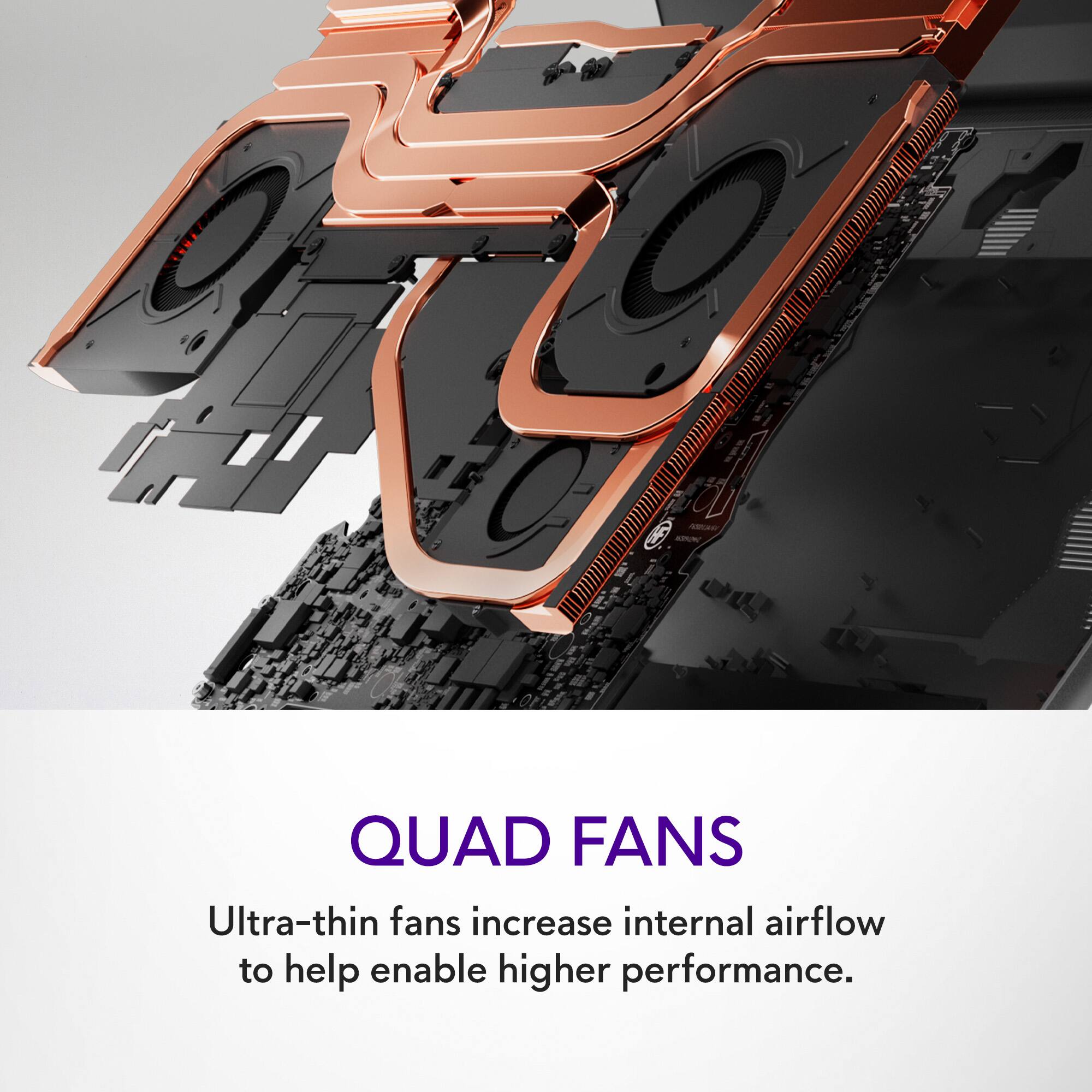
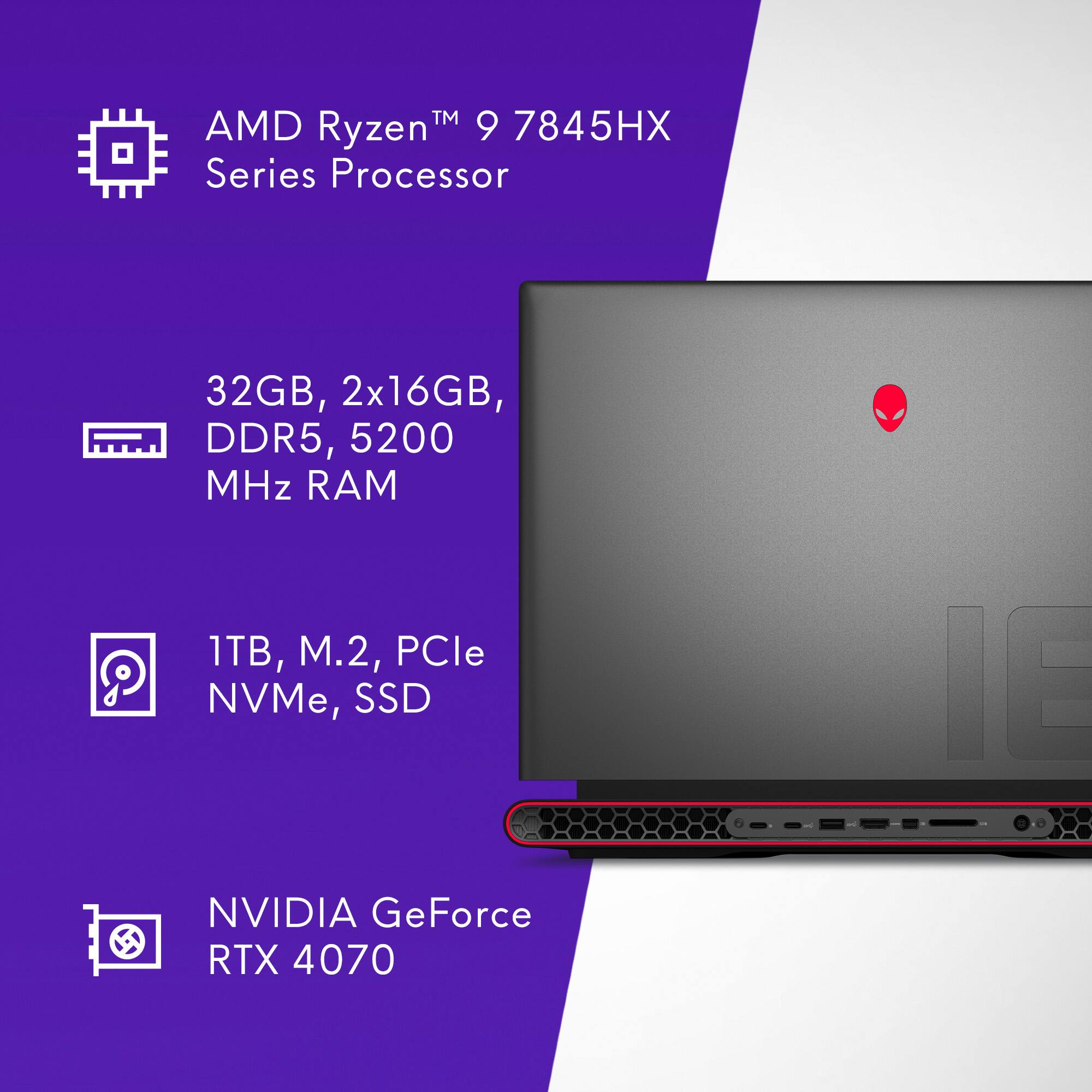
|Posted .This reviewer received promo considerations or sweepstakes entry for writing a review.First things first, if you are going to add NVMe drive(s) to this machine you’re going to want to order the heatsink/mounts for the drives from Dell, here is the current part number/info for the 2280 bracket: Manufacturer Part GXKDG | Dell Part 412-BBFJ | Order Code 412-Bbfj -and here is the part number/info for the 2230 drive bracket: Manufacturer Part K3T8T | Dell Part 412-BBFH | Order Code 412-Bbfh I found the site to be flaky about leading me to these brackets from the “Parts & Repairs” tab on the Dell support page, so I got the direct links, I hope they work for you. This review is for the AMD version with the Ryzen 9 7845HX CPU and RTX 4070 Mobile GPU. This is a real desktop replacement level of computing power in a ridiculously compact (for an 18”) laptop. The packaging is sharp looking, clean, and neat, and it appears to be completely recyclable, good job Alienware! Hardware Impressions: The laptop’s styling is unique and thoughtful, the metal chassis is rock solid, no creaks or bendy spots that I have encountered. There is an almost automotive/supercar sort of design aesthetic in the rear exhausts which I really like. The “Dark Metallic Moon” color is well chosen, the matte finishes on everything are really pleasant. Glare from the matte screen is well controlled. This is a BIG machine, of course, but it’s made a fair deal bigger by the 330 watt power supply. It’s quite the chonky box and has a heavy cord going to the m18 power input. There is no PD capability for charging this computer, so it cannot dock completely with just one plug like lower power machines. PD can deliver 240 watts max, IIRC. The plug from the power adapter to the back of the laptop adds -no joke- about 4 inches of clearance needed behind the machine to avoid putting a sharp bend on the cable and risking damage to the cable or power input on the computer. I found it’s also a good idea to make sure you are not blocking any of the rear vents with the power cord, since it’s so thick it can block most of one side of the rear exhausts. Max temp I was able to catch on the power brick during max load testing was 106F, quite cool. The screen- this one has the 1920x1200 480Hz panel- is sharp, bright, and has great contrast. I thought it was IPS at first, but it is not listed as such on the Alienware site, so if it’s not, it’s really close (a good thing). This is the display to get if you are playing twitch games like Counter Strike or Rainbow 6. I don’t have the reflexes any more to be anything but target practice in those games, so the hyper-fast refresh rate available on this panel is lost on me, but it shines with every game I’ve played. The G-Sync/Freesync capabilities keep the display synced to a wide range of games that are “only” rendering 100-175 fps for example. If I had to choose, I would go with the QHD+ display with “only” a 165Hz refresh rate, which I use on my desktop machine and find it glassy smooth. The keyboard is nothing to complain about, but nothing to wax rhapsodic about either. Key spacing is good, travel is good, and it has good resistance to resting fingers, no hair trigger keys here. Volume controls are on the F row, far right, where they should be. I did notice the lack of media control shortcuts on the top row, instead having a group of 5 programmable macro keys starting at F2. The macros are programmed in the Alienware Command Center software, which is functional and attractive if not entirely intuitive. Some presets in the macro programming section would be great so I could get my Play/Pause buttons back, so I don’t have to keep Alt-tabbing out of fullscreen games to pause iTunes. The keyboard backlighting is full RGB per key assignable, and some games will interface with the ACC software to show some cool effects on the power button and keyboard during play. The trackpad is good, but it seems they didn’t go all out on it, which I can respect, since most folks don’t game with a trackpad, so it’s fine for everyday computing tasks. The keyboard has a one-button trackpad disable shortcut on F12, which is great as this machine is going to be sitting on a table or desk with a mouse on it in most cases. The trackpad disable is thoughtful and furthers the purpose-built feel of Alienware’s design. Wi-Fi is 6E, state of the art, able to hold my Wi-Fi 5 (ac) router at an indicated 866/866Mbps on the 5GHz band, I don’t have the 6E router set up yet, so I could not test at full speed. The 2x2 antenna setup means you should get good range and speed with whatever Wi-Fi router you are connecting to. Bluetooth is spec 5.2 with LE audio and can connect 2 devices simultaneously and has great range. The ethernet port (!) connects to a Realtek RTL8125 2.5Gbps controller, which is very popular, I had no issues with ethernet at all. Storage is one NVMe Western Digital SN810 (OEM high spec), a very fast drive, with another slot to add a second drive if you would like in either 2280 or 2230 form factors. The PCIe slots for drives are PCIe 4.0. The factory drive has a nice heatsink on it, they did not include another heatsink for your additional drive, but I have links at the top of this review so you can order them from Dell. The Port Situation: You may read other reviews about the Alienware m18 gaming laptop that say it has Thunderbolt 4/USB4 on the USB-C ports in the back, which are capable of 40Gbps throughput speeds. These are only available on the Intel models, the AMD models have the same port layout, but the specs are USB 3.2 and USB 3.2 Gen 2. Thoughtfully, the speed of the ports is indicated in most of the labels next to the ports on the sides and the back, they show “SS” (SuperSpeed) with a little “5” in the icon, indicating a speed of 5Gbps USB 3.2. The USB-C port on the back with the DisplayPort logo is also USB 3.2, but Gen2, which allows throughput of 10Gbps, so if you have a fast external SSD, this is where you should connect it if you need the fastest port. If this strikes you as hard to keep track of, you’re not alone, the whole USB naming convention is a confusing mess. The same 10Gbps USB-C port can act as a DisplayPort connection. Some folks will need to know this since it’s not entirely clear without specifically reading the data sheets or carefully reading the “Ports” section on the site after configuring the computer in the sales portal. The rear also includes HDMI 1.2, a MINI DisplayPort 1.4 (at least) connector (get the right cable or adapter), and the aforementioned USB-C port that can act as DisplayPort as well. I connected it to two external monitors easily and it works well, supporting G-Sync on my Dell 2721DGF @ 165Hz, and seems to have no problems with the other Dell monitor, which is 60Hz fixed. The HDMI connection can run refresh rates up to 144Hz, and the mini-DisplayPort connector will go up to the max refresh rate of my monitor, 165Hz. Performance: Amazing. The AMD Ryzen 9 7845HX has 12 cores, and 24 threads, running up to 5.2GHz turbo, wow. It only pulls 55 watts max, also wow. 32GB of DDR5-4800 RAM is installed from the factory, but the chip will support up to 5200MHz and even ECC if you need it. The GPU is an NVIDIA “4070 Mobile”. Think of it more in line with a desktop 4060-ish card as far as it’s raster performance, but with DLSS 3 and other NVIDIA technologies, it can run challenging games at well playable frame rates with beautiful visuals. The CPU and GPU are now using a new metal thermal paste called Element 31, which tells me they’re using a “liquid metal” gallium based thermal interface between the chips and the coolers, which can be a little daring (liquid gallium destroys aluminum) for a desktop, much less a laptop, but it’s the absolute best, so it’s great to have such cutting-edge materials tech in there. In game, almost any game, the fans are going to be on and quite audible, the laws of physics still apply, even to aliens. There are 4 fans total, it looks like they even put a little teeny baby fan on the northbridge? There is a pretty cool feature on the F1 key that cranks everything up to max and lets rip, then just hit F1 again and it will go back to a more normal fan curve based on the power profile you previously chose in the Alienware Command Center software. While in Performance Mode, I found the temperatures were very well controlled and the CPU maintains it’s boost clock almost nonstop at around 5.2GHz, the GPU temp stayed below 55C during my Time Spy Extreme runs, very good cooling. I’ll post some numbers here if it’s any help for anyone, I just use PCMark and 3Dmark for benchmarking and comparisons so my results across devices are consistent. The sensor war that was happening between PCMark and ACC may have affected those numbers as I got a higher score with ACC closed and the ACC preset on Balanced. All tests (except PCMark) were run with the F1 Performance Mode enabled – so full fans and full power to CPU and GPU. Ambient temperature 22C. GPU clock stays at 2175MHz, which shows the laptop supplies 115 watts to the GPU in Performance Mode, CPU maintains 5.2GHz with brief dips to 4.8GHz, great cooling in there. PCMark full test (Performance Mode) : 7405 PCMark full test (Balanced Mode) : 7504 (?) -kinda looks like productivity work is a hair quicker without Performance Mode? 3Dmark TimeSpy Extreme: 5949 3Dmark TimeSpy: 11800 3Dmark DLSS feature test @ 4k : DLSS off - 12.888fps DLSS on – 59.44fps 3Dmark Port Royal: 7334 3Dmark Storage Bench : 2636 3Dmark CPU Profile: 11642 all threads A great computer that is going to be viable for years to come, Alienware has hit this one out of the park. The scores I posted here are all out of the box, with some tweaking, I’m sure they can be improved upon, but for now, I’m going to be skipping the desktop for gaming. Recommended!
I would recommend this to a friend Best in the business still today
||Posted . Owned for 1 week when reviewed.This reviewer received promo considerations or sweepstakes entry for writing a review.Probably the best there is. For great gaming and excellent graphics, you still cannot beat Alienware.
I would recommend this to a friend- Pros mentioned:Performance, Ram, SpeedCons mentioned:Cooling
High end desk top performance in a laptop!
|Posted .This reviewer received promo considerations or sweepstakes entry for writing a review.POWER!!!! UNLIMITED POWER!!!! *Shoots lightning bolts all over the house* My dog runs and hides as I laugh maniacally!!! This lap top is amazing... the power and performance puts desk top PC's to shame. It literally keeps up with my Alienware Aurora Desktop water cooled PC to within 20 frames per second. The screen is beautiful, and has great viewing angles, it's nice and bright, and the blacks are dark and inky. The screen isn't as nice as say an OLED screen can be, but it's a close second. The matte finish is nice for not being super reflective, but it is hard to keep clean, and the diffusion used to keep it from reflecting kind of just make the reflection slightly larger and more annoying instead of actually preventing them.. I guess it sort of trades one thing for another. I find that by tilting the screen slightly off access the reflections are less noticeable. As far as gaming, the AMD Ryzen Processor is kicking butt and taking names, it actually outpaces the 4070 enough that at most resolutions the graphics card is the bottleneck not the processor. With 32 GB of memory I don't need to worry about memory bandwidth for at least a few years. The only thing I found lacking about this laptop is the cooling... after a while of gaming or high performance use, the performance gets severely throttled back to the point of loosing over 100 fps of gaming performance after about half an hour... What started out at 199 average FPS dwindled down to 95 FPS after half an hour of playing. I did find that by supporting the laptop on top of a pair of stands to allow for more airflow did extend my play time, but it still throttled back performance as it heats up. I plan to purchase a lap top cooling pad to run this lap top on and hopefully it will provide enough cooling so it runs at peak performance.
I would recommend this to a friend - Cons mentioned:Cooling, Weight
Huge size, huge performance.
|Posted .This reviewer received promo considerations or sweepstakes entry for writing a review.Upon taking it out of the box, I was at once struck with how huge the laptop is. Coming in at almost 9lbs, it’s also quite heavy. The old-school 330W power brick is also massive and adds another 2 lbs. The M18 may not be as portable as most laptops, but can it be a proper desktop replacement? I have always been fond of Alienware’s designs and the M18 is no exception. The graphite finish is sleek, and certainly appeals to gamers. I appreciate the subtle “18” branding on the lid. Per tradition, the alien logo is very visible on the lid as well as the front. There’s RGB lighting everywhere but it’s in good taste. Also, RGB is per key and can be turned off anyway. The laptop is built like a tank. The lid can be opened with one hand and is quite stable with minimal wobbling. There's very little bending on the chassis, especially where the keyboard is. I love that there is a full-size keyboard with num pad and dedicated media controls. The membrane keys are well spaced, have decent travel, and feel great when typing. There’s plenty of wrist room, but I thought the trackpad could’ve been bigger. Nevertheless, the trackpad is responsive and accepts all windows gestures well. There is plenty of connectivity on the laptop –from HDMI2.1, mini-DP, USB-A 3.2, ethernet, SD card, and USB-C 3.2. My only concern is that there are no Thunderbolt IOs. I was also a bit confused as to why the SD card reader is found on the back and not the side. There’s also Bluetooth 5.2 and Wi-Fi 6e, which are a plus. Despite being only 300 nits max, the huge 1920x1200 matte screen is bright and vibrant. At an astonishing 480Hz, everything is smooth when surfing the web or watching high-refresh content. The bezels are super small, except for the chin, which makes the picture pop. The speakers are pretty good, pump very clear sound and with ATMOS on, there’s a very distinctive channel separation which is great for immersion and positional games like FPS. Unfortunately, as with most laptops, the lack of bass still disappoints. It’s still best to bring out the headset. The 1080p camera is OK. It does appear a bit washed out and in dark environments quite grainy. The microphone works better than I expected. It will work for meetings, but I’d recommend getting a dedicated camera with a headset or mic, if possible, especially if you are doing any kind of streaming or professional recording. When it comes to performance, the M18 is a beast. Obviously, regular productivity work, content watching, and web browsing are buttery smooth. But the combination of the AMD Ryzen 9 7845HX, Nvidia RTX 4070, and 32GB of RAM allows me to play even the beefiest current games at high-max-full RTX settings at 60fps or more with ease. With Nvidia DLSS 3, even better frame rates can be achieved. In some competitive games, I was able to max out the frames at 480fps. Just in case, the screen is VSync compatible. I also did some light video editing and photo work with very decent results. I also noticed that the cooling system did an impressive job as I never saw the temps go over throttling levels –mostly around 35-79c. The chassis did get warm sometimes, but never uncomfortably so. Having said this, I did experience some weird stutters and frame-drops here and there, and I have been unable to find what makes that happen. It occurs very rarely, but it’s worth noting. As a possible desktop replacement, I hooked it up to my dual-1440p monitor setup and it was just as good or better than my aging Ryzen 5 (5th gen) 2080ti rig. If you have the space, one can easily have a 3-screen setup without the need for a hub (although it wouldn’t hurt). The Alienware Command Center is a useful companion app that allows for customization and tweaks. There, you can change the RGB, choose performance modes, get updates and more. I must confess that it’s a bit clunky and needs work, but it’s serviceable enough. Yes, there is no question that this is a premium device with a premium price tag. If you are simply looking for a desktop replacement, the m18 might do well, but it may be best to get an actual full build. Having said that, even though it’s not what I’d call portable, having the ability to move your powerful rig around the house, or even to a friend’s house for some network gaming, certainly makes the M18 worth a look in my experience.
I would recommend this to a friend Every day thing
||Posted . Owned for 3 weeks when reviewed.This reviewer received promo considerations or sweepstakes entry for writing a review.Works good for all games! streaming and other things as well
I would recommend this to a friendBest gaming laptop out there.
||Posted . Owned for 3 weeks when reviewed.This reviewer received promo considerations or sweepstakes entry for writing a review.By far the best gaming laptop to own. Definitely worth every cent.
I would recommend this to a friendBIG Problem
||Posted . Owned for 4 months when reviewed.This reviewer received promo considerations or sweepstakes entry for writing a review.Does any one experience the same issues I have? If I walk away for a few minutes, when I come back to wake it up, it will show having problem and need to restart. And when it’s restarted, everything will be closed. I have to reopen everything. This is frustrating. It’s a good laptop and really fast, I can use both Adobe ps and Ai on it without any cliche. But this keep restart itself problem is really annoying!
No, I would not recommend this to a friend- Pros mentioned:Ram, Screen size, Speed
A Gaming powerhouse!
|Posted .This reviewer received promo considerations or sweepstakes entry for writing a review.The Alienware m18 FHD+ 480Hz Gaming Laptop with AMD Ryzen 9, 32GB Memory, NVIDIA GeForce RTX 4070, 1TB SSD, Windows 11 Pro, and Dark Metallic Moon design is an absolute gaming animal. The combination of the Ryzen 9 processor and RTX 4070 graphics card allows you to run most games at their highest settings at FHD at up to 480 Hz. With 32GB of memory and a 1TB SSD, this laptop offers ample storage and multitasking capabilities. The inclusion of Windows 11 Pro enhances the overall user experience with its improved features and optimizations for gaming. The 12 core Ryzen 9 processor 7854HX Dragon Range is used in this laptop. Each core has Zen 4 architecture that supports hyperthreading (24 threads) and clock speeds from 3 GHZ up to 5.2 GHz. The Ryzen 9 high-performance capabilities make it a great choice for gamers, content creators, and power users alike. It can do all this while sipping power compared to the Intel I9-12900 processor which uses up to 250W vs this CPU at 55W during multithreaded testing. The motherboard has PCI express 5.0 but the graphics uses PCI express 4.0. There are two M.2 2280 solid-state drive slots, one is populated with a 1 TB WD SN810 NVME drive. You can add another NVME SSD for game or other storage. This laptop comes packed with 32 gb of memory. My machine uses 2 16GB sticks of SK Hynix HMCG78MEBSA095N DDR5-4800 memory. This is more than enough to run most graphic intensive games and video processing. The memory can be upgraded to a max of 64 gb with 2 32GB sticks if you feel the need! The laptop comes with an impressive 18-inch FHD+ display with a refresh rate of 480Hz. The high refresh rate ensures exceptionally smooth and fluid visuals, making it ideal for competitive gaming and fast-paced action games. The FHD+ resolution (1920 x 1200) 16:10 display ensures sharp, clear image quality, allowing gamers to enjoy a great gaming experience. Additionally, the display features IPS (In-Plane Switching) for wider viewing angles and vibrant colors. The Alienware m18 comes equipped with an NVIDIA GeForce RTX 4070 graphics card with 8GB of Hynix DDR6 memory. With the monster graphics power this video card supplies you can power through even the most games at high settings as well as tackling demanding video applications. The RTX 4070 has real-time ray tracing and AI-enhanced graphics, delivering lifelike visuals and improved in-game effects. This laptop has Advanced Optimus and G-Sync that can further enhance gameplay. The ports are USBC 3.2 x 2 on the back and one on the right side, 1 mini-DisplayPort, 2 USB A 3.2 ports and an ethernet port on the left side. One of the USBC ports on the back is marked with a display logo, this laptop is not listed as having display support from this port but it is marked as such, I have not tested this port yet for video support. The power port is also on the back. The case is metal and the keyboard deck and keys have a rubberized feel that makes long sessions comfortable and typing feel more accurate. The keys are well spaced out with great travel and rebound giving them a firm feel. The Dark Metallic Moon color, design and per key RGB adds a touch of elegance and sleekness to the laptop's aesthetics. The per key RGB lighting and additional is tasteful and not overdone adding to the great look of this laptop. In conclusion, the AMD Ryzen 9 CPU in the Alienware m18 FHD+ 480Hz Gaming Laptop offers a balanced blend of high-performance processing power, energy efficiency, and multitasking capabilities, making it well-suited for gamers and power users seeking a top-tier laptop experience.
I would recommend this to a friend Not Happy
||Posted . Owned for 1 week when reviewed.This reviewer received promo considerations or sweepstakes entry for writing a review.Got fair condition instead of “like new Geek Certified”, not happy. Even had return slip from Feb as to why previous purchaser returned. If it was tested you would think they’d remove that. Not as described. Multiple scratches, shipped no padding.
No, I would not recommend this to a friend